






Instagram Photo Downloader
Download any public Instagram photo in full size. Paste the post link to save one photo or every photo in a carousel. Free, no login, no app.
Download any Instagram profile picture in full size. Type a username and save the account's current photo at the largest size Instagram keeps. Free, no login.
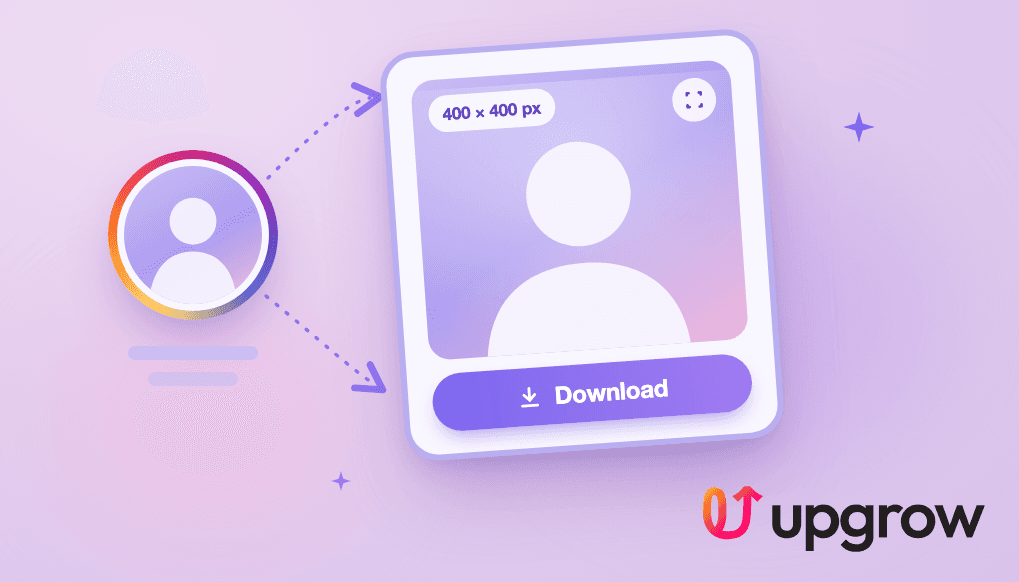
To download an Instagram profile picture, type the account's username into UpGrow's free Instagram Profile Picture Downloader. It opens the photo the account uses now at the largest size Instagram keeps, shows its dimensions in pixels and lets you save it in one tap, for public and private accounts alike, without logging in.
Find the account in the Instagram app or on the web and note its username, the name after the @ at the top of the profile.
Type that username into the Instagram Username field above, without the @. Capital letters don't matter.
Press View Profile Picture. The photo opens uncropped, as a square, with its size in pixels underneath.
Press Download to save a copy to your phone or computer, or Open full size to look at it in its own browser tab.
On a profile, in comments and in your messages, Instagram shrinks the photo and cuts it into a circle, and tapping it never opens a bigger version (when the account has a story up, it opens the story instead). Details at the edges, such as the last letters of a logo or a second person in a photo, are simply cut off.
Instagram still keeps a larger square copy of the photo the owner uploaded. The viewer fetches that copy, so you see the whole picture, corners included. If the owner uploaded a small image in the first place, the largest copy is small too, and no tool can add detail that was never there.
Copycat accounts often borrow the real person's or brand's profile photo. Seeing it in full size is the first step in telling them apart.
Open the photo in full size and download it.
Run it through a reverse image search such as Google Lens or TinEye. A stock photo, or the same face under several different names, is a strong hint the account is not genuine.
Compare it with the photo on the account you already know is real. Copycats tend to use an older or lower-quality version of the same picture.
Look at the rest of the profile as well: when it started posting, who follows it and how people engage. Our fake follower checker reads those public signals for any username.
Look up your own username to see exactly what Instagram has on file for you. It is a quick way to check whether your photo still looks sharp before you send your profile to a brand or a client.
Upload a square image that is larger than you think you need, so the copy Instagram keeps stays sharp.
Keep the face or logo in the middle, with some space around it, because the corners disappear when Instagram cuts the circle.
Avoid small text. Words that read well in the full-size photo usually can't be read in the circle beside your comments.
Use the same photo across your other accounts, so people recognize you when they move from one app to another.
Instagram crops every profile photo into a small circle and gives you no way to tap it open. The viewer is for the moments when that circle isn't enough: checking whether an account is really who it claims to be, reading a logo or a face before you reply to a message, or keeping a copy of your own photo before you replace it.
Add the Instagram Profile Picture Downloader to your site or article for free. Copy the code below; it keeps a credit link to UpGrow.
Download any public Instagram photo in full size. Paste the post link to save one photo or every photo in a carousel. Free, no login, no app.
Download Instagram stories from any public account. Enter a username, press Download on a live story and save it as an MP4 video or a JPG photo. Free, no login.
Generate the ideal captions for your Instagram posts using AI.
Save public Instagram videos to your device as MP4 files. Paste a post link: feed videos, carousel videos, older IGTV and Reels all work. Free, no login, no app.
View Instagram profiles, posts, stories, and more without an account, even for private accounts. Perfect for those who want to browse Instagram on the web anonymously for free.
Quickly generate & copy-and-paste fancy fonts for your Instagram bio or posts in 140+ styles.
UpGrow uses powerful AI models, 1M+ proven growth patterns, paid advertising, micro-interactions and real-human magic to bring you next-gen social media growth.
Say goodbye to fake followers and bots. We guarantee that all your new followers are authentic, engaged, and genuinely interested in your content.
Enjoy round-the-clock Instagram growth and engagement without lifting a finger. Our system works for you 24 hours a day – unlike a full time employee.
UpGrow is fully Instagram-compliant. Since 2016, we've helped our users gain millions of followers organically. It’s safe and works for everyone.
It's quantity + quality. UpGrow only attracts active and engaged followers who are eager to interact with your IG posts & stories.
Let our AI attract more followers based on your filters: location, age, gender, language, interests, hashtags – or let our AI do it automatically for you.
UpGrow replaces a full social media marketing team. Focus on what matters for your business and let us build your Instagram following – automagically!

 growth today.
 Get real, active followers.

Stop stressing about your Instagram account - our winning growth tactics are time-tested to help you achieve real results – fast & guaranteed!