









Free Instagram Bio Generator
Write a better Instagram bio in seconds. Describe yourself or your brand and get five ready-to-paste bios written to fit Instagram's 150-character limit.
See any Instagram profile picture in full size. Type a username to open the account's current profile photo at the largest size Instagram keeps, then download it in one tap.
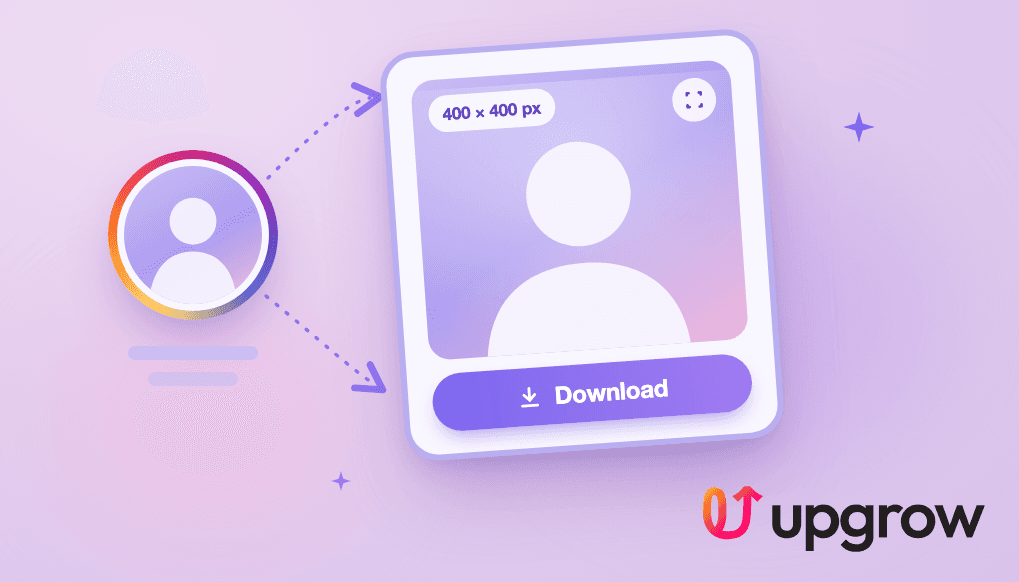
To see an Instagram profile picture in full size, type the account's username into UpGrow's free Instagram Profile Picture Viewer. It opens the photo the account uses now at the largest size Instagram keeps, shows its dimensions in pixels and lets you download it, for public and private accounts alike, without logging in.
Find the account in the Instagram app or on the web and note its username, the name after the @ at the top of the profile.
Type that username into the Instagram Username field above, without the @. Capital letters don't matter.
Press View Profile Picture. The photo opens uncropped, as a square, with its size in pixels underneath.
Press Download to save a copy to your phone or computer, or Open full size to look at it in its own browser tab.
On a profile, in comments and in your messages, Instagram shrinks the photo and cuts it into a circle, and tapping it never opens a bigger version (when the account has a story up, it opens the story instead). Details at the edges, such as the last letters of a logo or a second person in a photo, are simply cut off.
Instagram still keeps a larger square copy of the photo the owner uploaded. The viewer fetches that copy, so you see the whole picture, corners included. If the owner uploaded a small image in the first place, the largest copy is small too, and no tool can add detail that was never there.
Copycat accounts often borrow the real person's or brand's profile photo. Seeing it in full size is the first step in telling them apart.
Open the photo in full size and download it.
Run it through a reverse image search such as Google Lens or TinEye. A stock photo, or the same face under several different names, is a strong hint the account is not genuine.
Compare it with the photo on the account you already know is real. Copycats tend to use an older or lower-quality version of the same picture.
Look at the rest of the profile as well: when it started posting, who follows it and how people engage. Our fake follower checker reads those public signals for any username.
Look up your own username to see exactly what Instagram has on file for you. It is a quick way to check whether your photo still looks sharp before you send your profile to a brand or a client.
Upload a square image that is larger than you think you need, so the copy Instagram keeps stays sharp.
Keep the face or logo in the middle, with some space around it, because the corners disappear when Instagram cuts the circle.
Avoid small text. Words that read well in the full-size photo usually can't be read in the circle beside your comments.
Use the same photo across your other accounts, so people recognize you when they move from one app to another.
Instagram crops every profile photo into a small circle and gives you no way to tap it open. The viewer is for the moments when that circle isn't enough: checking whether an account is really who it claims to be, reading a logo or a face before you reply to a message, or keeping a copy of your own photo before you replace it.
Add the Free Instagram Profile Picture Viewer to your site or article for free. Copy the code below; it keeps a credit link to UpGrow.
Write a better Instagram bio in seconds. Describe yourself or your brand and get five ready-to-paste bios written to fit Instagram's 150-character limit.
Watch Instagram stories anonymously using our free service. View and download content from public profiles without the Instagram app - completely anonymous story viewing on any device.

Instantly generate tailored hashtags for your Instagram posts & reels based on type & category of content, using AI
Download Instagram Reels in HD quality with audio - no watermark, no account needed. Save Reels as MP4 or MP3 from any public profile (100% free)
Generate the ideal captions for your Instagram posts using AI.
Get 3 ideas for your instagram feed using our tailor-made AI system
UpGrow nutzt leistungsstarke KI-Modelle, 1M+ bewährte Wachstumsmuster, bezahlte Werbung, Mikro-Interaktionen und echte menschliche Magie für dein Social-Media-Wachstum der nächsten Generation.
Verabschiede dich von Fake-Followern und Bots. Wir garantieren, dass all deine neuen Follower echt und aktiv sind – und sich wirklich für deine Inhalte interessieren.
Genieße rund um die Uhr Instagram-Wachstum und Engagement, ohne einen Finger zu rühren. Unser System arbeitet 24 Stunden am Tag für dich – anders als eine Vollzeitkraft.
UpGrow ist vollständig Instagram-konform. Seit 2016 haben wir unseren Nutzern geholfen, organisch Millionen von Followern zu gewinnen. Es ist sicher und funktioniert für jeden.
Es geht um Quantität + Qualität. UpGrow zieht nur aktive und engagierte Follower an, die mit deinen IG-Posts & Stories interagieren wollen.
Lass unsere KI mehr Follower anziehen – nach deinen Filtern: Standort, Alter, Geschlecht, Sprache, Interessen, Hashtags. Oder überlass es einfach der KI.
UpGrow ersetzt ein komplettes Social-Media-Marketing-Team. Konzentriere dich auf das Wesentliche für dein Business und überlass uns den Aufbau deiner Instagram-Fangemeinde – wie von Zauberhand!

 Instagram-Wachstum.
 Hol dir echte, aktive Follower.

Kein Stress mehr mit deinem Instagram-Account – unsere erprobten Wachstumstaktiken bringen dir echte Ergebnisse, schnell & garantiert!