
10 Instagram Quiz Template Tools
Choose hosted quiz builders for tracking and leads, and design-first tools for Story-ready visuals.
Choose hosted quiz builders for tracking and leads, and design-first tools for Story-ready visuals.
4.98 /5 - from 58k reviews
Trusted by 50,000+ creators — get real engagement delivered to your profile in minutes, not days.
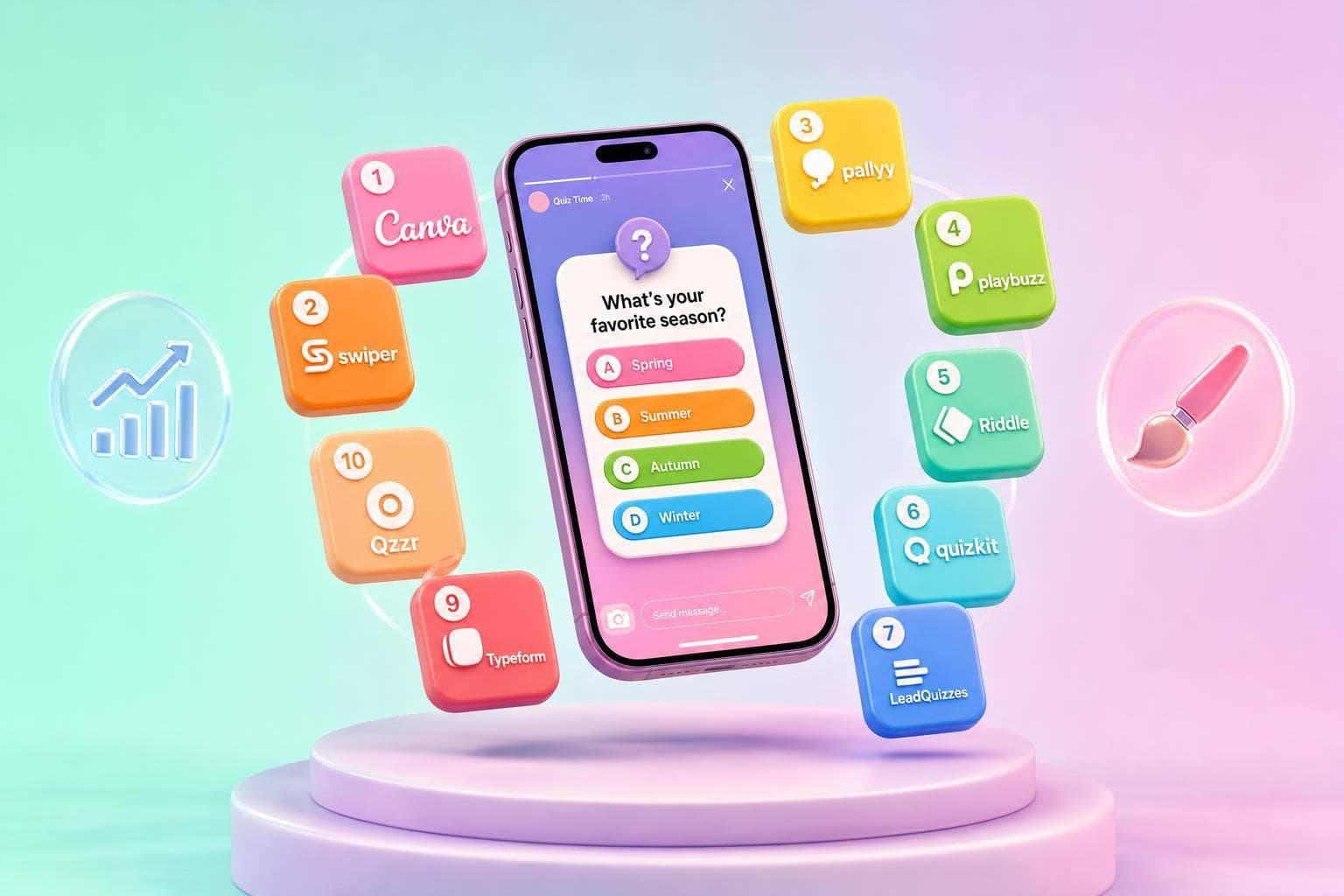
If you want Instagram quizzes that do more than a one-tap Story sticker, use a hosted quiz tool. The list breaks 10 options into two groups: tools that build and track quizzes and tools that only make quiz graphics.
Here’s the short version: if I want multi-question quizzes, lead forms, drop-off data, and shareable links, I’d look at Typeform, Opinion Stage, Tally, SurveyMonkey, LeadQuizzes, or SimpleQuizMaker. If I only need Story slides, carousels, or promo images, I’d look at Canva, Envato Elements, Design.com, or Mysmmai.
The article compares each tool using 5 Instagram-focused checks:
A few points stand out fast:
If I boil the article down even more, the picks look like this:
The big takeaway: I’d choose based on the job, not the brand name. Hosted quiz tools are better for tracking and lead capture. Design-first tools are better for visual posts you publish yourself.
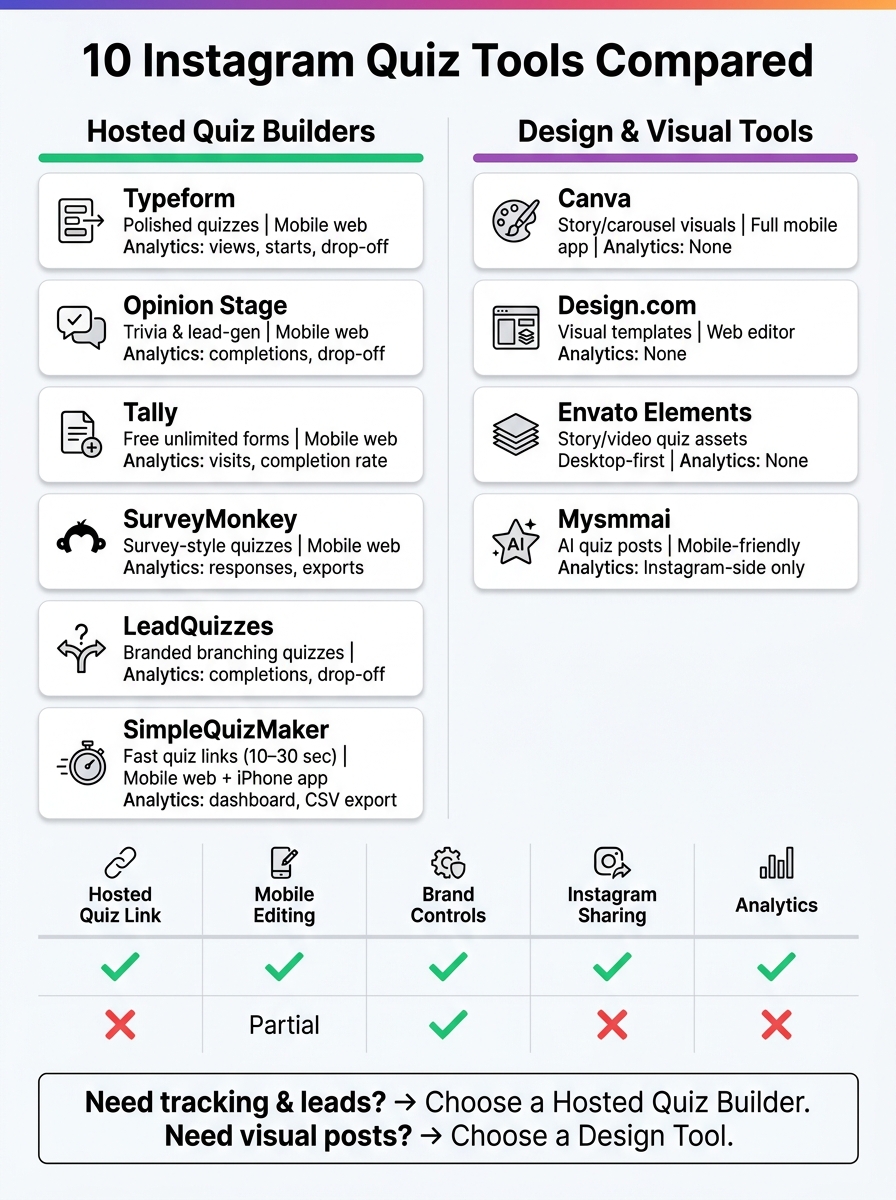
10 Instagram Quiz Tools Compared: Hosted Quiz Builders vs. Design Tools
| Tool | Main Use | Hosted Quiz Link | Mobile Use | Brand Control | Analytics |
|---|---|---|---|---|---|
| Typeform | Hosted quizzes | Yes | Mobile web | Colors, fonts, logo | Views, starts, submissions, drop-off |
| Opinion Stage | Trivia, lead-gen quizzes | Yes | Mobile web | Themes, logo, CSS | Completions, drop-off |
| Tally | Form-style quizzes | Yes | Mobile web | Colors, fonts, logo | Visits, completion rate, traffic source |
| SurveyMonkey | Survey-style quizzes | Yes | Mobile web | Logo, colors, fonts | Responses, completion rate, exports |
| LeadQuizzes | Branded branching quizzes | Yes | Mobile web | Logo, colors, backgrounds | Completions, drop-off |
| Canva | Story/carousel visuals | No | Full mobile app | Brand Kit | None |
| Design.com | Visual templates | No | Web editor | Logo, colors, fonts | None |
| Envato Elements | Story/video quiz assets | No | Limited mobile editing | Per-template styling | None |
| Mysmmai | AI quiz posts | No | Mobile-friendly | Basic styling | Mostly Instagram-side stats |
| SimpleQuizMaker | Fast hosted quiz links | Yes | Mobile web + iPhone app | Basic styling | Dashboard, question data, CSV on paid |
So if you’re picking one tool, start with one question: (similar to how you'd use Instagram Stories polls for quick engagement) Do you need a tracked quiz link or just quiz-looking content to get more followers on Instagram? That answer will cut the list in half right away.
Not every quiz builder fits Instagram.
Some tools are made for desktop forms first and feel clunky the second someone opens them on a phone. For Instagram, that’s a problem. You need something that looks right, loads fast, and feels natural inside the app’s mobile flow.
These five criteria separate Instagram-friendly quiz templates from generic forms. To pick an Instagram-ready quiz template, check these five things. Use these five checks to compare the tools below.
Look for vertical, mobile-first layouts that stay easy to use on a small screen.
A mobile dashboard lets you review results and make quick edits from your phone.
Brand controls keep the quiz aligned with your Instagram profile, and agency account management keeps client workflows organized.
Use a clean URL that loads fast in mobile browsers and opens smoothly from profile links, Story stickers, or DMs.
Look for analytics on completions, drop-off, leads, and conversions.

Typeform works well for Instagram because it brings a lot into one place: templates, mobile flow, branding, sharing, and analytics. It includes quiz templates for product recommendations, lead generation, trivia, marketing, and social media quizzes.
One big reason it fits Instagram so well is the format. Typeform shows one question at a time, which feels smooth on mobile. The large tap areas and easy-to-read fonts help, too. Before you publish, you can use the mobile preview to check how the quiz looks from an Instagram Story or bio link.
Branding is flexible. You can change colors, fonts, backgrounds, and logos to match your campaign style. On higher plans, you can add Brand Kits and remove Typeform branding. Brand Kits can even pull in your website’s logo and colors for a close match.
Sharing is simple, which matters on Instagram where link space is tight. You can place the quiz link in your bio, Stories, DMs, or a link-in-bio tool. Typeform also lets you make QR codes and change the social thumbnail, so the preview image lines up with your Instagram campaign look.
On the analytics side, Typeform tracks views, starts, submissions, completion rate, average time to complete, and drop-off by question. You can also filter results by device, which helps if you want to compare Instagram mobile traffic with users from other sources. Higher tiers add conversion tracking and drop-off-by-question reporting for campaigns with more volume.
Opinion Stage gives you interactive templates, including trivia quizzes.
On the branding side, you can match the quiz to your brand with color themes, fonts, and size settings. You can also upload your logo and use custom CSS if you want more control over styling. Professional plans also include white-labeling, which helps if you're sending quizzes to clients.
Sharing is pretty simple. You can send quizzes through a direct link in your bio, a Story sticker, or DMs. Analytics show completions and drop-off, so you can spot where people stop. And because the experience works well on mobile, it’s easier to review quizzes and send links right from your phone. You can also use Instagram Stories hacks to further boost engagement.
If you want something lighter and more form-like, the next tool goes with a simpler setup.
Tally is a free, no-code form builder that works well for trivia quizzes, personality quizzes, and lead-capture quizzes. Its template library comes with a ready-to-use Online Trivia Quiz that includes multiple choice questions, scoring, and result screens. There’s also a personality quiz template built around outcome-based results. You can duplicate a template and edit it right away, which makes Tally a strong pick for fast, low-friction Instagram marketing strategies involving quizzes.
That simple setup carries over to mobile, too. Tally’s forms are mobile-responsive, so they fit Instagram Story clicks and bio-link traffic without extra formatting. If someone opens a Tally link from a Story sticker or your bio, it loads cleanly inside Instagram’s in-app browser. You can make fast edits from your phone, though branching is easier to set up on desktop.
For branding, Tally lets you set custom colors, fonts, and button styles. You can also upload your logo and add images or video. On Pro plans, you can use custom domains like quiz.yourbrand.com instead of a generic tally.so link.
You can publish a shareable URL for your bio, Story sticker, DMs, or link-in-bio page. Tally also supports UTM parameters, so you can see which posts or Stories bring in the most quiz traffic.
For measurement, Form Insights shows visits, completion rates, drop-off points, and traffic sources. If you want more data, you can connect Google Analytics 4 or Meta Pixel. You can also sync responses to Google Sheets or Airtable through Zapier or Make. The free plan includes unlimited forms and unlimited submissions under a fair use policy.
SurveyMonkey is a good fit for Instagram when you need a branded, survey-style quiz instead of a visual template. It works well for quick audience checks, preference quizzes, and feedback campaigns that you share through a bio link or a Story sticker. This tool tends to work best when the quiz feels like a short survey and leads to a clear result or a useful audience takeaway.
If you want the quiz to line up with your Instagram look, SurveyMonkey gives you solid visual control without getting too fancy. You can upload a logo, match your brand colors, use custom fonts, and remove footer branding on higher-tier plans.
SurveyMonkey also includes Social Media Collectors for link sharing. You can use them to place a quiz link in your bio, Story, or DM, then track traffic coming from Instagram.
Once the quiz is live, the reporting helps you see how Instagram visitors behave. Analytics track responses, completion rates, and audience insights.
If you want a quiz that looks more like your brand and less like a plain form, LeadQuizzes gives you more control over the look and flow.
It comes with mobile-first templates built for Instagram Story and bio traffic. You can add your logo, set brand colors, use custom backgrounds, include image answers, and build logic branching. On higher-tier plans, you also get white-labeling, which removes LeadQuizzes branding and helps the quiz stay fully on-brand.
You can share the quiz through a link in your bio, Stories, or DMs. Then, use the dashboard to track completions and see where people drop off. This data is essential for refining your Instagram growth tips and strategy.
LeadQuizzes is a good fit for creators, brands, and agencies that want branded quizzes with branching logic. It works best when the quiz needs to feel like a campaign asset, not just a basic form.
For creators who need Instagram visuals around a quiz, Canva fills the design gap. It isn't a quiz builder. But it is handy for quiz promos, cover graphics, Story slides, and carousel posts. If you want branded Story and carousel assets to support a quiz campaign, Canva fits that job well.
Brand Kit helps keep logos, colors, and fonts in line for a cohesive Instagram feed. Canva for Teams adds shared campaign folders and approvals, which is useful for agencies and brand teams.
Canva handles the visuals, not the quiz logic. So the best way to use it is for the assets around the quiz, then direct people to your quiz builder link somewhere else. In plain English: Canva is a support tool, not a quiz engine.
Design.com is mainly a branding and logo design platform. It doesn't offer built-in quiz builder features, quiz templates, mobile quiz editing, quiz-focused analytics, or Instagram engagement tools. So it doesn't match the five criteria used in this list.
If you're looking for a tool for Instagram quiz templates, the other nine entries here are a better place to start.
Envato Elements is a source for quiz visuals, not a quiz engine. If you want to see a live example of a functional tool, try this Instagram Metrics Knowledge Quiz. In plain English: it gives you design assets, not the actual system that runs a quiz.
If you need 9:16 Story layouts or quiz-style slide templates, it can help with the visual side. But it doesn't handle the quiz mechanics behind the scenes.
That gap matters. Envato Elements offers no quiz logic, no link sharing, and no analytics. Since it misses three of the five criteria used in this list, it fits best as a support tool, not a main quiz platform.
Use it to make your quiz look good. Then use one of the next tools to build, publish, and track the quiz itself.
Mysmmai is closer to quiz post creation than a standard quiz builder. It’s an AI Instagram content tool with a Quiz Generator that makes downloadable quiz posts and carousels for your feed, not hosted quiz pages. This is a prime example of how to use AI for Instagram marketing to streamline content production.
Open Quiz under Post Creation and click Generate. In about 30 seconds, Mysmmai puts together a trivia-style post with the question, answer choices, visuals, and caption copy. You can get either a single-image post or a 2–6 slide carousel.
The setup also helps shape what it makes. During onboarding, you answer questions about your business, products, and services, and Mysmmai uses that input to match your niche and brand voice. You can add brand colors across design themes too, which helps keep quiz posts in line with the rest of your feed. It works on desktop and mobile, and the downloads are sized for Instagram’s vertical format. You can post those files to Stories as well.
The downside is how the quiz is delivered. Mysmmai doesn’t give you a hosted quiz link, embed code, or lead capture form. Analytics are also fairly limited, so most creators and teams will end up using Instagram analytics or other tools to track reach, comments, saves, and shares.
Pricing starts at $9/month. That makes it a good fit for creators who want fast quiz graphics without doing the design work by hand.
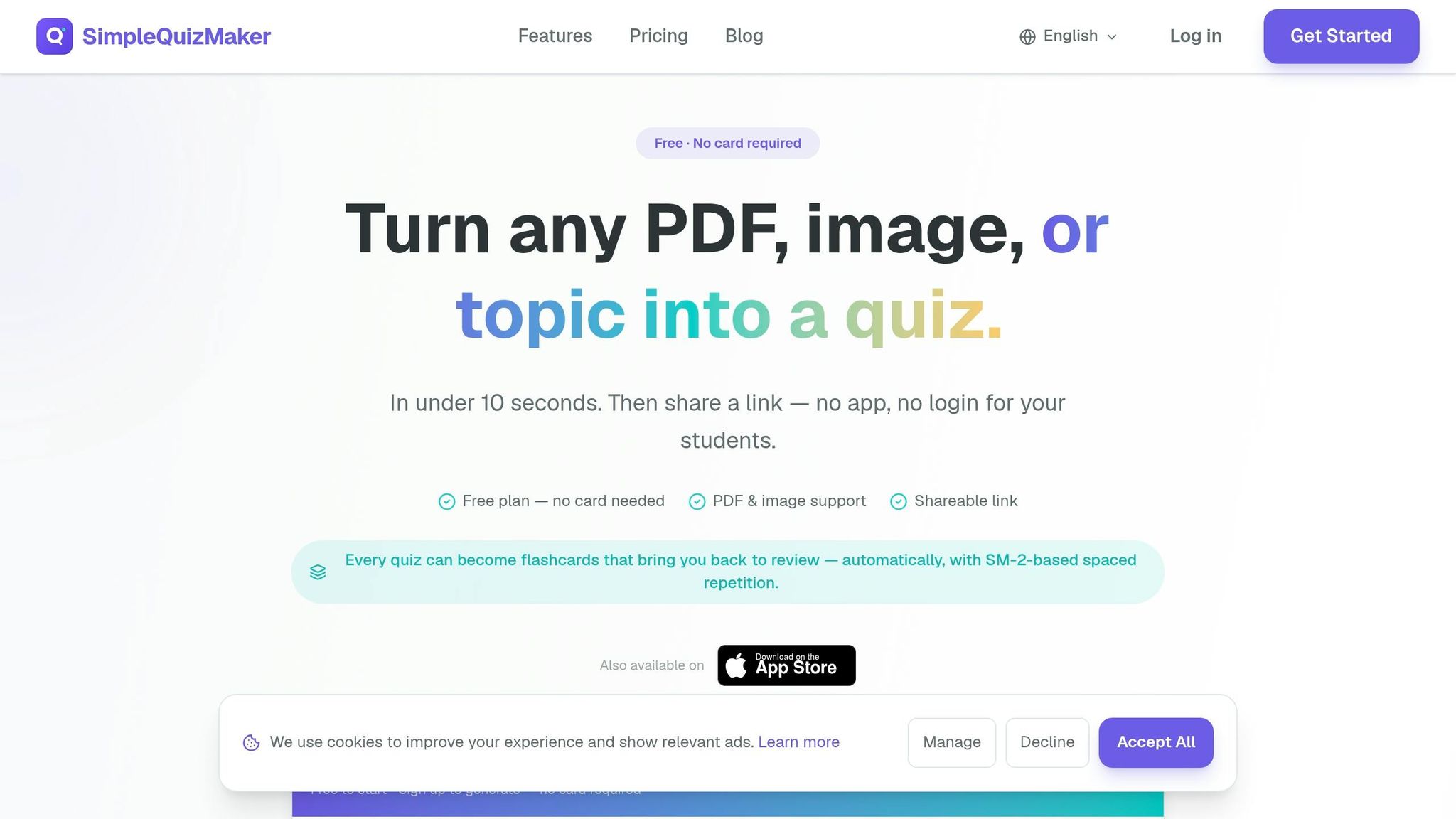
Unlike Mysmmai, which makes quiz posts, SimpleQuizMaker gives you a hosted quiz link that you can share in your bio, Stories, or DMs. It’s a good fit when speed matters more than polished design. The tool can build a full quiz in about 10–30 seconds from text, PDFs, images, videos, or a URL.
It supports:
It also generates answer choices and marks the correct answers for you. That makes it a better option for fast quiz links than for branded Instagram visuals.
On mobile, the quiz experience is mobile-responsive, but the product isn’t centered on Story-sized templates. The focus is speed, not deep styling control. If you’re working from your phone, the iPhone app lets you create and share quizzes while you’re out and about.
For Instagram sharing, the public link is the main route. QR codes and embed code are there too, but they’re more of a side option. On the reporting side, you get a real-time dashboard, question-level analytics, and CSV export on paid plans.
That setup works well for a few use cases: creators checking what their audience knows, brands running product knowledge quizzes, and agencies putting together quick client campaigns. These tools are essential for Instagram growth and engagement. The free tier includes 5 AI quiz generations per month, 10 questions per quiz, and unlimited submissions.
Here’s a side-by-side look at the 10 tools based on the Instagram growth strategies and features that matter most.
Some of these tools let you build and host quizzes. Others are better for making quiz-style graphics you post on Instagram yourself. The table below helps you compare format, mobile editing, branding, sharing, and analytics at a glance.
| Tool | Format | Mobile Editing | Branding Controls | Instagram Sharing | Analytics |
|---|---|---|---|---|---|
| Typeform | Web quiz forms; 3,000+ templates | Mobile web | Basic quiz branding | Link in bio, Story link sticker | Completion + drop-off |
| Opinion Stage | Web quizzes; personality, trivia, lead-gen, and product recommendation quizzes | Mobile web | Custom results pages and advanced customization | Link in bio, Story link sticker, DMs | Completion + drop-off |
| Tally | Web forms and quizzes | Mobile web | Basic quiz branding | Link in bio, Story link sticker | Completion only |
| SurveyMonkey | Scored quiz forms; expert-designed quiz templates | Mobile web | Logo and color branding | Link in bio, Story link sticker, link sharing | Completion + exports |
| LeadQuizzes | Web quizzes, calculators, pricing surveys | Mobile web | Branding customization | Link in bio, Story link sticker | Completion + drop-off |
| Canva | 9:16 Story templates, 1:1 feed posts, and 3,500+ "This or That" Story templates | Full-featured mobile app | Full brand kit | Download image/video and post manually | None |
| Design.com | Visual templates | Web-based editor | Logo, colors, fonts | Download image and post manually | None |
| Envato Elements | Vertical 9:16 Story templates; full-screen quiz video templates with countdown timers | Desktop-first; limited mobile editing | Custom colors, fonts, brand overlays per template | Download image/video and post manually | None |
| Mysmmai | AI-generated Instagram and Facebook quiz posts | Mobile-friendly AI generator | Basic styling via AI prompts | Download and post manually | Completion only |
| SimpleQuizMaker | Web quiz links | Mobile web | Basic styling | Public share link | Completion + exports on paid plans |
A quick pattern stands out: hosted quiz tools like Typeform, Opinion Stage, SurveyMonkey, and LeadQuizzes give you response tracking, while design-first tools like Canva, Design.com, and Envato Elements focus on visuals and leave posting and tracking up to you.
If mobile use is a big deal, Canva stands out with a full app experience. Most of the quiz builders here work through mobile web instead, which is fine for light edits but can feel a bit clunky if you're building from your phone.
Branding control also varies quite a bit. Some tools only let you add basic colors or a logo. Others, like Canva and Opinion Stage, give you more room to shape the look and feel of the quiz experience.
Pick based on how you work. The right tool depends on the job: creators usually care most about speed, brands tend to care about lead capture, and agencies often need reusable templates plus client reporting. Use the comparison above to narrow your options, then match the tool to the role below.
Start with the audience you serve most often.
For creators, speed, mobile editing, AI-assisted content creation, and easy sharing matter most. Opinion Stage and Tally are the fastest options. Canva is best used for promo assets, SimpleQuizMaker works when you just need the fastest quiz link, and Typeform makes sense if you want a more polished look.
If your quiz connects to a product or a lead funnel, jump to the brand-focused options below.
For brands, Opinion Stage is a strong fit for lead capture and product routing. SurveyMonkey works well for structured surveys, LeadQuizzes is a good pick for branching logic, and Typeform fits teams that want a polished brand experience.
If you manage work across many clients, the agency options below make more sense.
For agencies, Typeform and LeadQuizzes are the strongest default choices. Tally fits simpler branded workflows, and Opinion Stage helps with fast campaign reuse.
After looking at the tools above, use a simple rule: there’s no single tool for every Instagram quiz job. Choose based on format, goal, team size, and reporting needs. Then pressure-test your pick against the basics that matter day to day: template fit, mobile editing, branding, sharing, and analytics.
From there, narrow it down by use case. In plain English, match the tool to your Instagram marketing strategy. Some tools are better for quiz logic and lead capture. Others help you turn out Story-ready assets fast. Some give you tighter brand control, while others make reporting easier.
And yes, mobile should be nonnegotiable.
Start with your main use case, use the table to build a shortlist, and choose the simplest tool that covers your must-haves with the least friction.
Yes - in most cases.
Instagram’s built-in Story tools can help drive engagement. But a dedicated quiz builder gives you something Stories don’t: a hosted link you can share in your bio, captions, and direct messages.
That link gives you more control over your branding, makes data collection easier, and creates a smooth mobile experience. It also makes the quiz easier to find and track after a standard Instagram Story disappears.
Meta Business Suite is the easiest pick if you want a mobile-friendly way to track performance. It works well on desktop and mobile, and it gives you one simple, central place to manage Instagram results.
Instagram Insights is built into the app, which is handy. But Meta Business Suite gives creators and brands a more complete setup for mobile-friendly tracking and reporting.
Use Instagram Insights for basic tracking like reach and engagement. Just note one catch: its data usually only goes back 90 days.
If you need deeper, long-term tracking, UpGrow gives you real-time monitoring across 50+ metrics. That includes engagement trends, audience demographics, and exportable PDF reports you can share with your team.


