
Top 8 AI Comment Moderation Tools for IG
Choose an Instagram moderation tool by workflow, comment volume, ad spend, and abuse risk—budget picks for creators, enterprise for agencies.
Choose an Instagram moderation tool by workflow, comment volume, ad spend, and abuse risk—budget picks for creators, enterprise for agencies.
4.98 /5 - from 58k reviews
Trusted by 50,000+ creators — get real engagement delivered to your profile in minutes, not days.

If your Instagram comments get hit with spam, scams, or abuse, the right tool can hide or flag bad comments in seconds. I’d narrow this list fast based on price, ad comment coverage, review controls, scam filtering, and multi-account support.
Here’s the short version:
A few numbers stand out. One cited report says Instagram ads saw a 34.1% hide rate from spam and bots. Another says Respondology moderated 118.4 million comments in 2024. And TrollWall’s case study shows 1,888,001 comments processed, with 471,230 harmful interactions auto-hidden.
If I were choosing, I’d match the tool to three things first:
For most solo creators, lower-cost tools like CommentGuard or ReplyMint will cover the basics. For agencies, I’d look harder at CommentGuard Elite, OpenModeration, or Respondology. For scam-heavy niches like finance, beauty, gaming, or politics, stricter filters matter more than extra inbox features.
Quick Comparison
| Tool | Best For | Ad Comments | Review Flow | Starting Price |
|---|---|---|---|---|
| CommentGuard | Organic + paid comment control in one place | Yes | Unified inbox, bulk actions | $29/month |
| FeedGuardians | Hard to assess from public info | Not clear | Not clear | Not public |
| ReplyMint | Teams that want structured moderation | Yes | Status/risk inbox | $39/month |
| ShieldGram | Instagram-only scam filtering | Yes, but narrower | Review queue by mode | $59.99/month |
| TrollWall | Heavy abuse and spam | Yes | Threaded review, bulk actions | Not public |
| Bodyguard | Evasion-style abuse | Not clearly listed | Fast triage | Not public |
| Respondology Moderate | Mid-market and enterprise | Yes, including dark posts | Human review in under 30 seconds | ~$1,500/month |
| OpenModeration | Audit logs and custom policy rules | Yes | Logged review queue | Free / $109/month |
In other words: pick based on workflow first, then price. If you only need basic spam cleanup, don’t pay for enterprise review layers. But if your ad comments affect sales or brand trust, stronger hide-and-review controls are worth it.
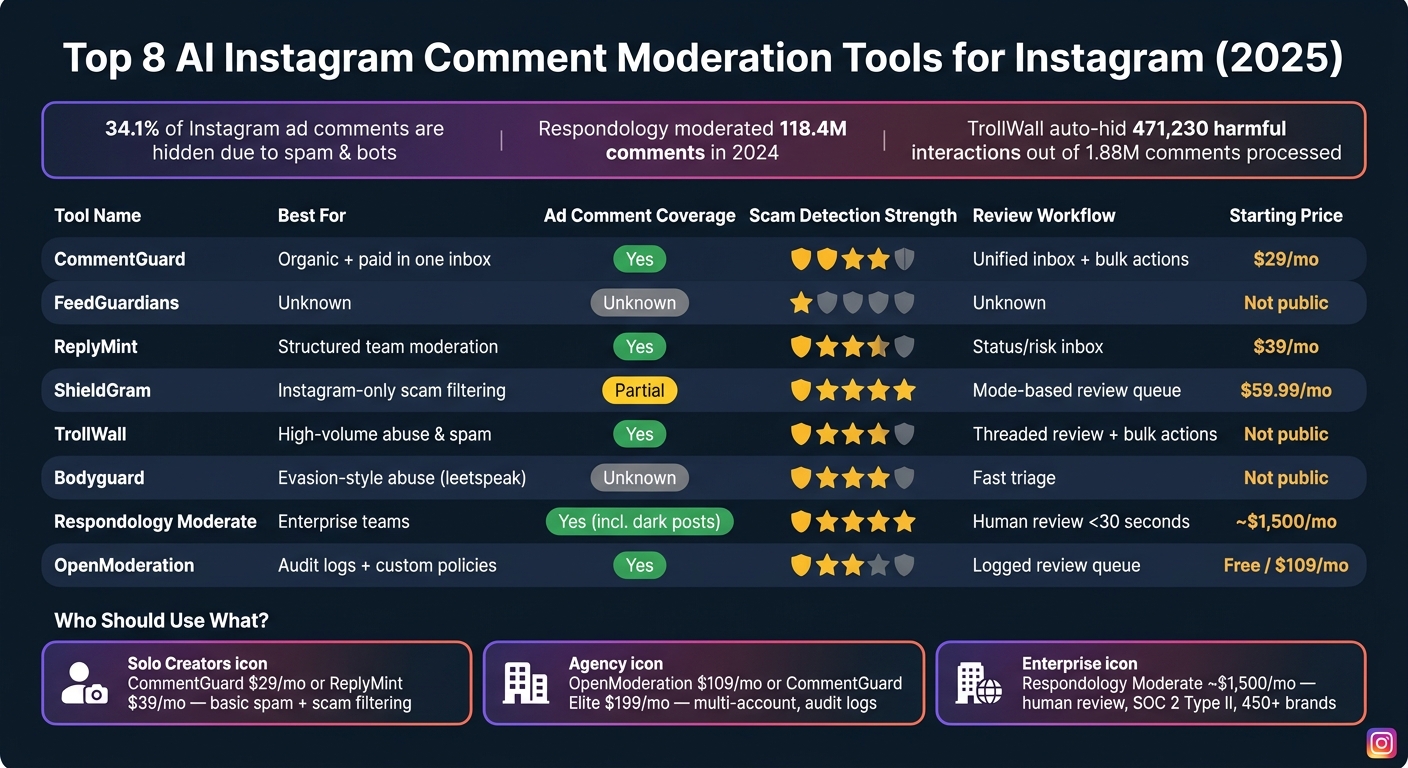
Top 8 AI Instagram Comment Moderation Tools Compared (2025)
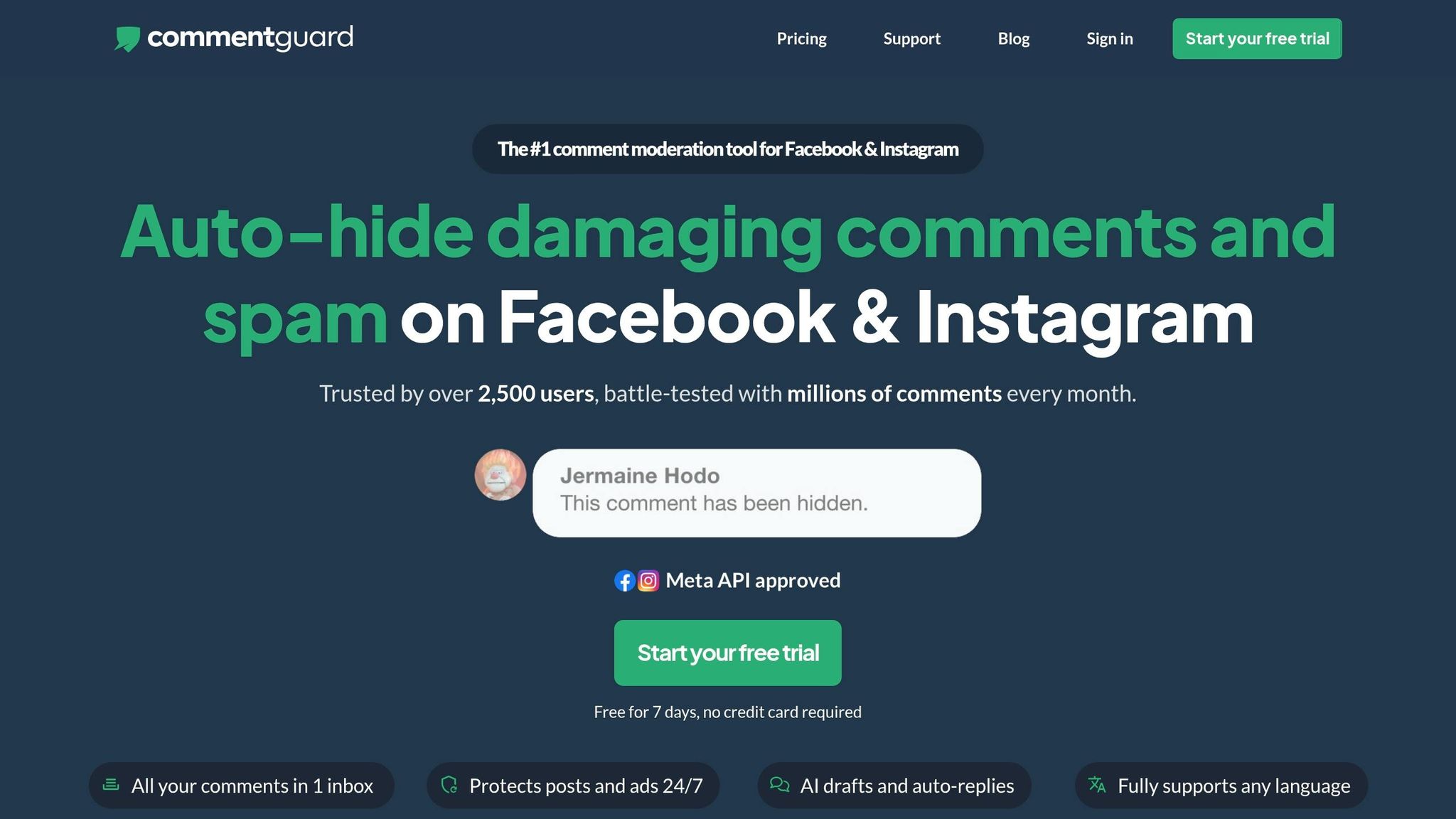
CommentGuard is a strong fit for teams that want one inbox for both organic and paid Instagram comments. It connects to Instagram Business Accounts and pulls comments from posts, Reels, and ads into a single moderation dashboard. From there, teams can hide, delete, reply, block, and like comments without bouncing between tools.
Its AI uses sentiment and intent scoring to sort complaints from abuse. That matters because not every negative comment is spam, and not every angry message should be hidden. You can set rules for keywords, URLs, phone numbers, brand names, and sentiment so comments are either auto-hidden or sent for review. CommentGuard also supports AI classification in 12 languages, which helps U.S. brands that deal with mixed-language audiences.
It also flags crypto pitches, WhatsApp and Telegram spam, phishing links, and fake support-account messages. If you're running ad campaigns where trust is everything, that kind of filtering can save a lot of headaches.
Analytics cover comment volume, sentiment, moderation actions, and response time. So this isn't just about cleanup. It also gives teams a way to track how fast they respond and what kinds of comments keep showing up. The main downside is price, especially for teams that need more room to scale.
Pricing starts at $29/month for Starter, then $49/month for Growth, $99/month for Pro, and $199/month for Elite. There’s also a 7-day free trial with no credit card required. For those looking for more ways to optimize their profile, there are several free AI-powered Instagram tools available to help manage growth.
| Plan | Price/Month | Comments/Month | Notes |
|---|---|---|---|
| Starter | $29 | 5,000 | 1,000 AI replies |
| Growth | $49 | 10,000 | 5,000 AI replies |
| Pro | $99 | Higher volume | - |
| Elite | $199 | High volume | Unlimited pages and unlimited users |
Starter and Growth make sense for solo creators and small businesses. Elite is a better match for agencies that need unlimited pages and users. In practice, CommentGuard works best for teams that manage multiple accounts and want tighter review controls.
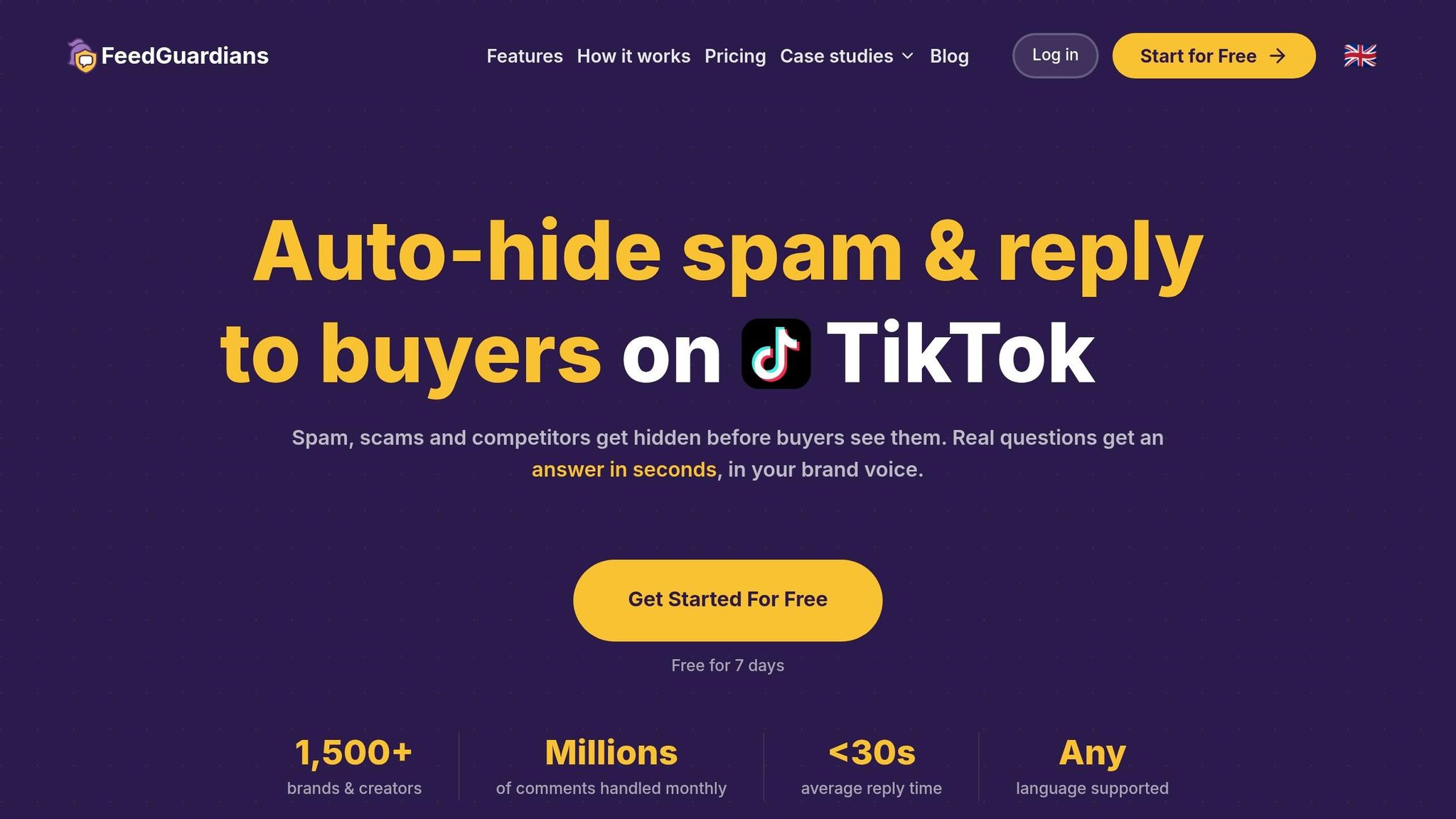
FeedGuardians is tougher to assess against this roundup’s criteria because public documentation is limited. Based on publicly available sources, there’s no clear proof of FeedGuardians’ Instagram account coverage, hidden-comment controls, inbox workflow, analytics, or pricing. This makes it difficult to manage your Instagram DM interactions effectively. So if you need a tool for moderation-heavy work, its fit is still hard to pin down.
That lack of detail also makes side-by-side comparison harder, especially next to the options below that are documented in much more depth.
ReplyMint is a good fit for teams that want clear workflow controls and a moderation setup that feels direct and easy to follow. It comes with a moderation workflow that’s easy to understand, and its pricing is laid out plainly below.
Its filtering engine goes past simple keyword matching. It uses a supervised model trained on labeled social comments to spot comment intent. That means it can classify:
Teams can turn these categories on or off for each profile, which makes it easier to match moderation rules to each brand’s risk level.
For moderation actions, ReplyMint supports auto-hide, auto-delete, and send-to-review. Flagged comments land in a moderation inbox sorted by status and risk. It also includes reporting on total comments processed, hidden or deleted counts, violation breakdowns, and moderator response times.
ReplyMint also covers key Instagram surfaces, not just comment filtering and inbox work. It uses Instagram's official APIs for organic posts, Reels, and ads. Ad moderation is included in all paid tiers. It also supports multi-account management, which makes it a solid option for agencies managing several client profiles.
Pricing starts with a free 200-message plan. The Solo plan costs $39/month, or about $31/month billed annually, and the Growth plan costs $79/month, or about $63/month billed annually. Both paid tiers come with a 7-day free trial.
ReplyMint works best for small and mid-sized brands, plus agencies that need structured moderation and reporting. Solo creators with low comment volume may not need that extra workflow layer. Its best use case is structured moderation at scale.
ShieldGram is a better fit for teams that need Instagram-only moderation and tougher scam filtering. It stays focused on Instagram-native work: feed comments, Reels, Story replies, and ad comments. Its models are tuned for the way people actually write on Instagram, including slang, emojis, short replies, fake giveaway spam, and crypto "recovery" scams.
Its filtering system blends keyword and pattern matching, ML-based toxicity detection, and reputation checks for suspicious accounts. Teams can choose whether comments are auto-hidden, sent for review, or left visible by using Aggressive, Balanced, and Strict moderation modes. It also allows separate rules for ads and organic posts, plus moderation across 8 languages.
ShieldGram also includes reporting that tracks hidden and flagged comments, along with abuse trends over time. That makes it easier to spot repeat spam patterns instead of dealing with the same junk over and over. One limitation: ad coverage is narrower, and it does not include a full ad inbox.
Its pricing changes based on comment volume and the number of accounts:
| Plan | Comments/Month | Accounts | Protection Level |
|---|---|---|---|
| Standard | 5,000 | 1 | Standard Protection |
| Plus | 20,000 | 2 | Standard Protection |
| Pro | 50,000 | 5 | Advanced Reasoning + custom policies |
| Max | 200,000 | Unlimited | Advanced Reasoning + custom policies |
Pricing starts at $59.99/month, with a 7-day free trial and no credit card required. Pro and Max make more sense for agencies and brands managing many accounts, while Standard and Plus are a better match for solo creators. For those looking to scale further, using the best Instagram growth tool alongside moderation can accelerate results.
TrollWall is an Instagram-first moderation tool that helps maintain Instagram growth built to deal with hate speech, harassment, threats, racist and sexist language, spam, and disinformation links. It also extends to Facebook, TikTok, and YouTube. And it covers both organic posts and paid ads. So if your top concern is keeping abuse under control, TrollWall makes more sense than a broad social inbox tool.
The dashboard focuses on fast triage, bulk actions, and blocking repeat offenders. You can review threaded comments by post, use advanced filters to check hidden comments, and set custom keyword and URL blacklists to catch brand-specific scam phrases tied to live campaigns. That setup is a strong match when spam and harassment need immediate, automated triage.
Its reporting also helps teams spot trouble early. You can track hidden-by-AI counts and sentiment trends through visual charts, which makes patterns easier to catch. For example, if a giveaway campaign starts pulling in a wave of scam comments, teams can tighten rules before the problem spreads.
The fit becomes even clearer in high-risk comment sections. In a two-year case study with Denník N, Slovakia's leading independent media outlet, TrollWall processed 1,888,001 comments on Instagram and Facebook between October 2023 and September 2025 and automatically hid 471,230 harmful interactions. The outlet saw an average toxicity rate of 26%, with peaks as high as 45.28% on polarizing content.
TrollWall is best suited for brands, media outlets, NGOs, and agencies handling heavy Instagram comment volume. It supports 12 languages, which is useful for U.S.-based accounts with multilingual audiences. Use the table below to compare TrollWall’s moderation depth, account coverage, and value against the other Instagram tools.
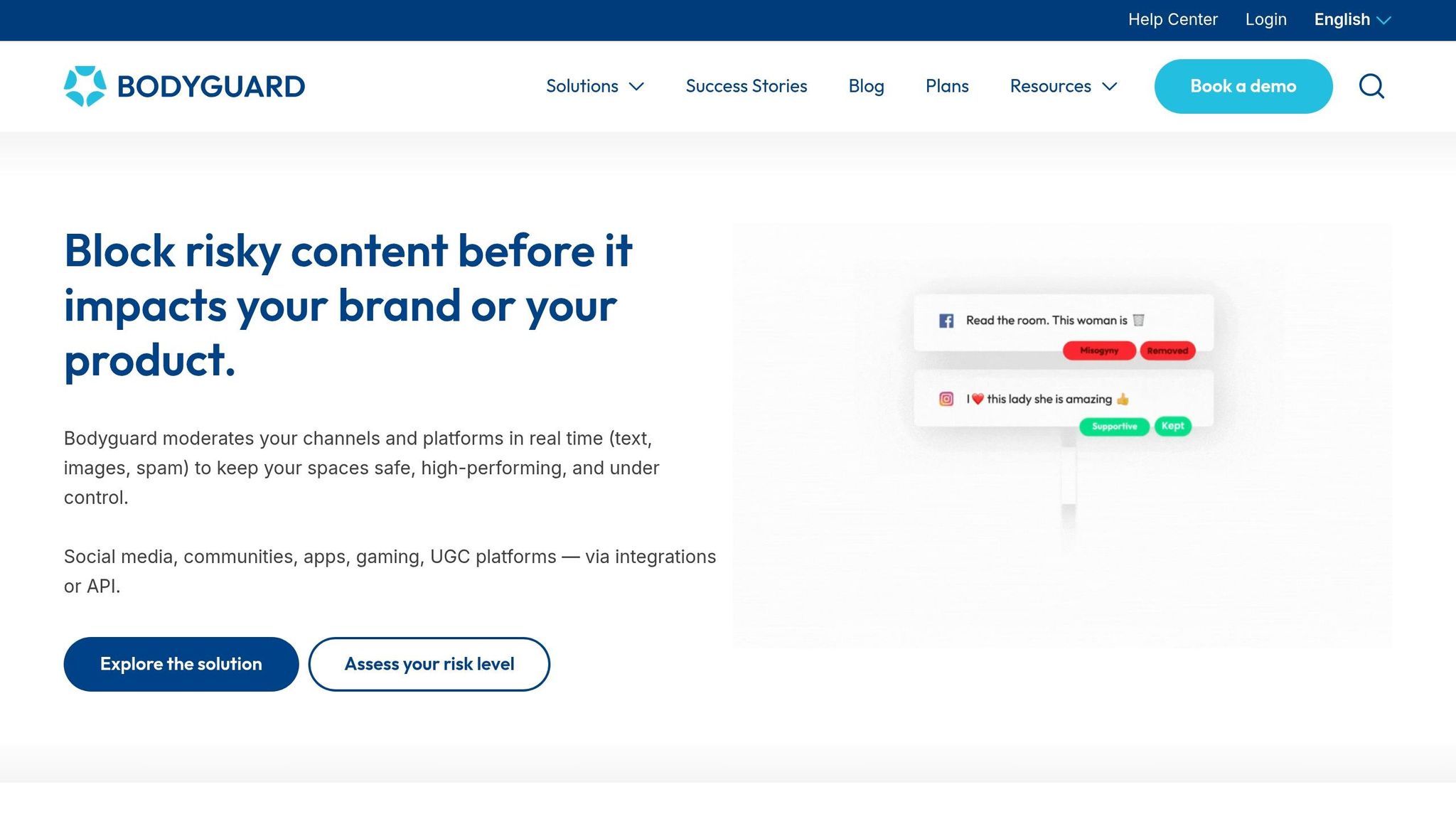
Bodyguard uses NLP to flag hate speech, harassment, spam, leetspeak, and deliberate misspellings in real time. That matters because a lot of abuse doesn’t show up in plain, obvious terms. People change spellings on purpose to slip past basic filters, and Bodyguard is built to catch that.
In plain English: it does more than simple keyword matching.
That gives it an edge when someone is trying to dodge moderation with evasion-style abuse, especially through leetspeak or misspelled words meant to look harmless at first glance.
Bodyguard also works with Instagram Business and Creator accounts. It makes the most sense when abuse is subtle, moving fast, or written in a way that tries to beat keyword filters. Its main strength is simple: it catches comments designed to get around basic filters.
That’s why Bodyguard stands out for the hidden-controls and scam-detection checks in the comparison table below.
Respondology Moderate is built for mid-market and enterprise teams that need tight control over Instagram comments. It combines keyword and phrase filters, AI toxicity detection, and a U.S.-based human review network that reviews borderline comments in under 30 seconds.
Here’s the key thing: when Moderate hides a comment, the person who posted it can still see it. But other users can’t. That setup applies to both organic posts and paid ads, including dark posts. Brand and social teams can then review hidden comments inside the dashboard to audit decisions and spot repeat issues.
The policy controls go pretty deep. Teams can:
The platform is also SOC 2 Type II certified.
In 2024, Respondology moderated 118.4 million comments across 734,500 posts for 450+ brands, and hid about 1 out of every 6 comments due to spam or toxicity. Pricing starts at around $1,500/month when billed annually, based on handles and ad spend. There’s no self-serve sign-up, so onboarding happens through a sales demo process.
This makes Respondology Moderate a better fit for enterprise teams and agencies than for solo creators. Use the comparison table below to weigh its enterprise workflow against lighter moderation tools.
OpenModeration is a good fit for teams that need audit-ready Instagram comment moderation and more control over how policy rules are set. It’s an open-source moderation hub for Instagram, Facebook, and YouTube. On Instagram, it can hide, delete, or flag comments and replies based on your rules, with policy coverage for hate, harassment, scams, and impersonation.
This stands out for teams that care about reviewable moderation decisions, not just fast spam cleanup. OpenModeration logs each action, including the comment text, timestamp, triggered rule, action taken, and any human reviewer decision, which makes audit review much easier.
It also lets teams send moderation through multiple AI models. In plain English, that gives you another layer of checking, which can help cut down on missed toxic content and improve accuracy. If you run several brands or client accounts, that flexibility goes a long way. Agencies can set client-specific rules, reuse policy templates, and look at combined analytics across accounts.
Pricing is friendly, especially for technical teams that want control without signing a big enterprise deal. The Free plan includes up to 1,000 moderation requests per month. Managed hosting starts at $109/month for 10,000 requests per month, and teams that want full setup control can self-host for free with Docker.
Solo creators can use it, but it makes the most sense for agencies and regulated brands that need clear records, custom rules, and tighter oversight.
Here’s the plain-English view: these tools differ most in how they hide bad comments, how teams review flagged items, and how well they catch scams before things get messy.
Compare them across hidden controls, review flow, scam checks, account coverage, analytics, and price.
| Tool | Hidden Controls | Review Workflow | Scam Detection | Account Coverage | Analytics | Starting Price |
|---|---|---|---|---|---|---|
| CommentGuard | Auto-hide by keyword, URL, sentiment, or AI score | Single inbox for organic and ad comments; bulk actions | Crypto pitches, WhatsApp/Telegram spam, phishing links, fake support accounts | Posts, Reels, ads; multi-account | Comment volume, sentiment, moderation actions, response time | $29/month |
| FeedGuardians | Not publicly documented | Not publicly documented | Not publicly documented | Not publicly documented | Not publicly documented | Not publicly documented |
| ReplyMint | Auto-hide, auto-delete, or send to review by category | Moderation inbox sorted by status and risk; category toggles per profile | Scam and phishing attempts, spam link patterns | Posts, Reels, ads; multi-account | Comments processed, hide/delete counts, violation breakdowns, response time | $39/month |
| ShieldGram | Aggressive, Balanced, or Strict modes; separate rules for ads and organic | Review queue with mode-based triage | Fake giveaway spam, crypto recovery scams, suspicious account reputation checks | Feed, Reels, Story replies, ad comments | Hidden and flagged comment counts, abuse trends | $59.99/month |
| TrollWall | Custom keyword and URL blacklists; bulk hide actions | Threaded comment review by post; advanced filters for hidden comments | Disinformation links, hate speech, harassment, spam | Posts, Reels, ads; Facebook, TikTok, YouTube | Hidden-by-AI counts, sentiment trends, visual charts | Not publicly listed |
| Bodyguard | Real-time NLP-based auto-hide | Fast triage focused on evasion-style abuse | Leetspeak, deliberate misspellings, hate speech, harassment | Instagram Business and Creator accounts | Not publicly documented | Not publicly listed |
| Respondology Moderate | Category-based filters (profanity, hate, sexual, political); custom keyword lists; sensitivity by campaign | Human review network reviews borderline comments in under 30 seconds; hidden comments auditable in dashboard | Competitor baiting, scam patterns, spam | Posts, Reels, ads including dark posts; 450+ brand scale | Hide/delete counts, repeat issue tracking | ~$1,500/month (annual) |
| OpenModeration | Hide, delete, or flag by policy rule; client-specific rule sets | Logged moderation queue with rule, action, and reviewer decision per comment | Hate, harassment, scams, impersonation | Instagram, Facebook, YouTube; multi-account | Per-action logs with timestamps and triggered rules | Free up to 1,000 requests; $109/month for 10,000 requests |
Once a tool matches your workflow, price usually becomes the next cut. Some are built for solo creators who just want the basics. Others cost more because they give teams tighter control across many accounts and better reporting when clients or legal teams want a paper trail.
| Tool | Starting Price | Volume Limit | Best Value For |
|---|---|---|---|
| CommentGuard | $29/month | 5,000 comments/month | Solo creators and small teams needing organic and ad coverage |
| FeedGuardians | Not publicly documented | - | - |
| ReplyMint | $39/month (~$31/month annual) | 200 messages free; paid tiers scale up | Small to mid-sized brands and agencies needing structured reporting |
| ShieldGram | $59.99/month | 5,000 comments/month (Standard) | Solo creators and agencies needing Instagram-only scam filtering |
| TrollWall | Not publicly listed | - | Brands and media outlets with high abuse volume |
| Bodyguard | Not publicly listed | - | Accounts dealing with evasion-style abuse |
| Respondology Moderate | ~$1,500/month (annual) | 118.4M+ comments moderated at scale | Mid-market and enterprise teams; not suited for solo creators |
| OpenModeration | Free / $109/month | 1,000 requests free; 10,000/month paid | Agencies and regulated brands needing audit logs and custom rules |
For solo creators, the sweet spot is simple hide-and-review controls, basic scam filtering, AI-driven engagement tools, and a plan that doesn’t sting every month. CommentGuard at $29/month and ReplyMint at $39/month cover the core needs without a lot of setup. ShieldGram at $59.99/month makes more sense if your Instagram comments keep getting hit by crypto spam or fake giveaway bait.
For agencies, the math changes. You’ll want multi-account management, team permissions, bulk actions, and logs you can pull up later without digging around. OpenModeration stands out here because it gives client-specific rule sets and full action logs at a low entry price. Respondology Moderate is aimed more at enterprise teams that want human review and SOC 2 Type II compliance. CommentGuard’s Elite plan at $199/month is another strong fit for agencies that want one inbox across client accounts with unlimited pages and users.
After looking at the options, narrow your list with three simple filters: comment volume, ad volume, and abuse risk.
Start with volume. If you get under 500 comments per month, Instagram’s native controls or a basic tool will usually do the job. If you’re in the 500 to 10,000 range, most teams can get by with an AI tool in the $29 to $49 per month range. Once you’re above 10,000 comments per month, enterprise tools tend to make more sense. In plain English: volume helps you choose the pricing tier, while risk tells you how strict your setup needs to be.
Risk matters more than a lot of teams expect. Accounts in finance, politics, gaming, beauty, and public-facing creator niches tend to attract more scams, spam, and harassment. And if you run a lot of ads, the need for tighter filters goes up. One 2025 report found a 34.1% comment hide rate on Instagram ads, with spam and bots doing most of the damage.
Choose the workflow first. Then choose the tool.
Before you pay for anything, make sure the tool can handle the way your team already works. That usually means:
If setup feels like a chore just to connect one Instagram account, that’s a red flag. And if there’s a free trial or demo, test it during a normal busy week, not a quiet one. That’s when you’ll see what happens under real comment volume, not the polished version.

If comment moderation is part of a broader growth stack, keep growth and protection separate.
UpGrow handles growth. Moderation tools handle protection. Use UpGrow to bring in real followers, following proven Instagram growth tips, and use a moderation tool to stop comment spam from growing right alongside them. Otherwise, more reach can turn into more cleanup work fast.
This comparison boils down to four things: hidden controls, review workflow, scam detection, and scale. Start with the tool that lines up with your biggest moderation risk.
If you're a solo creator, look at price, spam filtering, and how the workflow feels day to day. A lower-cost plan that covers your top two or three risks is usually enough at the start. After that, your budget, workflow, and the number of accounts you manage will point you toward the better option.
For agencies, the checklist changes a bit. Multi-account dashboards, shared rule sets, team permissions, and exportable logs matter more. It also helps to pick a tool that ships regular model updates and gives you room to move up to a higher tier without changing platforms.
If organic Instagram growth strategies are also on your list, UpGrow can handle the growth side while your moderation tool keeps your comment section safe and on-brand.
Start with your account size and how busy your inbox gets. If you’re a solo creator with a lighter flow of messages, built-in options like Hidden Words may be enough. But if you run a larger account - or manage accounts for clients - you may need AI tools with real-time analytics, sentiment tracking, and automated responses.
It also pays to be picky about the platform itself. Focus on tools that use Instagram’s official Graph API. Beyond that, look for features like:
That last pair matters most if you manage more than one account and need to keep client work organized.
Yes. Comment moderation matters even if you only publish organic posts.
It helps protect your account’s reputation by filtering spam, scams, and inappropriate content. A cleaner comment section can also support healthy organic reach. And AI-driven moderation helps you stay responsive and in line with Instagram’s rules.
For scam-heavy Instagram accounts, UpGrow is a strong pick if you want to keep your presence clean and protected. Its AI-driven audit tools score follower and commenter quality based on signals like account age, profile completeness, and posting frequency.
It also flags common signs of bot-driven scam activity, such as generic language, heavy emoji use, and unnatural engagement patterns. That makes it easier to spot and remove fake interactions before they pile up.


