How to Set Up an Instagram Profile for Your Business
Set up an Instagram business profile that converts: account type, handle, photo, bio, link, Highlights and pinned posts, step by step with examples.
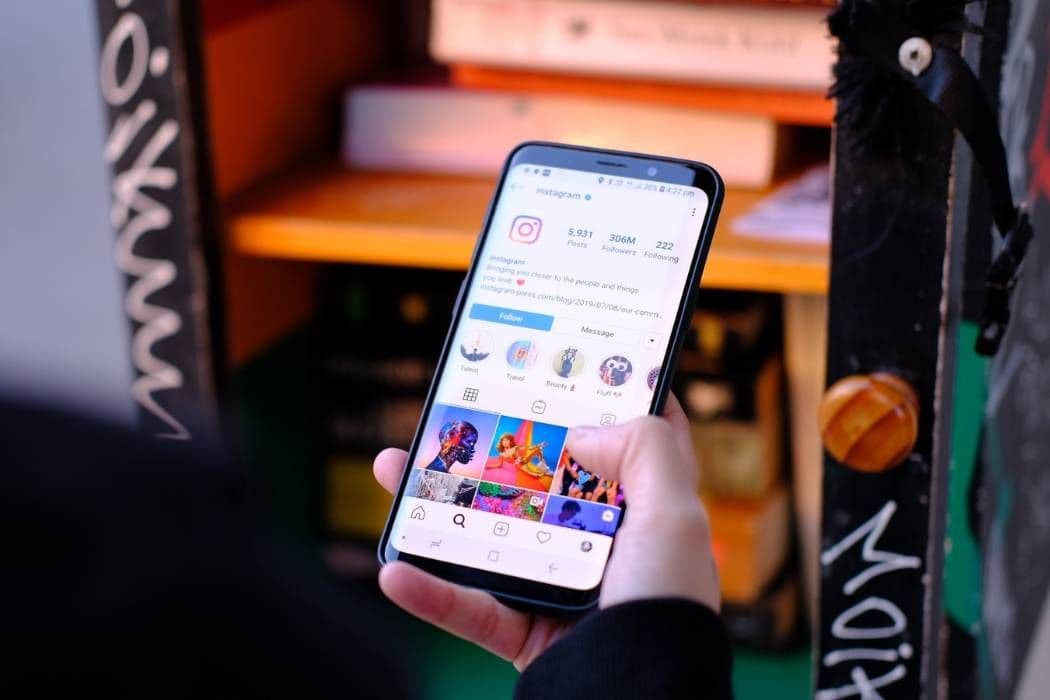
A strong Instagram business profile answers three questions in a few seconds: what you do, who it is for and what to do next. To get there, switch to a professional account, pick a handle people can remember, use a clear profile photo, write a bio that states your offer, add one useful link and a contact button, and arrange Highlights and pinned posts so a first-time visitor sees your best material.
Most visitors decide within moments whether to follow or leave. Every element below exists to make that decision easy.
1. Switch to a professional account
Open settings and change the account type to professional, then choose business or creator. A professional account gives you insights, contact buttons, category labels and the ability to run promotions. It also makes the account public, which is what you want for a business anyway.
Pick the category that best describes you, because it appears under your name and tells visitors what you are. If you sell products, business is usually right. If your brand is a person with an audience, creator may fit better.
2. Choose a handle and name people can find
Your handle is how people tag, mention and type you. Your name field is one of the main things Instagram search reads, so it matters more than many people think.
- Handle: keep it short, readable and as close to your business name as possible. Avoid long number strings and unusual spellings. If the exact name is taken, add a plain word such as your trade or city rather than random characters. Say the handle out loud to a friend; if they cannot spell it back, simplify it.
- Name field: put your brand name plus a short keyword someone would search, such as the product type or the town. For example, a bakery could use its name followed by "Bakery, Leeds".
- Consistency: use the same handle on other platforms so people can find you from anywhere.
3. Pick a profile photo that works at small size
Your photo appears as a small circle in comments, search and the feed, so it must be legible when tiny.
- Brands should use a logo, simplified if needed, on a clean background.
- Personal brands should use a clear, well-lit face shot with a plain background.
- Keep important details in the centre because the image is cropped to a circle.
- Use the same image on other platforms.
Avoid text-heavy logos, busy backgrounds and low-resolution files.
4. Write a bio that sells in three short lines
The bio has a tight character limit, so every line has to earn its place. Write it in a notes app first, cut every word that does not help a stranger understand you, then paste it in. A simple structure that works for most businesses:
- Line one: what you do and for whom. "Handmade candles for small homes."
- Line two: proof or personality. A distinguishing fact, such as years in business, location or a specialty. Use only claims you can support.
- Line three: the next step. "Order below" or "Book a visit".
Use line breaks for readability, and one or two emojis as visual separators if they suit your brand. Keep keywords natural; a bio stuffed with terms reads as spam. If you are stuck, the Instagram bio generator from UpGrow gives you options to edit, and our article on writing an optimised bio goes deeper.
5. Add a link and contact options
A profile link is the main way to move people off Instagram. Use one that leads to the most useful next step: your shop, a booking page or a simple page with a few links.
Also set up contact buttons for email, phone, directions or booking if they apply. These make it easy to act without sending a message. If you serve a local area, adding your address or city to the profile helps people confirm you are nearby.
Check the link on a phone. A slow or broken link is a common leak in an otherwise good profile.
6. Organise Highlights as a mini website
Highlights sit under your bio and stay visible long after stories expire. Treat them as a menu.
- Create four to six Highlights such as "About", "Products", "Reviews", "How it works" and "FAQs".
- Design simple matching covers so the row looks tidy. Plain colours and icons are enough.
- Put the most important Highlight first.
- Update them when something changes, and delete old ones that no longer apply.
Highlights suit answers to repeated questions, so you do not need to explain them again in direct messages. See our guide to Instagram Highlights for ideas on what to include.
7. Pin your best posts
You can pin up to three posts to the top of your grid. Choose carefully:
- One that explains who you are or what you sell.
- One that shows your best result or customer story.
- One that gives a reason to act now, such as a popular product or a current offer.
Replace them when they go out of date.
8. Make the grid cohesive
A visitor who opens your grid should see a recognisable style. That does not require strict rules, only some repeated choices: a limited colour palette, similar lighting, consistent fonts on text graphics and a common tone in captions.
Mix formats too: Reels bring new viewers, carousels invite saves, and single photos show detail. For ideas on keeping the grid consistent, read how to create a cohesive feed.
9. Post on a schedule you can keep
A beautiful profile with nothing new looks abandoned. Decide on a rhythm that fits your time, such as three feed posts and a few stories a week, and stick to it. Quality and regularity matter more than volume.
Reply to comments and messages promptly. Fast responses show that the business is active and can turn questions into sales.
10. Review the profile like a stranger
Once the setup is done, open it as if you had never seen the brand:
- Is it clear what you do within three seconds?
- Does the photo look sharp on a phone?
- Does the bio mention who it is for?
- Is there one clear action to take?
- Do Highlights and pinned posts answer the obvious questions?
- Do the first nine grid posts look like they belong together?
Ask someone who does not know the business to do the same and listen to what confuses them.
Growing once the profile is ready
A polished profile converts visitors; it does not bring them by itself. To attract the right people you can post regularly, use relevant hashtags and engage in your niche. If you want help reaching targeted audiences while you focus on running the business, UpGrow's Instagram growth service engages people you choose by competitor, hashtag or location, using only your public username and never your password.
FAQ
Should I use a business or creator account?
Choose business if you sell products or services and want contact and shop options. Choose creator if you are a public figure or influencer who wants to focus on content tools. Both give insights and can be changed later.
How long should my Instagram bio be?
Instagram keeps bios short, and the app shows you when you reach the limit. Aim for three short lines: what you do, who it is for and what to do next. A clear bio that fits in one glance beats a long one that gets cut off.
Do I need a link in my bio?
Yes, if you want to send people anywhere. A single clear link to your shop, booking page or a simple links page is enough.
How many Highlights should I have?
Four to six is usually enough. More than that gets hard to scan, and the first few are the ones most visitors see.
How often should I update my profile?
Review it monthly, and update whenever your offer, hours, links or branding change.