
Storytelling Caption Templates For Brand Posts
Ready-to-use caption templates using a hook->story->proof->CTA frame for launches, mission, customer, team, and event posts.
Ready-to-use caption templates using a hook->story->proof->CTA frame for launches, mission, customer, team, and event posts.
4.98 /5 - from 58k reviews
Trusted by 50,000+ creators — get real engagement delivered to your profile in minutes, not days.
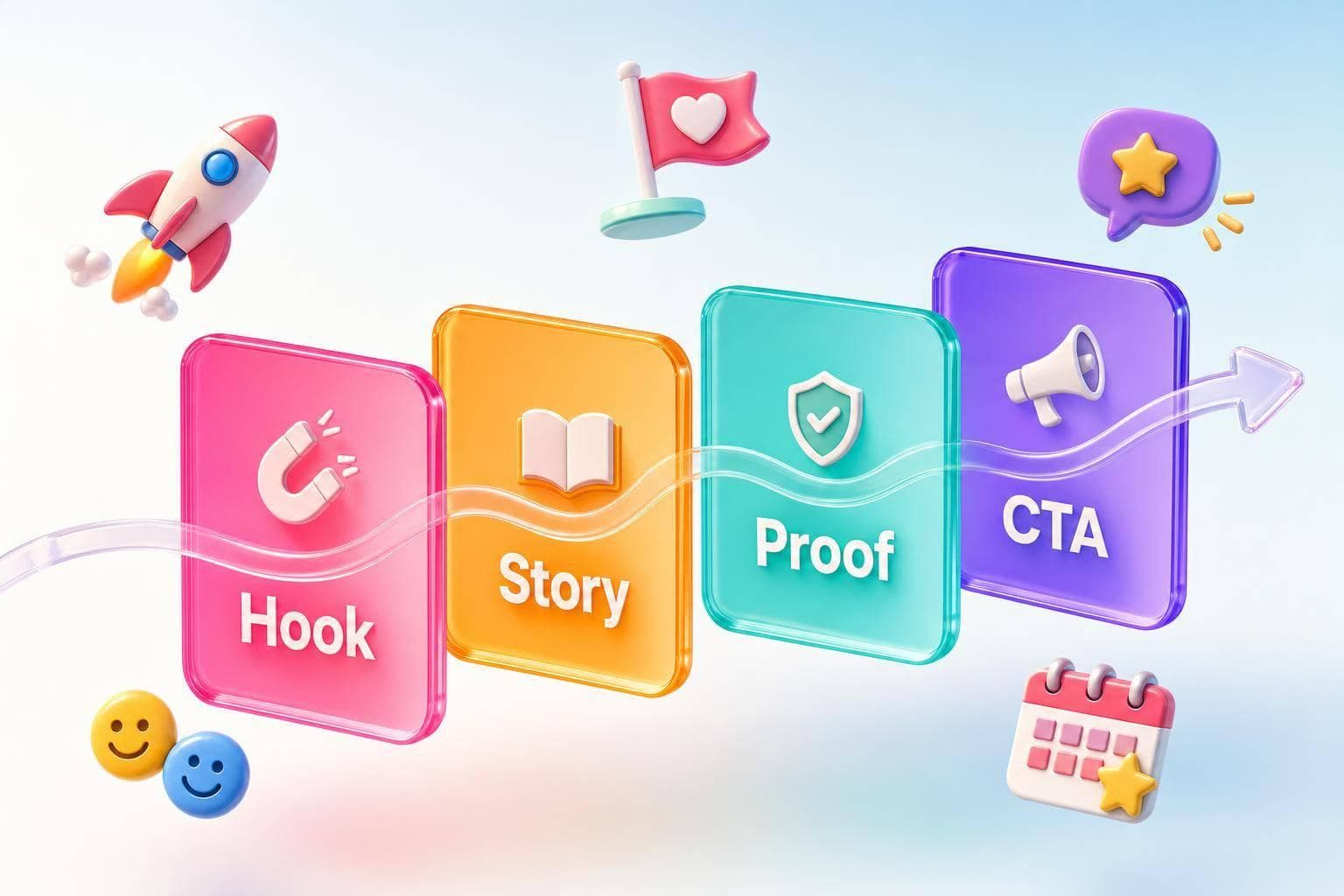
You don’t need to write every brand caption from zero. I’d use a simple story frame - hook, context, proof, CTA - and apply it to 5 common post types: product launches, mission stories, customer stories, team spotlights, and event recaps.
Here’s the short version of the article:
This article is a practical set of fill-in caption patterns for the posts brands publish most often. If I wanted the fastest way to write proven Instagram caption ideas, I’d start by picking the post type, plugging in verified details, and ending with one next step.
What’s covered:
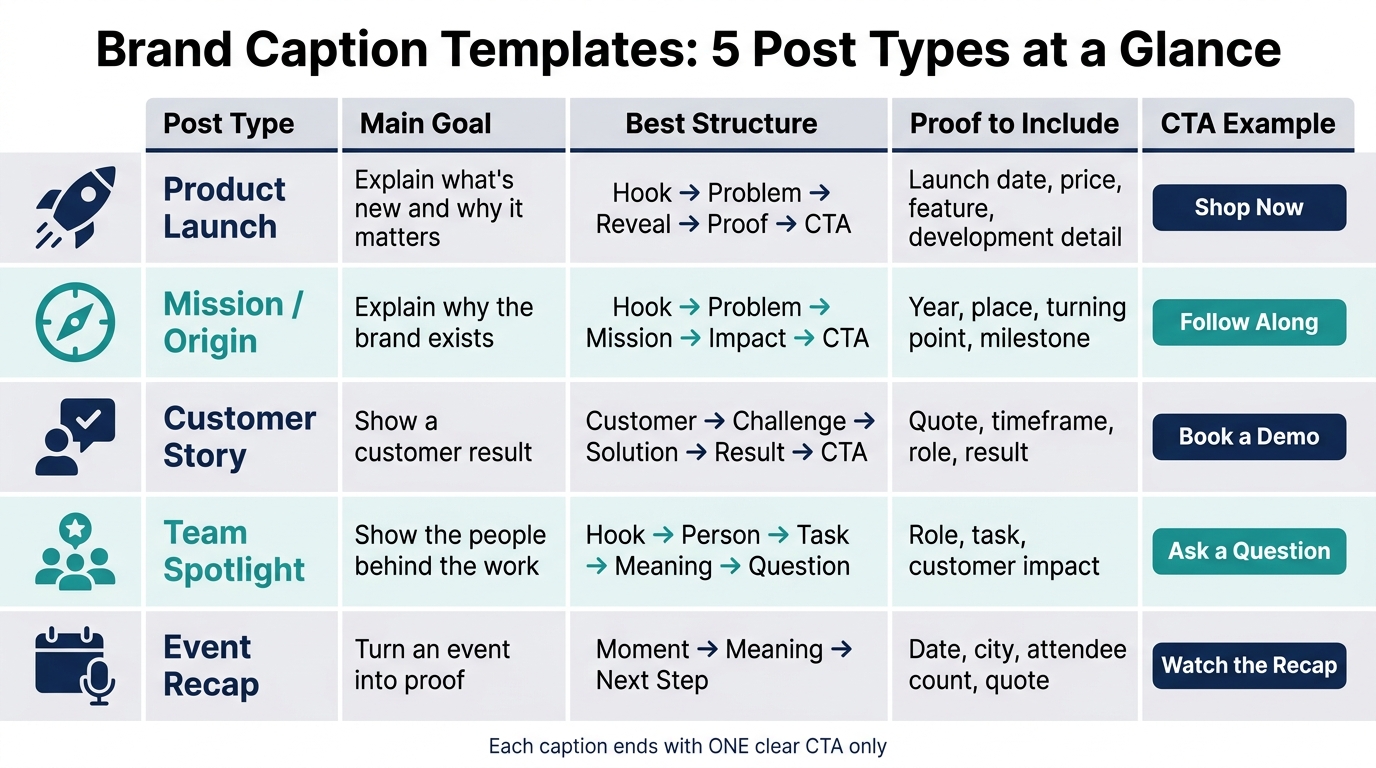
Brand Caption Templates: 5 Post Types at a Glance
| Post type | Main goal | Best structure | Proof to include | CTA example |
|---|---|---|---|---|
| Product launch | Explain what’s new and why it matters | Hook → problem → reveal → proof → CTA | Launch date, price, feature, development detail | Shop now |
| Mission/origin | Explain why the brand exists | Hook → problem → mission → impact → CTA | Year, place, turning point, milestone | Follow along |
| Customer story | Show a customer result | Customer → challenge → solution → result → CTA | Quote, timeframe, role, result | Book a demo |
| Team spotlight | Show the people behind the work | Hook → person → task → meaning → question | Role, task, customer impact | Ask a question |
| Event recap | Turn an event into proof | Moment → meaning → next step | Date, city, attendee count, quote | Watch the recap |
If I were using this in a content workflow, I’d treat it like a shortcut: choose the template, fill in facts, trim the fluff, and post.
These rules help you fill in each template fast and get it ready to post. Replace every bracketed field with a verified detail that matters to your audience. For example, change [customer result] to helped reduce setup time by 30 minutes. Then delete any draft notes before you publish.
Use this quick checklist to turn a template into a post-ready caption:
Before you use a template, collect those details first. If you're writing an event recap, use actual numbers and names, like 1,500 attendees, $2,500 raised, speaker names, and follow-up details. Specifics do a lot of the heavy lifting.
Clear approval and disclosure matter if you want people to trust what they’re reading. Get written approval before you name a customer, quote them, use their photo, or mention their workplace. If they got a gift, discount, or any other incentive, say so close to the endorsement. FTC guidance says disclosures need to be easy to see and placed with the endorsement.
Your caption also needs to match the curated Instagram content or video. If you mention a certain color, feature, or person, that detail should appear in the visual or be plainly supported by it. Don’t claim what the image can’t back up.
Finish each caption with one next step only. That keeps the post clear, specific, compliant, and easy to publish.
Use this template for new drops, preorder announcements, and live launches. A launch caption should tell people what you're launching, why they should care, and what to do next. The strongest setup is simple: hook → customer problem or desire → product reveal → key benefit → proof or development detail → launch information → one clear CTA.
Here’s a fill-in-the-blank version you can use before your next launch:
Template
Meet [Product Name] - built for [target audience] who want [desired outcome] without [common frustration]. After [development milestone], it's here. [Product Name] helps you [primary benefit] with [feature or differentiator]. Available on [launch date] for [price or introductory offer]. Shop via [link in bio/product page].
Stick to verified details only. If there’s a real deadline - like an intro price that ends on a specific date or a preorder cutoff - say so. If not, don’t force urgency. That kind of thing only works when it’s true.
Add one specific development detail that shows why this product was made, then finish with one direct CTA. Keep it to a single action that fits the goal of the post: Shop now, join the waitlist, preorder, or DM [keyword] for details.
When a post needs to explain why the brand exists, use a mission story. This kind of caption isn't a full timeline. It's a clear answer to one question: why does this brand exist?
To make it feel grounded, add one concrete detail. That could be a year, a place, a problem, or a turning point. A small detail goes a long way. For example, you might open with the exact moment the brand saw the problem up close.
Use the structures below to keep the story short, specific, and easy to use.
Template
In [year], [founder/team] noticed [problem] in [location]. That experience inspired us to [action or solution]. Today, we exist to [mission], so [audience] can [benefit or change]. [Optional: milestone or proof point.] [CTA]
Alternate structure: If the story feels more personal, start with the founder's struggle instead: Before [brand name], [founder/team] struggled with [specific challenge]. After [discovery or turning point], we created [brand/product] to [solve the problem]. [Time period] later, our mission is still [mission], through [customer/community impact].
End with one people-focused CTA, such as: What inspired you to start?, Share this with someone who needs this, or Follow along as we work toward [goal].
If the origin story shows why the brand exists, customer stories show that promise at work. Put the customer first, not the brand.
A simple way to shape the caption is this: customer → challenge → solution → result → CTA. Add details people can check when you can, like the customer’s role or location, the problem they ran into, the time involved, and a clear result.
Stick to one real customer win, not a broad brand statement.
Template
Meet [customer name or descriptor]. Before [product/service], [they] struggled with [challenge]. After [timeframe] with [solution], [they] [specific outcome]. "[Brief customer quote]." - [First name, role, company]. Ready to [next step]? [CTA].
Alternate structure for qualitative results: Not every story needs a number. For stories like that, use this flow: goal → friction → better process → human outcome → CTA. For example: [Customer] wanted to [goal] without [frustration]. With [solution], they found a better way to [process or experience]. Now, [customer] can [human-centered outcome]. Need a simpler way to [goal]? [CTA].
If the customer got a free product, a discount, or any other material connection, say so near the endorsement and make it easy to spot. The FTC says material connections should be obvious, hard to miss, and placed with the endorsement itself.
Use this format for a spotlight on one team member.
If customer stories show the outcome, team posts show the people behind the work.
Behind-the-scenes captions land best when they focus on one real person doing one clear task. That keeps the post grounded and easy to follow.
A simple flow works well here: hook → person/process → detail → meaning → question.
Let the employee approve the wording, and keep their natural voice intact.
Here’s a fill-in caption you can use for a simple team spotlight. If you need visual inspiration to match, try an AI social media image generator to create a custom background.
Template
Meet [name], our [role]. Before [product] ships, [name/team] [specific action or challenge]. Their favorite part is [detail] because it helps [customer outcome]. What would you like us to show you next?
Get the employee’s sign-off, avoid confidential details, and never pressure personal posting.
Use this template when the event itself is the story. A good recap caption does more than summarize what happened. It turns the event into proof people can feel.
The best approach is a tight moment → meaning → next step flow. Start with the most memorable moment from the event. Then explain why that moment mattered to attendees or the community. After that, add one or two concrete proof points to back it up. Keep it simple: use one strong stat, one short quote, and one CTA.
Post the first recap within 24–48 hours while the event is still top of mind. If the full recording or photo gallery isn’t ready yet, say when it will go live.
Template
That's a wrap on [Event Name] in [City] on [Month Day, Year]. We brought [number] [attendees/community members] together to explore [topic]. Key takeaway: "[short quote or insight]." Thank you to [speakers, sponsors, and team] for making it possible. [Primary CTA]: [link].
Stick to one ask in the CTA. For example:
Every template in this article follows the same structure: a strong opening line, a clear story arc, and one focused CTA. Put the main moment in the first line. No matter the format, stick with the same flow: hook, story, proof, CTA.
Fill every placeholder with one verified detail, not a vague label. If you leave placeholders loose or half-filled, the caption feels unfinished.
Before you publish, do one last check: story, facts, permissions, and line breaks. Get written permission for names, photos, quotes, and any story that could identify someone. Formatting matters just as much as the words. Keep paragraphs to one or two sentences. Use line breaks to separate the story from the CTA. Avoid dense blocks of text - they lose readers before the story even starts.
These templates help turn launches, origin stories, customer wins, team posts, and recaps into one repeatable brand voice. Used this way, they help you tell one consistent brand story. That’s the point: faster captions that still sound like your brand.
It depends on your goal and the format you're using. Instagram cuts off captions after about 125 characters, so your hook and main point should come first.
A good rule of thumb:
The big idea is simple: match the caption length to the job it's doing.
A caption lands better when it leans on specific, verifiable evidence instead of vague claims. That means using data-backed statements, plain explanations, and details pulled from your visual content or your brand story.
If you share results, show representative before-and-after visuals or a clear demo so people can see what you mean. You can also mention relevant partners or influencers when they add context. And if the post involves a paid partnership or affiliate compensation, disclose it clearly within the first 1–2 seconds.
Define your brand tone in plain terms. Maybe it’s playful, professional, or inspirational. If you use AI tools, add your mission, values, and communication style to the prompt so the draft starts in the right place.
Then polish each draft with language that fits your brand, along with the right hashtags and calls to action. To keep things consistent, build a reusable library with:
From there, use A/B testing to shape updates based on what gets the best response.


