
Influencer Whitelisting Costs: Budget Breakdown
Break down influencer whitelisting costs: creator fees, usage rights, setup, rush charges, and media spend.
Break down influencer whitelisting costs: creator fees, usage rights, setup, rush charges, and media spend.
4.98 /5 - from 58k reviews
Trusted by 50,000+ creators — get real engagement delivered to your profile in minutes, not days.
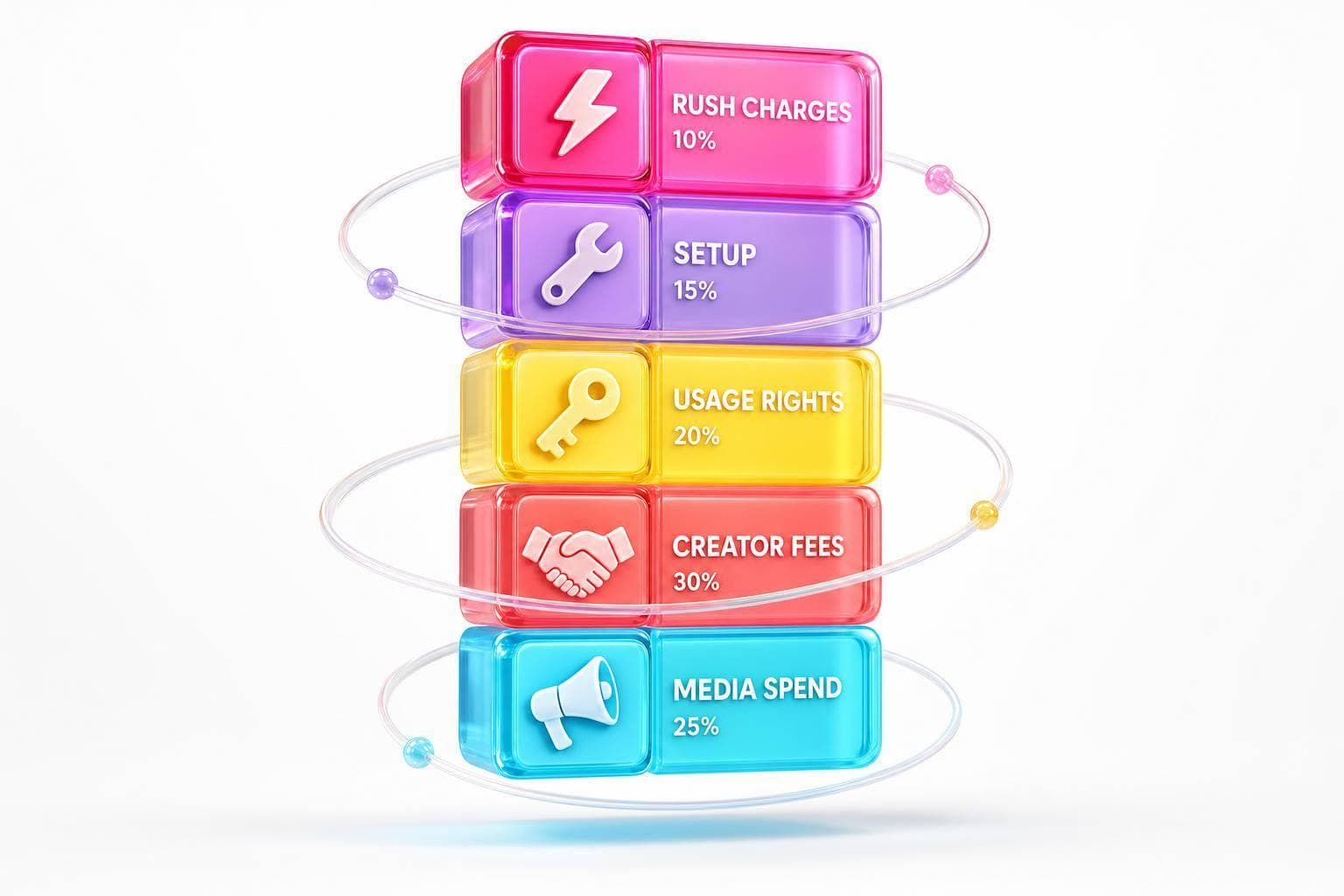
A $2,000 influencer post can turn into $20,000+ once you add paid usage, setup, rush fees, and ad spend. If I’m building a whitelisting budget, I need to split each cost line before I approve anything.
Here’s the short version:
If I want fewer budget surprises, I separate costs into:
A simple example: a campaign with creator fees, rights, and setup might cost $6,000 to $9,000 before I spend a single dollar on Meta or TikTok ads. That’s the main point of this article: whitelisting is not just a content fee with a small add-on.
| Cost area | What to expect |
|---|---|
| Creator fee | Usually $2,000–$10,000 per creator |
| Setup | Often $500–$1,500 or more |
| Usage rights | Often priced as a % of base fee |
| Engagement rate | Check with an engagement calculator |
| Rush fees | Flat fee or % uplift |
| Media spend | Separate monthly ad budget |
Below, I’ll break down the cost structure in plain English so you can price whitelisting with fewer misses.
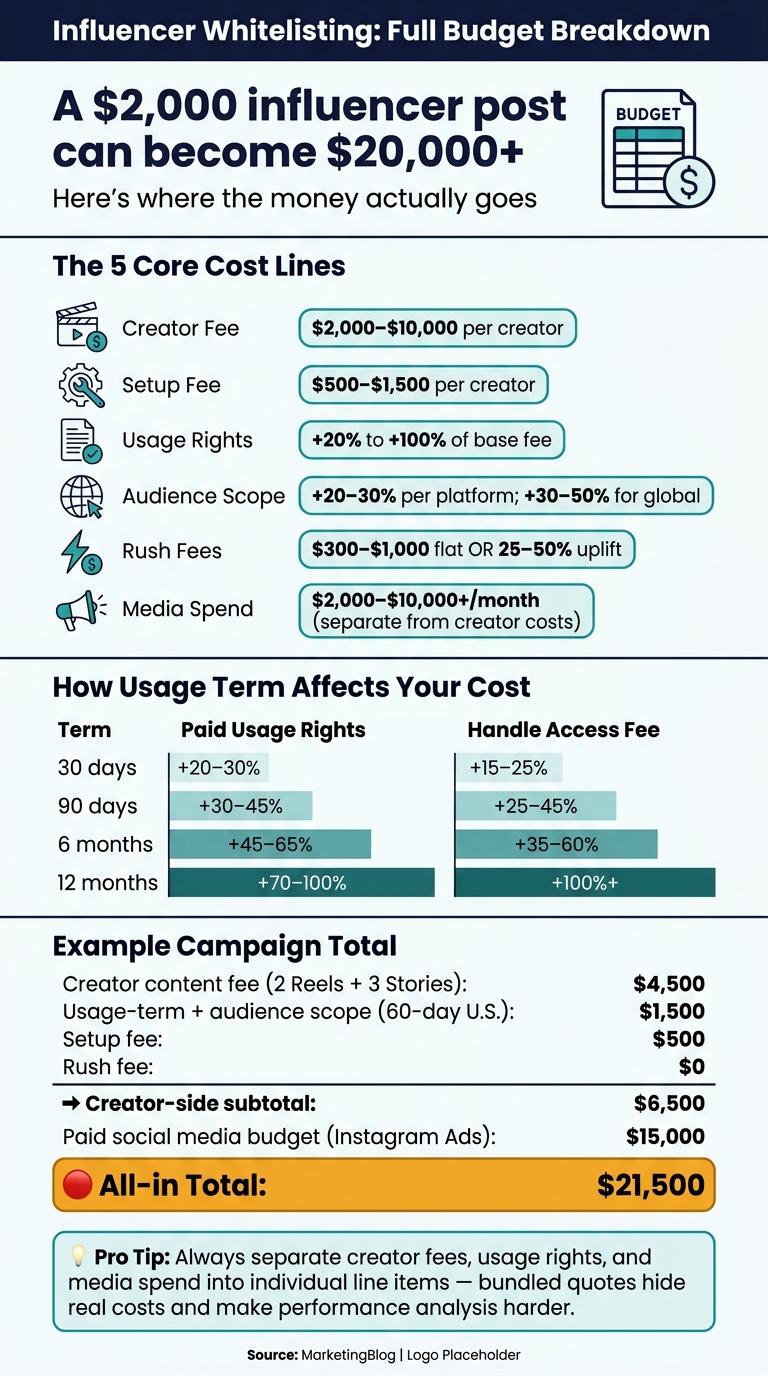
Influencer Whitelisting Budget Breakdown: Full Cost Guide
Three budget lines usually make up most whitelisting costs: the creator fee, the setup fee, and usage rights. This is the cost stack you can plan for in a spreadsheet without guessing. Start with the creator fee, then add setup and access costs.
The creator fee covers what the influencer makes and posts: a Reel, Stories, a static image, or a video. Whitelisting sits on top of that as a separate rights charge.
For example, an influencer who charges $2,500 for a sponsored Reel might add $1,000 to $3,000 for usage rights covering 60 to 90 days of paid use. A common rule of thumb is +25% to 35% per 30 days.
When you build the budget, split the creator line into two rows:
That small change helps a lot. It keeps the rights fee visible and makes negotiations cleaner, instead of letting it disappear into one bundled content number.
Once the content fee is locked in, the next line item is technical setup.
Setup covers the one-time work needed to turn whitelisting on: linking the creator’s handle to your Meta Business Manager, setting permissions, uploading assets, and checking tracking. This is often billed as a flat fee, usually $500 to $2,000 per campaign, or folded into an agency retainer.
Costs go up when the setup gets messy. More creators, more ad accounts, shared agency access, and larger asset libraries all add time. Short access windows can also create extra work later if permissions expire and need to be renewed.
Standard whitelisting timelines usually run 7 to 10 business days for content review, rights sign-off, and handle access setup. If you need approvals faster than that, rush pricing often kicks in.
Rush fees usually add either a flat $300 to $1,000 on top of the base content fee or a 25% to 50% uplift, depending on how tight the timeline is. It also makes sense to budget a 10% to 20% contingency on creator and setup fees to cover delays and rework.
After timing, the next big cost driver is the length and scope of ad usage. From there, you can layer in media-term pricing, audience scope, and paid social add-ons.
Once setup is done, the next costs come from three things: how long the ads run, where they run, and how much ad spend sits behind them.
The longer a brand wants to run ads using a creator's handle and likeness, the more it will usually pay. That makes sense. The creator is tied up for a longer stretch and may have to pass on similar category deals during that time.
Usage fees are often priced as a percentage of the base content fee, with that percentage going up as the term gets longer. Here’s the usual range:
| Term Length | Paid usage rights (% of Base Fee) | Handle access / allowlist fee (% of Base Fee) |
|---|---|---|
| 30 days | +20–30% | +15–25% |
| 90 days | +30–45% | +25–45% |
| 6 months | +45–65% | +35–60% |
| 12 months | +70–100% | 100%+ |
For a creator with a $5,000 base fee, a 90-day whitelisting window could add $1,250 to $2,250 on top. Push that out to 12 months, and the usage fee can get close to - or even pass - the original content fee before any ad dollars are spent.
A simple way to think about it: start with a 30-day term when you're testing new creators or new ad angles. If the content starts converting, extend it later. It's even better when extension rates are already written into the first contract, so no one has to haggle mid-campaign.
Term length is just one pricing lever. Geography and placement scope can shift the fee just as much.
The broader the targeting, the higher the fee tends to be. A license limited to U.S.-only targeting is common for American brands and often costs less than rights that allow broader national or multi-country use. Narrow interest targeting can also help keep pricing lower because the creator's content is being shown to a smaller slice of people.
Even when the term stays the same, a bigger audience scope usually means a bigger license fee. Instagram-only rights are often the lowest entry point. From there, costs climb as you add placements or platforms. Add more Instagram inventory, then layer in Facebook, TikTok, or YouTube, and you move into a higher pricing tier. Video-first whitelisting across several platforms - especially when the creator's likeness is front and center - usually comes with the highest premium.
This is why scoping matters so much up front. Define geography and placements before you negotiate. If a contract says something vague like "broader usage rights", the brand gets room to move - but the creator also gets a good reason to price in extra cushion.
Usage fees and ad spend are NOT the same thing. One pays for the right to use the content and account access. The other pays the platform to distribute the ads.
A realistic U.S. campaign might look like this: $24,000 for three mid-tier creators, covering creator and whitelisting costs, plus a separate $60,000 media budget running through Meta Ads and TikTok Ads over the same period. The creator side is fixed. The media budget can move up or down based on performance.
Some whitelisting deals also come with spend caps. For example, the rights may cover up to $25,000 in ad spend, with an overage clause that adds more fees if spend goes past that mark. That's an easy detail to miss, and it can sting later. Plan your budget around the cap, and leave some room in case the ad starts performing and you want to push harder.
Use this table to split creator, operations, rights, and media costs. The simplest way to budget whitelisting is to break out base creation, setup, usage rights, and media spend.
| Line Item | What It Covers | Cost Type | Typical Range (USD) |
|---|---|---|---|
| Creator Fee | Base fee for creating and posting the content | One-time per creator per campaign | $2,000–$10,000 per creator |
| Setup Fee | Account linking, permissions, tracking, legal and admin work | One-time per creator | $500–$1,500 |
| Usage Rights Term | How long paid ads can run using the creator's content and likeness | Duration-based | 20%–50% premium on the base fee for 6–12 month terms |
| Audience Scope | Platforms, regions, and placements covered | Scope-based add-on | 20%–30% for additional platforms; 30%–50% for global rights |
| Approval Time | Speed of creative and ad approvals | Standard review included; rush fee extra | Rush: 10%–20% or $250–$1,000 per request |
| Media Spend | Ad spend on Meta, TikTok, or other platforms | Recurring, variable | $2,000–$10,000+/month |
It helps to read this table in three buckets: talent and licensing, operations, and media. Creator fee, usage rights term, and audience scope sit under talent and licensing. Setup fee and approval time fall under operations. Media spend stands on its own as the ad budget.
That split matters more than it may seem at first. If license costs get folded into the creator quote, things get muddy fast. Separate subtotals make it much easier to see where the money is going and avoid double counting.
Creator fee and setup fee are usually one-time charges per creator or per campaign. The costs that tend to snowball are usage rights term and audience scope. Stretch the usage window from a short term to 6–12 months, or add more platforms and regions, and the licensing portion can jump fast - before you've spent even $1 on ads.
The biggest budgeting mistake is lumping media spend into the creator fee. If a creator gives you one all-in number that includes ad dollars, ask for a line-by-line breakdown. Otherwise, you won't know what you're paying for talent and what is going straight to Meta, TikTok, or another platform. And later, when you review results, that missing split makes performance analysis a lot harder.
Another issue is skipping setup costs. That sounds small until you're working with several creators. A $500 to $1,500 setup fee per creator adds up fast, so it should be listed as its own line item every time.
Longer usage terms also catch brands off guard. A short campaign can look affordable, then the price changes once the brand wants to keep ads running longer. That's why longer terms need their own license multiplier from the start. It also helps to add a contingency line for rush approvals, even if the base plan sets it at $0.
When you put it all together, a full whitelisting budget usually comes down to five clear parts: creator content fee, usage-term + audience scope premium, paid social media budget, setup fee, and rush charges. It’s best to track each one as its own line item instead of rolling everything into one blended number.
Here’s what that looks like in practice. This rollup turns the earlier cost pieces into one campaign total.
| Line Item | Example Amount (USD) |
|---|---|
| Creator content fee (2 Reels + 3 Stories) | $4,500 |
| Usage-term + audience scope premium (60-day U.S. rights) | $1,500 |
| Paid social media budget (Instagram Ads) | $15,000 |
| Setup fee (permissions, pixel, variants) | $500 |
| Rush fee (pre-agreed timeline) | $0 |
| All-in total | $21,500 |
One thing stands out right away: duration and audience scope do a lot of the heavy lifting on licensing cost. If you want longer usage terms or broader rights, that fee goes up before ad spend even enters the picture.
Approval speed matters too. Tight timelines often lead to an expedited fee, so it helps to build in a realistic review window and leave some room in the budget for rush charges.
Keep creator compensation, usage rights, media spend, and implementation costs separate. That makes the budget easier to forecast, easier to compare from one campaign to the next, and a lot less likely to catch you off guard later.
Treat whitelisting as its own line item, separate from the base content fee. Why? Because it pays for paid distribution, not content creation.
A common benchmark is an added 30% to 50% of the base content fee for each 30-day whitelisting period.
It also helps to factor in day-to-day campaign costs, like team hours, software tools, and product gifting. Those items can add another 30% to 50% to total campaign spend, which can shift the budget more than people expect.
To avoid surprise charges, spell out the details in the contract:
Get usage rights and ad permissions in writing before onboarding. That simple step cuts down on confusion later.
It also tends to cost less to lock in the rights you expect to need from the start. Why? Broader access and longer terms usually come with a higher price tag.
For example, 30-day paid usage may add 15%–25% to base rates. And 90-day multi-platform licenses may add 30%–50%.
A smart move is to extend rights only when the content performs well enough to justify the extra premium.
A whitelisting contract should spell out usage rights as a separate line item from the base content fee. That keeps pay clear and avoids the usual gray area.
The agreement should state:
Those rights should not be treated as part of a standard organic license. They also need to stand apart from paid social usage.


