
7 AI Tools for Instagram Content Ideas
AI tools that generate Instagram post ideas, captions, hashtags, and schedules to cut content time and boost engagement while keeping your brand voice.
AI tools that generate Instagram post ideas, captions, hashtags, and schedules to cut content time and boost engagement while keeping your brand voice.
4.98 /5 - from 58k reviews
Trusted by 50,000+ creators — get real engagement delivered to your profile in minutes, not days.

Creating Instagram content can feel overwhelming, but AI tools can save you time and effort. From generating ideas to scheduling posts, these tools simplify the process, allowing you to focus on connecting with your audience. Here’s a quick overview of seven AI tools designed to streamline Instagram content creation:
Each tool offers unique features to fit different needs, from content planning to hashtag optimization. Experiment with free trials to find the best fit for your workflow.
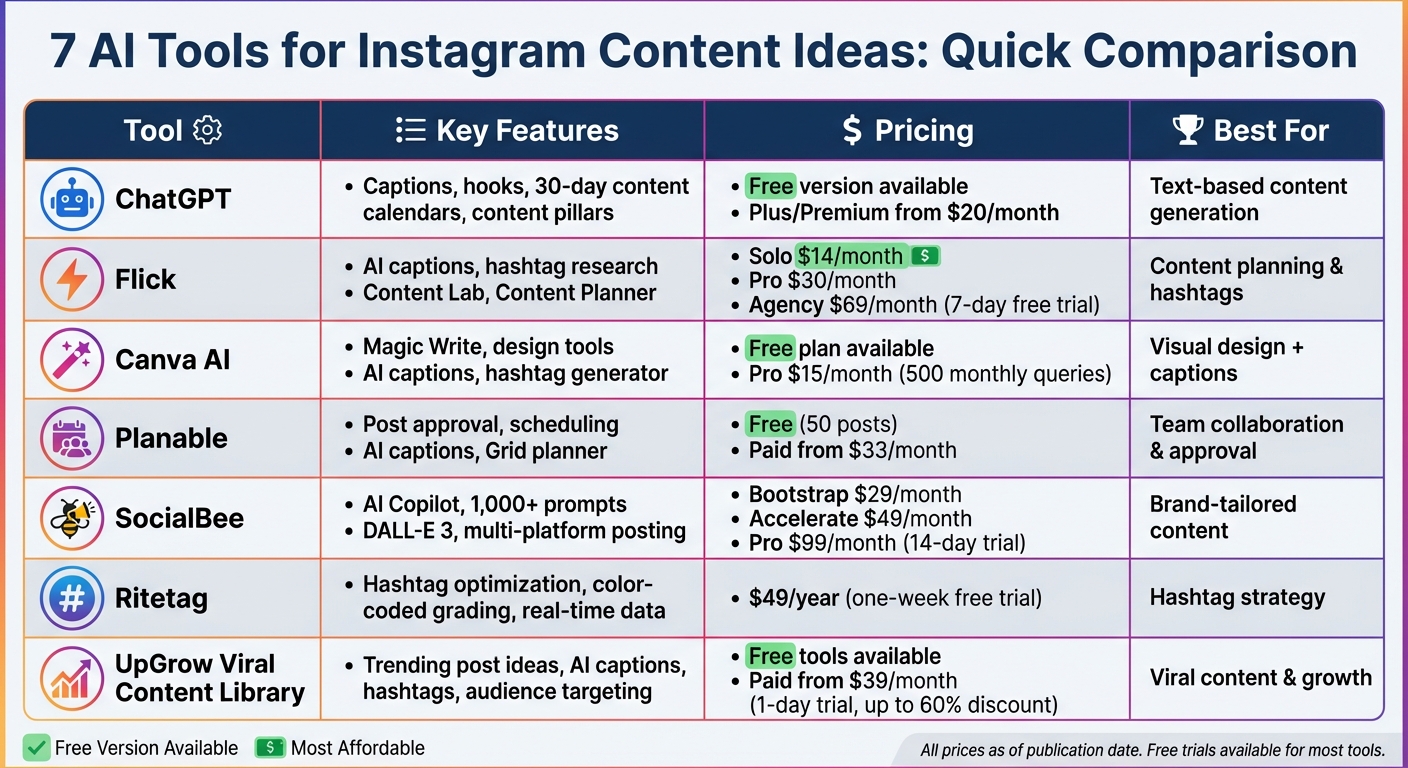
7 AI Tools for Instagram Content Creation: Features and Pricing Comparison
ChatGPT stands out as a top-tier tool for text-based generative AI, acting as a conversational assistant that simplifies brainstorming and drafting. It can create tailored content plans, outlines, captions, and hooks in seconds. Need strategic insights? It can even answer questions like, "Which photo colors drive the highest engagement on Instagram?". Whether you’re looking for captions, product descriptions, ad copy with emojis and hashtags, or scripts for Reels, Stories, and IGTV, ChatGPT delivers content that aligns with your brand's voice. Plus, it can define 3–5 strategic "content pillars" and craft 30-day content calendars with detailed themes, formats, and goals.
These features make it a go-to resource for fast and varied content creation, saving time and effort while maintaining creative quality.
ChatGPT offers a free version that provides basic functionality with limited access to advanced models. For users who want more, the Plus or Premium plans start at just $20/month. These plans include expanded features like higher usage limits and access to advanced capabilities, making ChatGPT one of the most cost-effective tools for Instagram content creation.
Using natural language processing, ChatGPT engages in dynamic, human-like conversations. This allows for a back-and-forth approach to refine ideas instead of relying on static commands. To get the most out of it, provide detailed prompts. For example: "Write five attention-grabbing Instagram captions for a fitness brand promoting a new workout app." If the output doesn’t hit the mark, you can adjust it with follow-up instructions like, "Make this sound more fun.". However, always take time to edit and personalize the content to ensure it reflects your brand’s unique voice.
ChatGPT serves as a "front-end" tool in your Instagram content workflow. You generate text in ChatGPT, tweak it to align with your brand, and then manually upload it to Instagram or a scheduling platform. While it doesn’t directly integrate with Instagram, pairing it with tools like Canva creates a seamless workflow. ChatGPT handles the text, while Canva or similar platforms focus on visuals. This combination caters perfectly to Instagram’s visual-first nature, allowing you to produce polished, engaging posts efficiently. With text creation sorted, the next step involves tools that enhance other aspects of your content strategy.
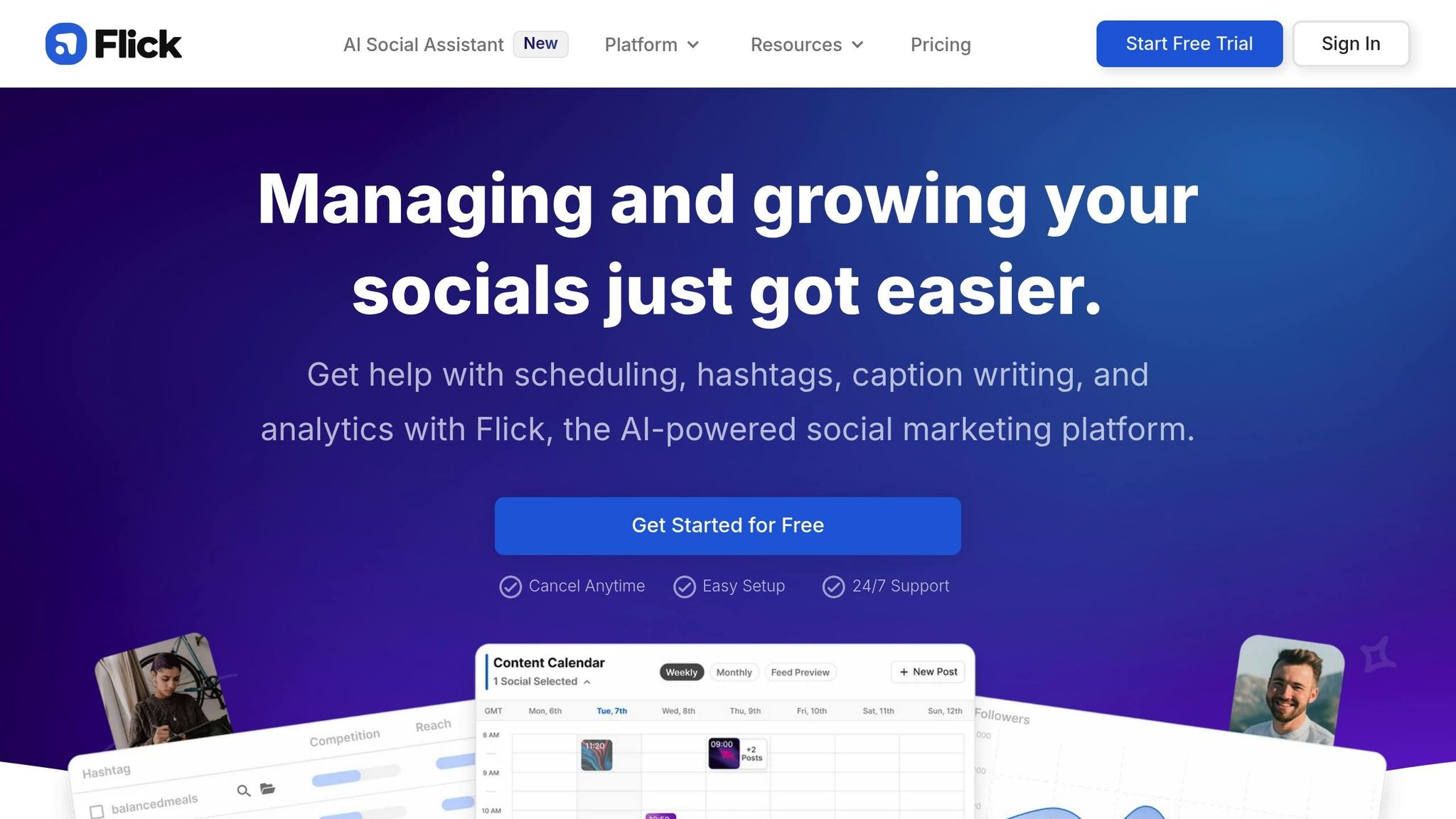
Flick's Content Lab takes a single topic and spins it into five distinct Creative Routes, each offering five unique content themes. Once you've fine-tuned your ideas, the AI Caption Assistant steps in to craft captions tailored to your needs. You can adjust the length, tone, and perspective, and even include extras like quotes or lists. These captions can then be saved directly to the Content Planner for easy access later.
"With Flick's powerful new AI, creating social media content is easier than ever. Generate endless content ideas and craft captivating captions that connect with your audience in a matter of minutes." - Bella Henry, Flick's Resources
These tools are available through a variety of pricing options designed to fit different needs.
Flick offers three subscription plans, all of which include a 7-day free trial. Here's the breakdown:
If you opt for annual billing, you'll receive a 20% discount. With over 100,000 users - including content creators, brands, and marketers - already on board, Flick is a practical choice for small businesses aiming to simplify their Instagram strategy.
Flick's pricing structure, combined with its AI-powered tools, makes it a standout option for efficient content creation.
Flick's AI, called Iris, transforms a single topic into a comprehensive content plan in just three steps. First, it generates Creative Routes, then expands these into specific post ideas, and finally delivers engaging captions. The platform can also take long-form content - like blog posts - and distill it into concise social media snippets by pulling out key takeaways. On top of that, Iris suggests relevant hashtags based on your captions and supports hashtag research in over 20 languages.
Flick is designed to make Instagram management seamless. Its tools are fully compatible with Instagram because it relies exclusively on the official Instagram API for tasks like publishing, analytics, and hashtag research. Meta has even recognized Flick as a "Success Story". After refining your content in the Content Lab, you can send it straight to Flick's Scheduler and post to Instagram with a single click.
Beyond Instagram, Flick also supports Facebook, TikTok, and LinkedIn, offering a well-rounded solution for managing content across platforms. This versatility ensures that your social media workflow stays efficient and streamlined.
Canva's AI tools bring together text-based solutions and visual design features, making it easier to create content that stands out.
Magic Write™, powered by OpenAI, is your brainstorming buddy for Instagram posts, stories, and reels. It can help you craft engaging captions based on your input about post details, brand voice, and target audience. Plus, it suggests Instagram hashtags to boost visibility. You can fine-tune the output by specifying the tone, audience, and type of content you’re aiming for. Canva also includes AI-powered editing tools like grammar checks, rewriting, and summarizing to polish your ideas.
Canva offers two main plans: Free and Pro, each with different features and Magic Write query limits.
| Plan | Price | Magic Write Queries | Key Features |
|---|---|---|---|
| Free | $0 | Limited lifetime queries | Basic design tools, hashtag generator |
| Pro | $15/month | 500 monthly queries | Content Planner, Brand Kit, AI Translate |
The Pro plan stands out with its AI Translation tool, which supports over 100 languages, making it easier to connect with audiences worldwide.
Canva's AI extends beyond text to enhance your design process. Magic Design transforms text prompts into tailored templates and layouts, aligning with your Brand Kit to maintain a cohesive look. The platform also prioritizes safety, incorporating measures to block harmful or inappropriate content. Whether you’re on a web browser, desktop, or mobile app, Canva’s AI tools are readily accessible.
If you’re managing Instagram content, Canva’s Pro-exclusive Content Planner is a game-changer. This feature lets you design, schedule, and monitor your posts all in one place. Once your content is ready, you can schedule it to go live at the best time for engagement. Canva even helps you optimize your hashtag strategy by suggesting 3–4 highly relevant tags, keeping your captions within Instagram’s 2,200-character limit and avoiding over-tagging.

Planable combines AI-powered content suggestions with visual planning tools, making it an excellent choice for Instagram creators. Its AI assistant reviews past content performance to recommend fresh Instagram content ideas and even generates captions based on uploaded images or videos.
Planable's AI goes beyond just captions. It can adapt content for different formats - like trimming it for Stories or expanding it for Reels. It also analyzes sentiment and provides automated reply suggestions. By using machine learning and natural language processing, it crafts captions that align seamlessly with your brand's voice.
Planable simplifies Instagram management with direct auto-publishing for Posts, Reels, and Stories. Its Grid planner lets you preview your feed's aesthetic, use drag-and-drop scheduling, and even schedule first comments, geotags, and image tags. The platform also includes photo and video editing tools, along with a built-in Canva integration for more advanced design needs.
Planable offers a free plan that allows up to 50 posts, making it accessible for smaller projects. Paid plans start at $33 per workspace per month (when billed annually), with optional analytics and engagement tools available for an additional $9 per month.
"Planable helps us overview the entire marketing efforts. The platform makes post approvals incredibly streamlined, which has transformed the way my team works." - Jack F., Head of Marketing
SocialBee's AI Copilot takes a deep dive into your brand's website or responses to provide tailored recommendations for platforms and posting frequency. Some users have reported a 30% boost in engagement, making it a standout tool by combining strategic insights with a practical, creative workflow.
SocialBee offers an AI writer that generates captions in a variety of tones, plus access to over 1,000 industry-specific AI prompts to help you push through creative slumps. You can create custom visuals directly within the post editor using DALL-E 3 integration or pull in images from Canva, Unsplash, or GIPHY - all without leaving the dashboard. The "Customize each caption" feature uses AI to tweak a single content idea into posts tailored for different platforms. For example, it adjusts for Instagram's 125-character preview limit and native formatting styles.
SocialBee also simplifies content organization with AI-powered tools. Posts can be sorted into thematic folders - like tips, news, or personal stories - and rotated to keep your feed fresh. The platform can even extract key points from blog posts or product descriptions to create Instagram-ready captions. On top of that, it suggests relevant hashtags and emojis to match your content. For optimal reach, SocialBee recommends using 3–5 hashtags per post.
SocialBee makes managing Instagram effortless. It supports direct scheduling for single images, videos, carousels, Stories, and Reels up to 15 minutes long. The Grid Preview feature lets you see how AI-generated posts will fit into your overall feed aesthetic before they go live. You can even schedule the first comment separately to keep captions looking clean. With a unified inbox, you can manage DMs, comments, and mentions for multiple Instagram accounts all from one place.
SocialBee's pricing is straightforward:
A 14-day free trial of the Pro plan is available, and no credit card is required to get started.
"SocialBee saved me lots of time, increased efficiency, helped me keep a consistent posting schedule, and boosted my social media presence." - Lisa Berry, Owner, Cheeky Little Prints
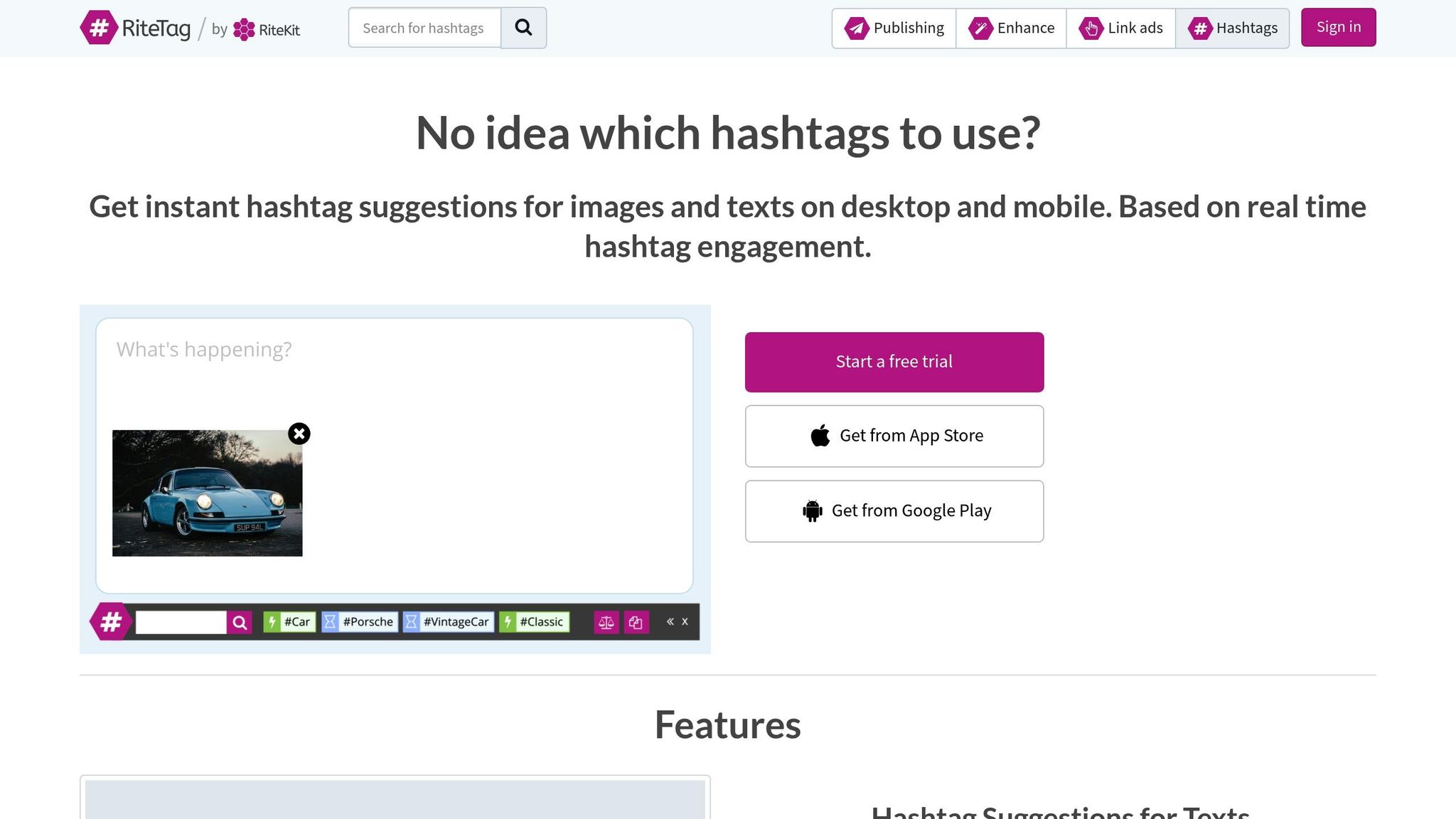
Ritetag zeroes in on perfecting your hashtag strategy to help you expand your Instagram reach. This tool focuses on optimizing hashtags using real-time engagement data, delivering suggestions in just 1.8 seconds - far faster than the typical 6 to 8 minutes spent on manual research. Founder Saul Fleischman sums it up well:
"RiteTag provides instant English language hashtags for social media text posts and for photographs, too. It saves the need to do any hashtag research".
One of Ritetag's most practical tools is its color-coded grading system, which organizes hashtags based on performance. Here's how it works:
The tool makes it simple to generate hashtags. Right-click on any online image or upload one, and Ritetag instantly suggests relevant hashtags. It also analyzes text blocks (up to 1,000 characters) to recommend hashtags that match the context.
Ritetag doesn’t stop at basic hashtag recommendations. It also offers Instagram Account Coach Reports, which provide in-depth analytics for Instagram Business Accounts. These reports include actionable tips to enhance your reach, such as identifying the best topics to post about by comparing the number of unique posts per hour with overall exposure. Plus, it helps you avoid shadowbans by encouraging a diverse mix of hashtags for every post.
Using Ritetag with Instagram is effortless. It works through a Chrome or Firefox browser extension that integrates with popular social media tools like Buffer, Hootsuite, and Sproutsocial. For direct desktop publishing to Instagram Business Accounts, it connects via Facebook Creator Studio. On mobile, the Toolkit app (available for Android and iOS) lets you upload an image, generate hashtags, and paste them directly into Instagram when posting. This smooth integration, paired with its budget-friendly pricing, makes Ritetag a practical choice.
Ritetag is priced at $49 annually, which includes access to the website, browser extension, and mobile app. For those who want to try before committing, a one-week free trial is available - no credit card required. It’s a straightforward, cost-effective solution for optimizing your hashtags.
UpGrow, already recognized for its AI-driven Instagram growth tools, takes things further with its Viral Content Library. This feature is designed to inspire fresh, engaging post ideas by offering curated templates and suggestions tailored to current trends. As highlighted by a contributor to CEO Weekly:
"UpGrow's Viral Content Library grants access to a carefully selected assortment of post ideas and templates that perfectly match the latest trends in your niche."
At the heart of the library is the AI Post Ideas Tool, which delivers three tailored content suggestions based on your unique style and audience preferences. Complementing this, the platform includes an AI Caption Generator and Hashtag Generator to create contextually relevant captions and personalized hashtags. Additionally, the AI Post Advisor analyzes your existing content and provides actionable recommendations to maximize engagement.
UpGrow’s technology isn’t just about generating ideas - it’s about targeting the right audience. The Smart AI‑Targeting feature uses filters like location, age, gender, language, interests, and hashtags to ensure your content resonates with your desired demographic. This approach has led to measurable success: users leveraging the UpGrow Boost feature have reported a 275% increase in monthly followers, thanks to AI-powered pattern recognition.
Creators can explore several free tools, including the AI Instagram Post Ideas Tool, Caption Generator, and Hashtag Generator, to test out content ideas. For those seeking a more comprehensive experience, paid plans start at $39 per month, with a 1-day free trial available for new users. Currently, UpGrow is offering discounts of up to 60% for a limited time. With an impressive 4.98/5 rating from over 58,000 reviews, it’s clear that users value the seamless integration of content creation tools and growth-focused features.
Creating engaging Instagram content doesn’t have to take up your entire day. Thanks to AI tools, content planning has become much more efficient - cutting creation time by up to 80% and reducing the time spent writing captions by 90%. Instead of struggling with a blank screen, you can now generate two weeks’ worth of polished posts in just one day when using the right AI tools. This shift allows you to focus on selecting tools that work seamlessly with your workflow.
For example, ChatGPT is great for brainstorming and outlining ideas, Canva AI simplifies visual design, and UpGrow’s Viral Content Library provides Instagram post ideas with built-in audience targeting. The trick is to choose tools that complement your creative process while maintaining your brand’s unique voice. As Aisha Owolabi, Content Marketing Manager at Photoroom, wisely puts it:
"While AI is no replacement for human authenticity and creativity, it can certainly help augment it."
To find the best fit, try testing 3–5 tools side-by-side for a week. Many platforms, like ChatGPT and UpGrow, offer free tiers or trials, making it easy to experiment without a big commitment. Use the same prompt across different tools to compare the quality and relevance of their outputs.
Remember, AI-generated content isn’t the final product - it’s a starting point. Always fine-tune captions to align with your brand’s voice, tweak hashtags to suit your niche, and add personal touches that reflect your perspective.
With over 95 million photos and videos uploaded to Instagram daily, standing out requires a mix of consistency and creativity. The AI tools covered here handle the heavy lifting - idea generation, design, and scheduling - so you can focus on what matters most: connecting authentically with your audience and growing your presence.
When it comes to choosing the right AI tool for your Instagram workflow, it all boils down to your specific needs. UpGrow stands out as a solid option for those aiming to boost organic growth and fine-tune their content strategy. Its standout features include real-time analytics, audience targeting, profile optimization, and a viral content library - all designed to make managing growth and engagement much easier.
If you're looking for help with content ideas or captions, there are also AI tools that can quickly generate engaging suggestions to elevate your posts and keep your audience hooked.
To make sure AI-generated captions reflect your brand's voice, take advantage of the tone and style customization options offered by many tools. Some platforms even have the ability to analyze your previous content and performance data to better understand your brand's personality. Use prompts that align with your brand's style, and always review and tweak captions to ensure they stay consistent. Trying out these features can help you maintain your brand's identity while leveraging AI.
Most AI tools in this space are geared toward helping with content creation, such as generating ideas, captions, or visuals. However, they typically stop short of handling the actual posting process. Instead, users need to manually upload the content to Instagram themselves. These tools aim to simplify and speed up the creative process, leaving the final step - posting - entirely in the hands of the user.


