
How to Add CTAs to Instagram Profiles
Enable a Business or Creator account, add action and contact buttons, link supported partners, and test CTAs to drive bookings, orders, and direct contacts.
Enable a Business or Creator account, add action and contact buttons, link supported partners, and test CTAs to drive bookings, orders, and direct contacts.
4.98 /5 - from 58k reviews
Trusted by 50,000+ creators — get real engagement delivered to your profile in minutes, not days.
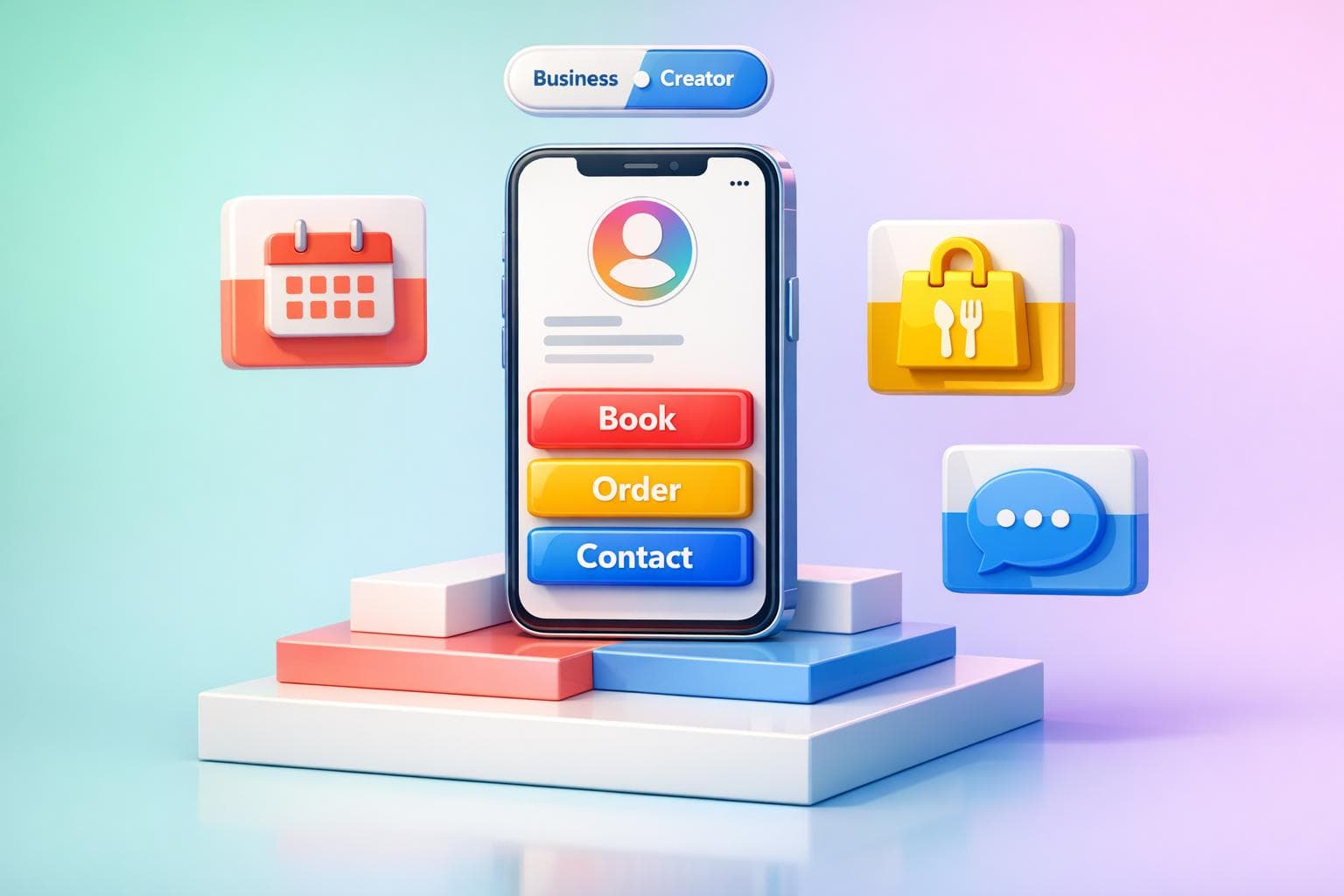
Instagram Call-to-Action (CTA) buttons let your followers take instant actions like booking, ordering food, or contacting you directly from your profile. These buttons are available only for Business and Creator accounts. Here's a quick summary:
With nearly 200 million users visiting business profiles daily, adding CTAs can help you drive bookings, sales, and direct communication effortlessly.
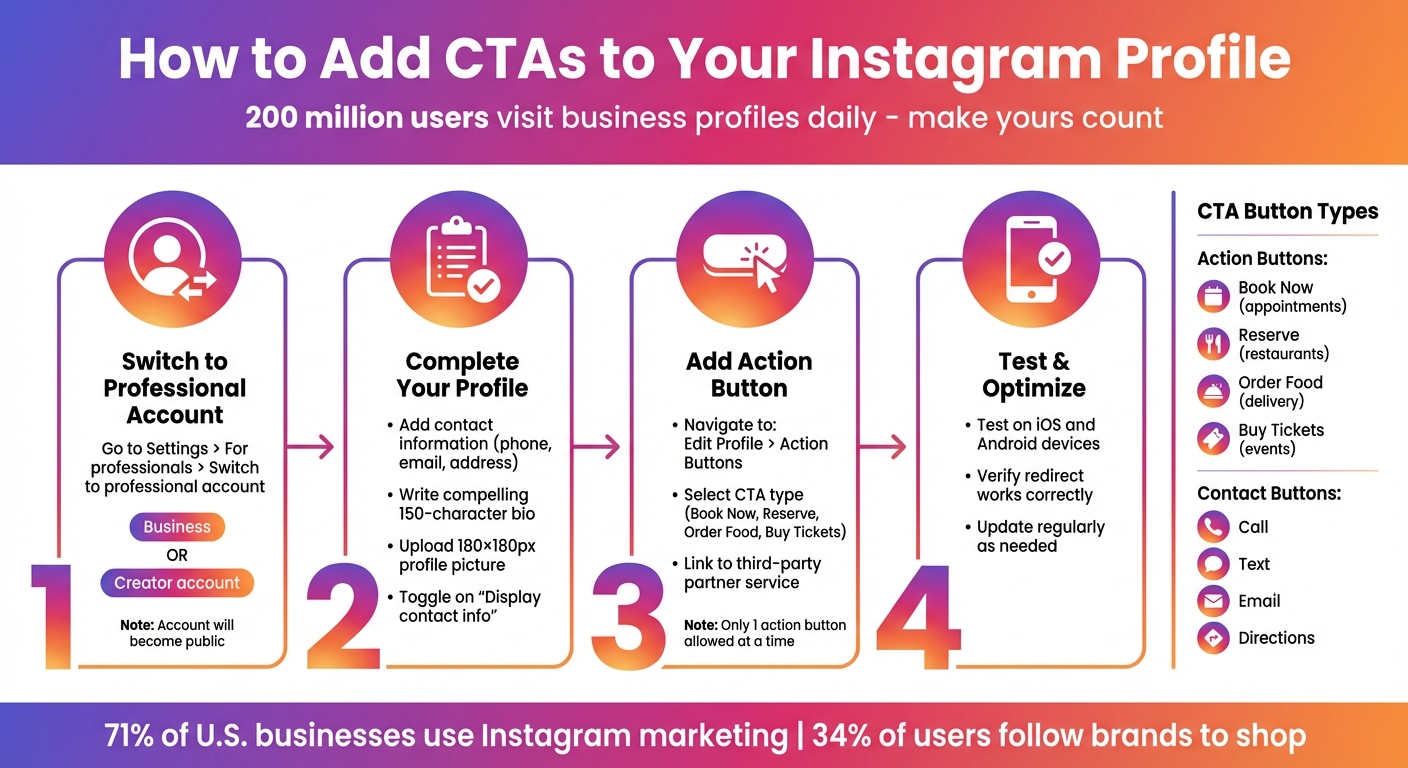
How to Add CTA Buttons to Instagram Profile - Step-by-Step Guide
Switching your personal Instagram account to a professional one is the first step to unlocking CTAs (Call-to-Actions) and tools like Instagram Insights. Only Business and Creator accounts provide access to action buttons and contact CTAs, so making this upgrade is a must.
Important: Professional accounts must be public. If you switch a private account, it will automatically become public, and any pending follow requests will be accepted. This setup makes it easier for businesses and creators to reach a wider audience.
Switching is simple, whether you're using mobile or desktop. Here's how:
Which account type should you choose?
If you're unsure, pick the one that aligns with your goals. You can always switch later without losing your content.
Once you've converted to a professional account, updating your profile details is essential to enable CTAs. Add your contact information in the Contact Options section to activate standard CTAs like Call, Text, Email, or Directions. Be sure to include accurate details - this ensures your audience can easily reach you and enhances the effectiveness of your CTAs.
Next, fine-tune your bio. You only have 150 characters, so make them count. Focus on what benefits your audience. Take inspiration from Headspace's concise example:
"Headspace is meditation made simple. Learn to meditate whenever you want... Download the app"
This bio clearly communicates value and encourages action.
Your profile picture should be a recognizable logo or brand image. Instagram crops it into a circle, so keep key elements centered, and aim for 180×180 pixels. Using the same image across all social platforms strengthens brand recognition. After adding your contact info, go to Edit Profile and toggle on "Display contact info" and "Display category label" to make these details visible.
For action buttons like Book Now or Reserve, make sure your account is connected to a supported third-party partner (e.g., Yelp, OpenTable, Fandango). This ensures the button works seamlessly when users click it.
Adding action buttons to your Instagram profile is a quick and simple process. Just make sure your booking or ordering service is already set up, as Instagram integrates directly with these platforms to power your CTAs.
To get started, open Instagram and head to your profile. Tap Edit Profile, then scroll down to the "Public business information" section and look for Action Buttons. In some versions of Instagram, this option might be under "Contact Options" in the Business Information menu.
Keep in mind, these settings are only available for Business and Creator accounts. If you don’t see the option, confirm that your account type is set to a Business or Creator account. Once you’re in, pick the CTA that aligns with your business goals.
Inside the Action Buttons settings, you’ll see options like Book Now (for appointments), Reserve (for restaurant bookings), Order Food (for delivery services), or Buy Tickets (for events). You can also add a lead form to collect customer information directly through Instagram, skipping the need for a third-party service.
After selecting your button type, choose your supported partner. From there, log in to your partner account or provide the specific URL for your business page on the platform. Note that Instagram allows only one action button on your profile at a time, so pick the one that will bring the most value to your audience.
When you’ve linked your partner service, tap Done to save your changes. The new button will appear on your profile, positioned right below your bio and above your Story Highlights.
Be sure to test the button on both iOS and Android devices to ensure it redirects correctly. If it doesn’t show up or isn’t working as expected, go to your profile, tap the Menu, select Settings, then Help, and visit the Help Center for troubleshooting. Regularly checking and updating your CTAs can help keep your audience engaged and your business running smoothly.
Business needs change, and so might the functionality of your CTA. To update it, head to Edit Profile and navigate to Public Business Information. Select Action Buttons, then tap on your current button. From there, you can update the linked third-party account or URL, or choose Remove Action Button if it's no longer needed.
Instagram keeps button labels consistent, so if you want to change what the button does, you'll need to update the linked partner or URL. After making any updates, test the button using the "View as" feature or from a different account. This ensures it leads users to the correct destination and avoids any potential frustration.
Once your CTA button is updated, you can take things to the next level by optimizing your Instagram for business profile for better visibility and engagement.
Your CTA is only as effective as the audience it reaches. That’s where UpGrow comes in. This AI-powered Instagram growth tool works to improve your profile’s performance by targeting the right audience with precision. Instead of relying on bots or fake followers, UpGrow combines real human expertise with AI technology to attract followers who are genuinely interested in your offerings.
With features like location-based targeting, filters for age and gender, and detailed performance analytics, UpGrow ensures your profile connects with users who are more likely to take action - whether that’s booking a service, making a reservation, or placing an order. Since Instagram’s built-in analytics don’t provide detailed tracking for action button clicks, a tool like UpGrow becomes essential for understanding what drives engagement.
Plans start at $39/month, and they even offer a free trial. Plus, their Growth-Guarantee means you’ll get your money back if your follower count doesn’t grow - no strings attached.
After setting up your profile and integrating buttons, knowing when to use each type of call-to-action (CTA) button is key. The right CTA button not only grabs attention but also aligns with your audience's habits, encouraging them to act.
Instagram provides two main types of profile buttons: Action Buttons and Contact Buttons. While Action Buttons are designed for specific tasks like booking or ordering, Contact Buttons - such as "Call", "Text", "Email," and "Directions" - offer direct ways for followers to connect with you. These buttons can be used together to give your audience multiple options for engagement.
For service-based businesses like salons, spas, fitness studios, or hotels, the "Book Now" button is a perfect fit. It links directly to scheduling platforms like Setmore or Acuity, making it easy for clients to book an appointment. Similarly, restaurants can use the "Reserve" button to connect with platforms like OpenTable or Yelp, helping customers secure a table in just a few clicks.
This setup taps into Instagram's massive user base, with nearly 200 million daily active users visiting at least one business profile every day. By simplifying the booking process, you reduce friction and increase the chances of turning profile views into actual bookings.
For restaurants or food delivery businesses, the "Order Food" button is a game-changer. It connects directly to food ordering platforms, making takeout and delivery effortless for your customers. If you’re hosting events, selling tickets, or running workshops, the "Buy Tickets" button can streamline ticket sales by linking to ticketing platforms.
With 34% of Instagram users actively following brands to shop, having these buttons in place ensures your products or services are just a tap away. These CTAs are ideal for businesses looking to drive immediate purchases or event attendance.
Sometimes, customers need to reach out before making a decision. The "Call", "Text," and "Email" buttons let followers connect with you directly for inquiries or support. For physical stores, the "Directions" button helps guide customers straight to your location.
"A call to action is imperative for any business transaction to be conducted on Instagram." – Sked Social
These buttons are especially effective for B2B companies, consultants, and service providers that rely on personalized communication. With 150 million users engaging in daily conversations with businesses on Instagram, being accessible can make a measurable difference in building trust and driving conversions.
Adding CTAs (calls-to-action) to your Instagram profile isn't just a good idea - it's a must if you want to turn casual visits into real results. With nearly 200 million daily active users checking out at least one business profile every day, missing out on clear CTAs means missing out on potential customers. Whether it's a "Book Now" button, "Order Food", or even a simple contact option, these tools are the key to moving people from scrolling to taking action.
Setting them up is pretty simple: switch your account to Business or Creator mode, head to your action button settings, and link your preferred service. Keep in mind, though, Instagram only allows one main action button at a time - so pick the one that aligns best with your current business goals.
Once those buttons are live, it’s time to make them work. Use Stories, Reels, and captions to guide people to your profile and create urgency with time-sensitive offers. With 71% of businesses in the U.S. already leveraging Instagram marketing, standing out means being smart about both your CTA placement and overall profile strategy. Strong CTAs combined with a well-targeted audience can take your Instagram game to the next level.
Want to take it a step further? Consider tools like UpGrow to boost your efforts. Their AI-powered targeting and expert support help ensure your CTAs connect with the right audience, starting at just $39/month and backed by a growth guarantee.
CTA buttons might not show up on your profile for a few reasons. First, this feature is being introduced gradually, so it may not be available to everyone yet. Second, your account needs to be connected to a supported partner and properly set up to access these buttons. Lastly, only a small group of providers currently supports these action buttons, which could limit availability.
When picking your first CTA button, think about your primary goal. If you're aiming for bookings or reservations, go with buttons like Book or Reserve. On the other hand, if your goal is to boost engagement or drive traffic, options like Learn More or Shop Now are better fits. Always keep your audience and objectives in mind to choose what works best.
You can monitor CTA button clicks on Instagram through Instagram Insights, which provides data on profile interactions, including link clicks and button actions. For ads, Facebook Ads Manager offers detailed metrics such as click-through rates and conversions. To dig deeper, consider using URL parameters or UTM tags with tools like Google Analytics. These allow you to analyze traffic sources and user behavior, giving you a better understanding of how your CTAs are performing and where improvements can be made.


