

Download Instagram Reels in HD quality with audio - no watermark, no account needed. Save Reels as MP4 or MP3 from any public profile (100% free)
Generating results...
We couldn't get a result right now. Please try again in a moment.
An Instagram Reels downloader works from a Reel's link, so the first job is copying the right one. With UpGrow's Instagram Reels Downloader, you copy the Reel's link from Instagram, paste it into the Instagram Reels URL field and press Download Reels. Only Reels from public accounts can be fetched by an outside tool.
Open the Reel in the Instagram app or on instagram.com and confirm it comes from a public account.
On your phone, tap the paper-plane icon under the Reel and choose Copy link. On a computer, open the Reel and copy the address shown in the browser bar.
Paste that address into the Instagram Reels URL field. A Reel link reads instagram.com/reel/ followed by a short code.
Press Download Reels.
Keep the original link with your notes, so you can credit the creator or find the Reel again later.
Every Reel has its own address. The part that identifies the video is the short mix of letters and numbers right after /reel/. Links copied from the app often carry extra characters after a question mark; those describe how the link was shared and are not part of the Reel's identity.
A profile address (instagram.com/ plus a username) or a link to a Story points somewhere else entirely, so it is not a Reel link. If you copied the address from a DM or a story reshare, open the Reel itself first and copy the link again from there. That way you know you have the original post and not a reshare of it.
On a computer, check the address bar before copying. If it still shows a profile or your feed, open the Reel on its own page first, for example in a new tab, so the address you copy includes /reel/ and the code for that one video.
Public Reels only. A private account's Reels are shown to approved followers inside Instagram and to no outside website, this one included.
Deleted and archived Reels have left public view, so an old link to one leads nowhere.
Reels that Instagram has taken down, for copyright or any other rule, are gone for every viewer and every tool.
If an account switches from public to private after you copied the link, its Reels stop being reachable from outside.
Music inside a Reel is often licensed for use on Instagram. Keeping a copy of the video gives you no right to reuse that track somewhere else.
Before you reach for any tool, check what Instagram already offers. These options work inside the app's own rules and on the creator's terms.
Save it: open the three-dot menu on a Reel and choose Save. It lands in Saved, reachable from the menu on your profile, where you can sort it into collections. Only you can see what you saved.
Download your own Reels: the menu on a Reel you posted includes an option to save it to your phone. You can also switch on saving originals in your settings, so each new Reel is stored on your device as you publish it.
Download public Reels the creator allows: Instagram offers a download option in the share menu for some public Reels. Creators can turn it off for their account, so you will only see it where they have allowed it.
Remix or share instead: if you want to respond to a Reel publicly, remixing it or sharing it to your story keeps the creator credited automatically.
A downloaded Reel is still another person's work. Keeping a copy for your own reference is one thing; posting it on your account, in an ad or on another platform is something else. The creator owns the video, and Instagram can remove a repost when the owner reports it.
Your own Reels are a different story, and that is where the effort pays off. If you made the clip and want more people to see it, UpGrow lets you buy Instagram Reels views for Reels on your account.
Ask first. A short DM asking whether you can repost the clip, and how the creator would like to be credited, usually gets a quick reply.
Credit the creator by @handle in your caption and, where it fits, on screen.
Leave the creator's name, logo and intro in place rather than trimming them out.
For brand accounts, ads or client work, get the permission in writing; a friendly yes in the comments may not stretch that far.
If you post Reels from a public account, Instagram lets you decide whether viewers get its download option on your videos. The switch sits in your account settings among the sharing and reuse options, next to the controls for remixes. Turning it off removes Instagram's own download button from your Reels. It doesn't make them private: anyone can still watch and share them while your account is public.
Keep a tidy archive of your own clips as well. Store the finished video, the caption and the posting date together, so you can bring back a strong Reel later, cut it down for another platform or show it to a brand as an example of your work. A Reel you delete or archive on Instagram leaves public view too, so the file on your own device may be the only copy you can still use.
Instantly download Instagram Reels with our #1 Reels Downloader for Instagram. Get Instagram Reels Download in 1 click - No Watermark, 4K Quality, Unlimited Downloads. Perfect solution for Instagram Reels Video Downloader needs!
Looking for the best Instagram Reels Downloader? Our Reels Downloader Instagram tool works as Instagram Reels Video Downloader, Instagram Reels Audio Downloader, and Private Reels Downloader. Download Reels from Instagram in any format - try the ultimate Reels Downloader for Instagram today!
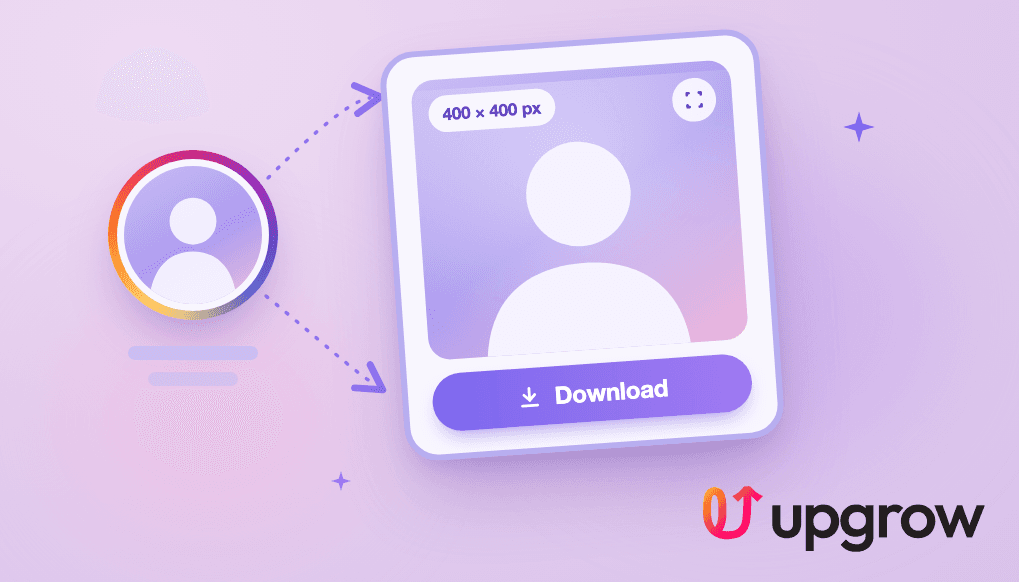
See any Instagram profile picture in full size. Type a username to open the account's current profile photo at the largest size Instagram keeps, then download it in one tap.
Write a better Instagram bio in seconds. Describe yourself or your brand and get five ready-to-paste bios written to fit Instagram's 150-character limit.
Get 3 ideas for your instagram feed using our tailor-made AI system

Instantly generate tailored hashtags for your Instagram posts & reels based on type & category of content, using AI
Generate the ideal captions for your Instagram posts using AI.
Quickly generate & copy-and-paste fancy fonts for your Instagram bio or posts in 140+ styles.
UpGrow uses powerful AI models, 1M+ proven growth patterns, paid advertising, micro-interactions and real-human magic to bring you next-gen social media growth.
Say goodbye to fake followers and bots. We guarantee that all your new followers are authentic, engaged, and genuinely interested in your content.
Enjoy round-the-clock Instagram growth and engagement without lifting a finger. Our system works for you 24 hours a day – unlike a full time employee.
UpGrow is fully Instagram-compliant. Since 2016, we've helped our users gain millions of followers organically. It’s safe and works for everyone.
It's quantity + quality. UpGrow only attracts active and engaged followers who are eager to interact with your IG posts & stories.
Let our AI attract more followers based on your filters: location, age, gender, language, interests, hashtags – or let our AI do it automatically for you.
UpGrow replaces a full social media marketing team. Focus on what matters for your business and let us build your Instagram following – automagically!

 growth today.
 Get real, active followers.
Stop stressing about your Instagram account - our winning growth tactics are time-tested to help you achieve real results – fast & guaranteed!