
Instagram Comment Auto Reply: Ultimate Guide
Use keyword triggers, concise public replies and DMs, and tracking to turn Instagram comments into leads, sales, and support.
Use keyword triggers, concise public replies and DMs, and tracking to turn Instagram comments into leads, sales, and support.
4.98 /5 - from 58k reviews
Trusted by 50,000+ creators — get real engagement delivered to your profile in minutes, not days.
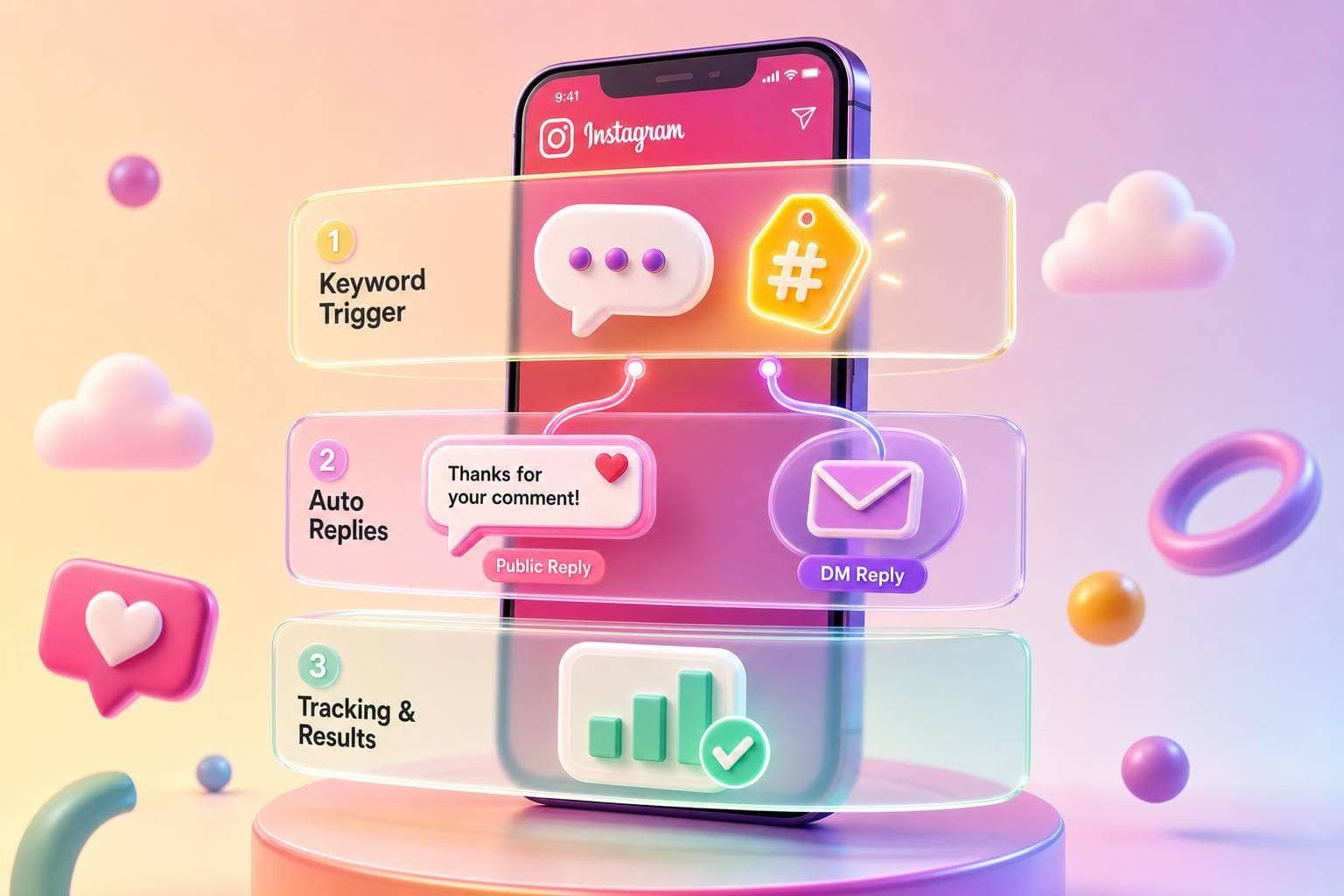
Instagram comment auto replies can save hours each week and turn comments into DMs, leads, and sales. If I set clear keyword triggers, send short replies, and track clicks and conversions, I can turn simple comments like “guide” or “price” into a repeatable system.
Here’s the short version:
A simple setup often works best: a short public reply like “Sent you the link in DM”, followed by a DM with the promised link and one next step. That keeps the thread clean and makes the next action easy.
I’d treat comment automation as a conversion tool, not just a time-saver. When the CTA, keyword, reply, and link all match, comment activity can lead to downloads, bookings, and orders.
Once you know whether a reply belongs in public or in DM, tie each flow to your Instagram marketing strategy. Before you set even one trigger keyword, decide what you want the automation to do.
Each flow should point to one main goal:
That choice affects everything. It shapes the keywords, the tone of the reply, and how you track results. If the goal is follower growth, for example, your replies should push actions like follows, saves, shares, or access to follower-only perks.
The best auto replies line up with what the commenter is asking for. If someone wants a resource, send the resource. If they’re close to buying, help them buy. Simple.
Common use cases include:
A trigger only works if the caption tells people to use it. For feed posts, say the CTA plainly. For Reels, repeat the keyword in on-screen text and voiceover so people don’t miss it.
Where things go sideways is with vague keywords. A trigger like info can fire on all kinds of casual comments that have nothing to do with your offer. That creates messy DMs and messy reporting.
Use specific, high-intent words or short phrases instead, such as PRICE47, SHIPPING, WEBINAR, or BOOK A CALL. Tighter triggers cut down on irrelevant DMs and give you cleaner metrics. Check which triggers fire most often, then remove the ones that mostly pull in low-intent comments.
Not every comment thread should be handled by automation. Some conversations need a real person. And if a canned reply lands in the wrong thread, it can hurt your brand fast.
Keep these manual:
If your automation platform supports negative keyword rules, block terms like scam, never received, refund now, or fraud so those threads never get an auto reply. Send a short acknowledgment, then pass the issue to a human. Have someone respond within one business day.
Here’s a simple rule of thumb: if your caption doesn’t include a clear, easy CTA that can be answered with a templated reply, keep that post manual. Automation works best on posts with predictable, repeatable comment patterns, not on every post you publish.
With goals and boundaries in place, the next step is setting up trigger rules, reply types, and target posts.
Once your trigger plan is ready, the next move is simple: make it live. The setup usually comes down to three parts - connect the account, build the rule, and test everything before anyone sees it.
Comment auto replies only work on Instagram Business or Creator accounts. For Meta’s native workflows, that Instagram account also needs to be linked to a Facebook Page.
In the Instagram app, go to Settings → Account → Switch to Professional Account and pick either Business or Creator. After that, link the Instagram account to a Facebook Page in the linked accounts settings so Meta Business Suite can access both assets.
Then open Meta Business Suite and make sure the Instagram account, Facebook Page, and any connected tools are assigned the right way. The person setting up the automation should have Admin or Editor access on the linked Facebook Page, along with permission to manage messages, comments, and integrations. If you’re using a third-party tool through the official Instagram Graph API, connect it through Meta’s secure OAuth flow instead of sharing passwords. It’s also smart to review its permissions in Business Integrations before you switch anything on.
Once access is sorted, you can move into trigger and reply setup.
Your trigger should line up with the keyword, CTA, and goal you picked earlier. In Meta Business Suite on desktop, go to Inbox → Automations → Custom Keywords or Comment to Message → Instagram, then add the trigger, reply, and activation settings.
Start with exact-match keywords and close variations based on how people tend to comment, like "ebook", "discount code," or "waitlist." Add exclude keywords so the rule doesn’t fire on random or off-topic comments. If the workflow starts pulling in weak leads, tighten the trigger over time.
For post targeting, choose whether the rule should apply to:
Single-post targeting works well for short campaigns or limited-time offers. Always-on targeting makes more sense for evergreen flows. You’ll also need to choose the delivery type: public reply, DM, or both, based on what the post is meant to do.
Before you publish the rule, run a final test from a separate account that is not an admin on your main profile.
You’re checking for more than “did it send?” Make sure replies fire fast and do it every time. Open each link on iOS and Android to confirm the URLs load, the UTM tags show up in Google Analytics or Meta reporting, and any buttons are easy to tap on a phone.
A simple test flow works best: post the trigger from a non-admin account, check that the public reply and DM both land in the test inbox, and then confirm the links and tracking work on mobile.
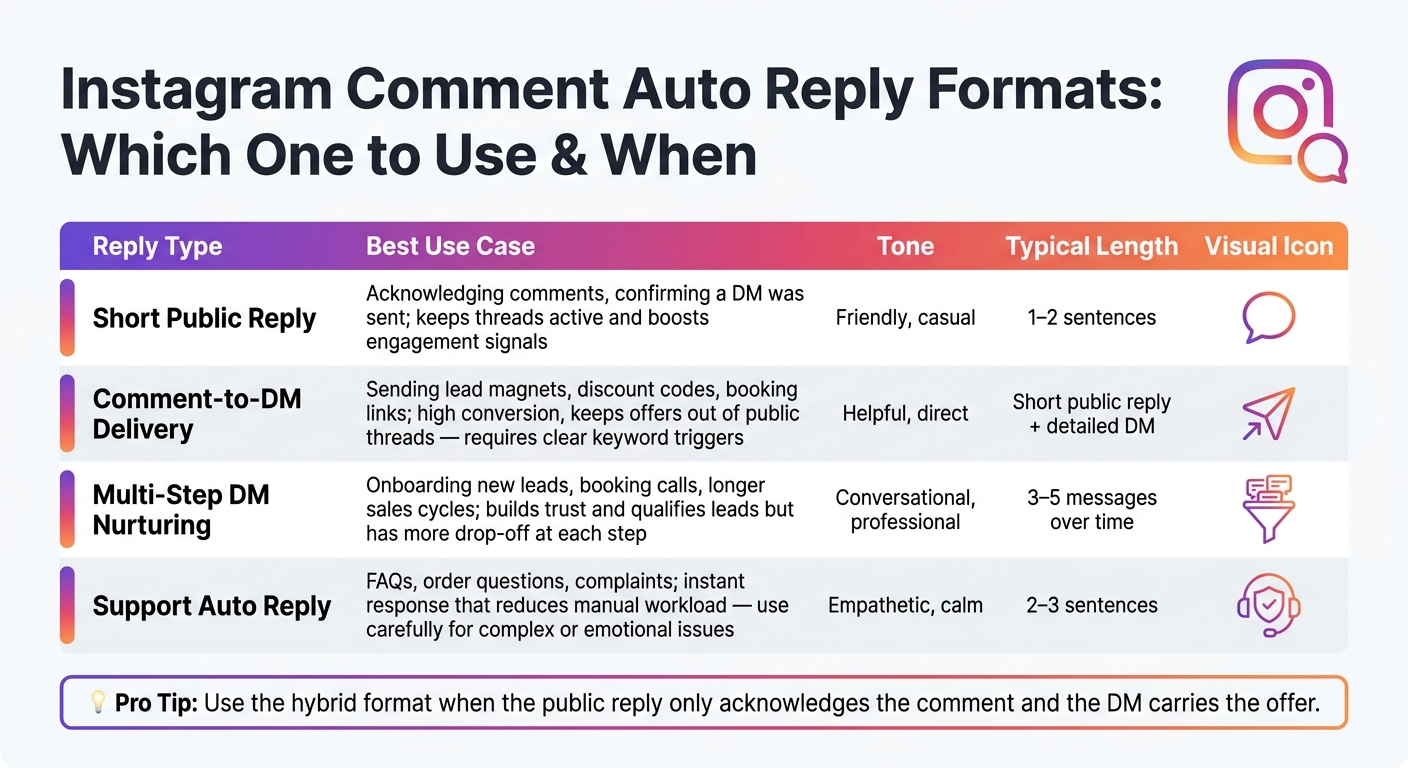
Instagram Comment Auto Reply Formats: Which One to Use & When
Once the trigger is live, the words have to do the heavy lifting. Your replies should sound like a person wrote them and gently move the commenter to the next step. Each reply should feel read, relevant, and deliberate.
Keep public replies to 1–2 sentences. First, acknowledge the comment. Then point them to the DM or next step.
Start with a warm opener, then say exactly what they’ll get. For example: Love that you asked about this! Sent you all the details in a DM. Switch up openers like Great question, Appreciate you asking, and So glad this caught your eye so threads don’t start to look pasted in when the same trigger fires across several posts.
If your tool allows it, use the commenter’s handle or first name and mention the topic. A fitness brand might say Crushed it 💪 Sending you the meal plan now, @username. A financial brand might use Smart move asking about this - check your DMs for the details.
Skip hard-sell language in public replies.
Once the keyword fires, speed matters. Send the promised asset right away.
A simple 3-step flow works well:
Keep each DM short and centered on one idea. One idea, one CTA per message. Send one reminder later, not right away.
Always include a human fallback. Something like If you'd rather talk to a real person, just reply HUMAN and our team will take over helps build trust and catches cases where automation isn’t enough.
Match the format to the goal you set earlier.
| Reply Type | Best Use Case | Tone | Typical Length |
|---|---|---|---|
| Short Public Reply | Acknowledging comments, confirming a DM was sent; keeps threads active and boosts engagement signals to supercharge your Instagram growth | Friendly, casual | 1–2 sentences |
| Comment-to-DM Delivery | Sending lead magnets, discount codes, booking links; high conversion and keeps offers out of public threads - requires clear keyword triggers | Helpful, direct | Short public + detailed DM |
| Multi-Step DM Nurturing | Onboarding new leads, booking calls, longer sales cycles; builds trust and qualifies leads but has more drop-off at each step | Conversational, professional | 3–5 messages over time |
| Support Auto Reply | FAQs, order questions, complaints; instant response that reduces manual workload - use carefully for complex or emotional issues | Empathetic, calm | 2–3 sentences |
Use the hybrid format when the public reply only acknowledges the comment and the DM carries the offer.
After the copy is live, moderation and metrics show which replies should stay active.
Once your replies are live, the job isn't done. You need to keep them clean, track what they produce, and use those results to sharpen your next move.
After launch, keep a negative keyword list and review it every month. Add spam phrases like "follow 4 follow" and "earn $500/day." Also block profanity, slurs, and brand-risk terms, including legal claims or sensitive product terms.
It also helps to suppress auto replies on comments with multiple links or repeated @mentions. Those are two of the clearest spam signals.
When a comment falls into a gray area, send it to a manual review queue instead of firing off an auto reply. For example, if a comment matches a support keyword but also includes a complaint, trigger an internal alert and let a person handle it. The same goes for legal, medical, and financial issues. Those should skip automation and go straight to the right team.
A monthly Instagram audit of random auto replies can catch:
Once moderation is in place, measure what comment automation is actually doing. Focus on funnel metrics, not vanity metrics.
In Meta Business Suite Insights or your CRM, track the full path:
Tie each group of metrics to the goal behind it, whether that's lead capture, purchase intent, or support reduction.
For attribution, add UTM parameters to every DM link. That lets you separate comment-driven traffic in Google Analytics or your CRM and connect it back to revenue.
Comment data can tell you, pretty plainly, what people want. If lots of people comment "price", that's a signal to make a pricing Reel or a pinned post. If a free guide gets more DM replies than a discount offer, lean harder into educational content in future campaigns.
This is where the feedback loop starts to matter. The comments shape the content, and the content shapes the next round of comments.
Use growth analytics to tie comment activity to follower growth. Use UpGrow's live dashboard to connect comment-triggered activity to follower growth. Then use that data to refine future posts, CTAs, and targeting.
To keep performance moving in the right direction, run a monthly review that covers four areas: update your blocklist with new spam patterns, pull funnel metrics and compare them month over month, sample trigger comments to make sure keywords match the right intent, and refresh any DM copy or links that are out of date.
Then map those findings back to your business KPIs, like lead volume, average order value, or monthly recurring revenue. From there, you can decide which campaigns to scale, pause, or redesign.
Once your strategy, setup, and copy are ready, the last move is to keep the whole system simple. Choose one main goal - lead capture, product education, or support - and build each trigger and reply around that goal.
That setup works best when the reply feels human. A short public comment like "Sent you the guide in DM," does the job. Then send the promised asset right away.
Before anything goes live, test every trigger, reply, and Instagram DM.
Each month, review response time, completion rate, and revenue impact. Then tighten the keywords or flows that aren't doing their job.
When the system stays simple and easy to measure, comment automation turns into repeatable growth. For more ways to scale your account, check out these Instagram growth tips.
Keep complex, sensitive, or high-stakes comments manual, especially customer complaints or negative feedback. Those moments call for empathy, judgment, and nuance if you want to protect your brand voice and build a real sense of community.
It also helps to reserve at least 20% of your engagement for manual, organic replies. And before anything AI-written goes live, review it for tone and cultural fit.
Use specific keywords that show clear intent, like "price" or "guide," instead of broad terms that can get read the wrong way.
Also, avoid stiff, repetitive automation. Rotate reply templates and use clear if/then logic so responses feel natural and stay on track.
Before launch, test triggers with personal accounts. Try expected prompts, but also throw in odd or messy inputs. That's usually where weak spots show up.
If a query is complex or unclear, add a fallback that routes the person to a human.
Focus on metrics that reflect real audience connection, not just surface-level activity. The big one is engagement rate:
(Likes + Comments + Saves + Shares) / Reach
Pay close attention to saves and shares too. Those signals usually tell you people found the content worth keeping or passing along.
It also helps to watch response time, follower growth, and retention, along with business results like link clicks and conversions. Review these trends every week so your auto-reply plan stays in sync with your growth goals.


