
7 AI Tools for Instagram Photo Editing
AI editing turns tedious Instagram retouches into fast, consistent, pro-looking images—compare seven top tools for backgrounds, portraits, and batch workflows.
AI editing turns tedious Instagram retouches into fast, consistent, pro-looking images—compare seven top tools for backgrounds, portraits, and batch workflows.
4.98 /5 - from 58k reviews
Trusted by 50,000+ creators — get real engagement delivered to your profile in minutes, not days.
AI tools have made Instagram photo editing faster and easier, eliminating tedious manual work. From background removal to skin smoothing, these tools help create professional-quality visuals that drive engagement. Here’s a quick look at seven popular options:
These tools cater to different editing needs, budgets, and skill levels, making it easier to create standout Instagram content. Use free trials to find the one that fits your workflow.
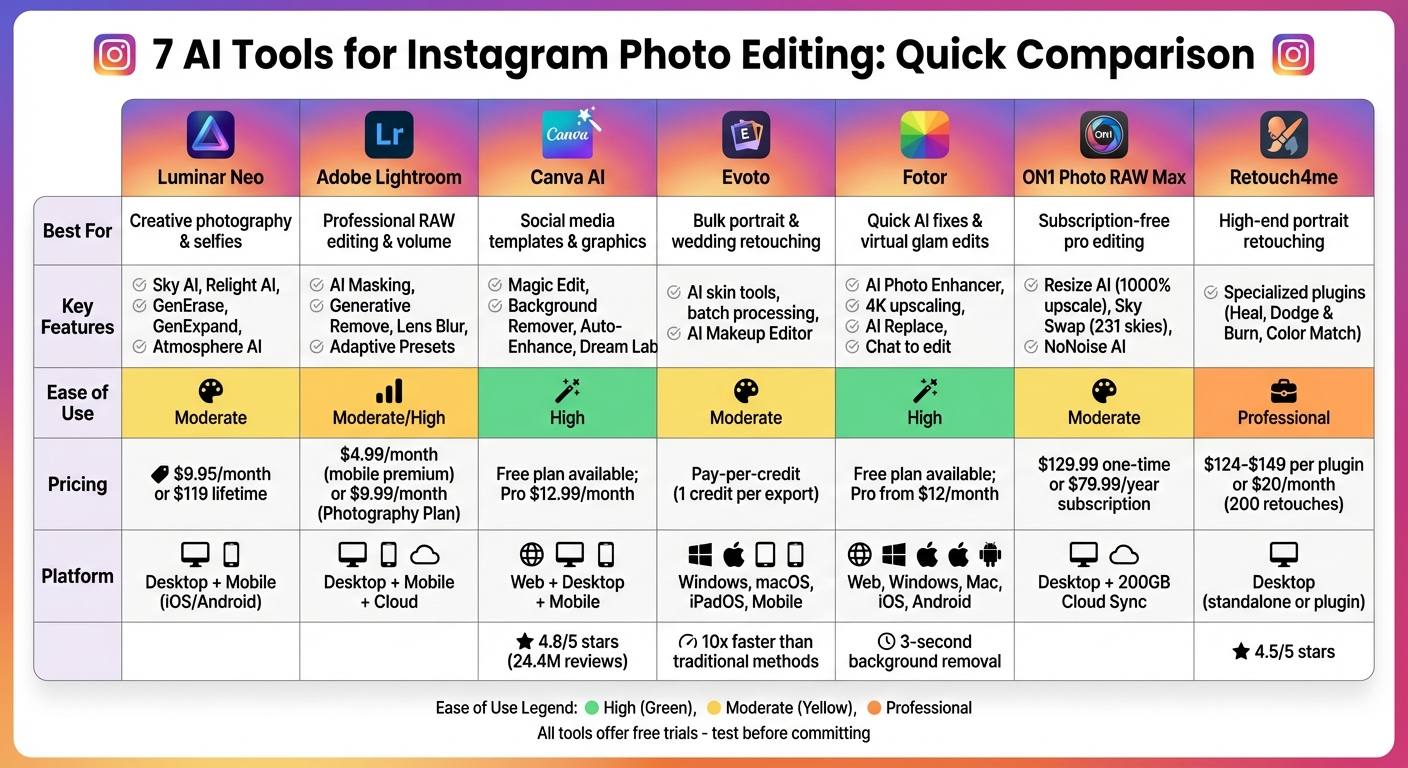
AI Instagram Photo Editing Tools Comparison: Features and Pricing
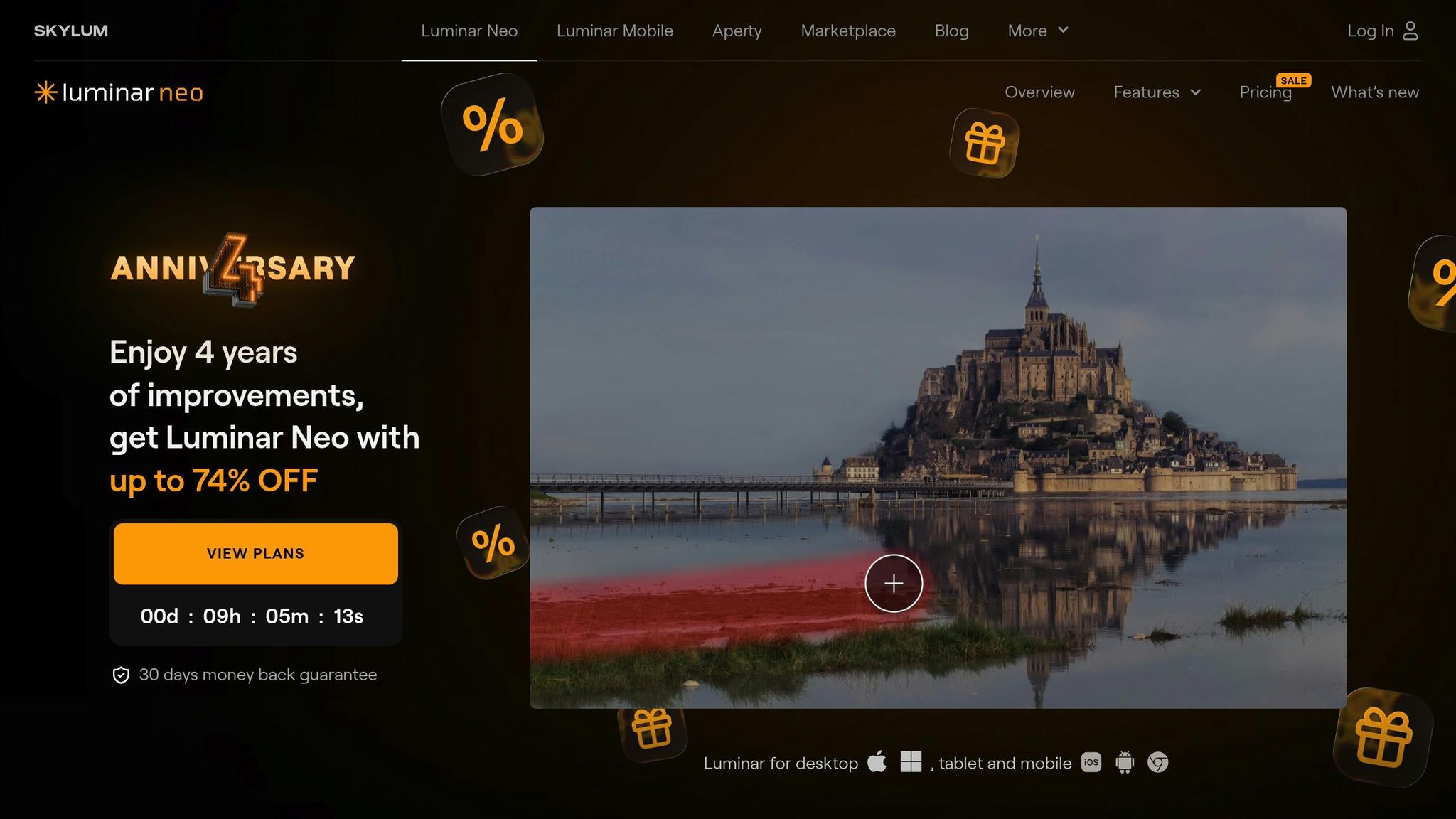
Luminar Neo is built to deliver quick, polished edits with minimal effort. Whether you're smoothing skin, swapping out skies, or removing backgrounds entirely, this software simplifies complex tasks with precision.
The software’s Enhance AI feature automatically fine-tunes exposure, contrast, color, and tone for balanced results. Sky AI makes replacing dull skies a breeze, even adjusting lighting and reflections to match the new sky. With Relight AI, you can control lighting in the foreground and background separately using 3D depth mapping, giving your photos a professional edge.
Generative AI adds a creative twist. GenErase removes unwanted objects, GenExpand adjusts image boundaries to fit Instagram’s square crop, and GenSwap lets you replace elements using text prompts. Want to add mood? Atmosphere AI creates fog or mist effects, while Twilight Enhancer AI mimics golden hour lighting no matter when the photo was taken.
And it doesn’t stop there - Luminar Neo excels at isolating subjects, ensuring a polished, standout look.
With Background Removal AI, the software detects your subject and identifies up to nine different elements in the scene, giving you precise control over what stays or goes. The Portrait Background tool instantly isolates people, while the Refinement Brush lets you clean up tricky edges around hair or intricate details.
For portrait photographers, Skin AI smooths skin and removes blemishes while keeping natural texture intact. Face AI brightens eyes, enhances lips, and adds highlights without needing manual masking. Other tools like Body AI adjust proportions naturally, Portrait Bokeh AI simulates professional background blur, and Studio Light recreates high-end lighting setups.
If Instagram is your focus, Luminar Neo is tailored to make your edits seamless. The "For this photo" feature analyzes your image and suggests best Instagram photo edit settings for instant improvement. Plus, with the Luminar Mobile app for iOS and Android, you can start editing on your phone and finish on your computer. A recent update even includes an AI Assistant that guides beginners through each step of the editing process. Pricing starts at $9.95 per month for a subscription, or you can choose a perpetual license for $119.
"Luminar Neo is the dramatic one. The vibe is: make it pop, make it fun, make it fast." – Ernesto, Photographer

Adobe Lightroom simplifies the photo editing process, offering professional tools that make creating Instagram-worthy images quicker and easier. With its Generative Remove feature, powered by Adobe Firefly, you can eliminate unwanted distractions from your photos in just seconds. The AI fills in the background seamlessly, making it look like the object was never there. As Maria Yap, Vice President of Adobe Lightroom, puts it: "Now any photographer can make distractions disappear in a single click and get high-quality results in seconds with our most powerful removal tool yet." These tools allow users to transform everyday photos into polished visuals ready for sharing.
Lightroom’s Adaptive Presets, like "Polished Portrait" and "Enhance Clothing", enable one-tap edits that target specific areas of your photo for professional-level results. For photos taken in tricky lighting, the Denoise feature reduces digital noise while preserving intricate details, making it ideal for low-light shots like sunsets or candlelit scenes. Another standout tool is the AI-Powered Lens Blur, which separates the foreground from the background to create a stunning bokeh effect. You can even customize the blur style with options like "Bubble" or "Swirl" to add your own creative touch.
Lightroom’s AI masking takes portrait editing to the next level by automatically identifying and isolating elements like skin, eyes, teeth, lips, and hair. This precision allows you to make targeted adjustments without affecting other parts of the image. The "Select People" feature can even distinguish clothing and facial hair, enabling edits like changing shirt colors or refining beard textures with ease. And if you’re working with multiple photos, Lightroom’s batch editing feature syncs these AI-generated masks across hundreds of images. As Simon Ringsmuth, a Post Production Specialist, explains, "Lightroom's AI will help you make skin smoother and teeth whiter, and it'll help you do it for lots of photos all at once."
Lightroom’s mobile app is designed with Instagram creators in mind. A dedicated 1x1 square crop tool ensures your photos are perfectly framed for the platform’s grid. On iOS, the "Add border and share" feature formats images for popular social media aspect ratios, ensuring consistency across your feed. You can even share your edited photos directly to Instagram, complete with captions and hashtags. For those managing a cohesive Instagram aesthetic, batch editing allows you to copy and paste settings across multiple images. Pricing starts at $4.99 per month for Lightroom Mobile Premium with 100GB of cloud storage, or $9.99 per month for the Photography Plan, which also includes Photoshop .
Canva AI makes Instagram photo editing a breeze with its user-friendly, template-based tools that deliver professional-quality results in no time. By blending AI-powered editing with thousands of Instagram templates, it allows users to create stunning posts effortlessly. As Ryan Kane from Zapier puts it: "Magic Studio's features offer one-click solutions to tedious image editing tasks that - back in the Photoshop days - used to take eons." With over 24.4 million reviews and a 4.8/5 star rating on Google Play, Canva AI has become a favorite among those implementing Instagram marketing strategies. Let’s dive into how its filters and tools refine every detail.
Canva's Auto-Enhance tool is perfect for fixing uneven lighting, as it adjusts brightness, contrast, saturation, and clarity with just one click. The Image Upscaler takes low-quality images and uses AI to sharpen and enhance their resolution, making them Instagram-ready. For more creative options, tools like Magic Edit and Dream Lab (powered by Leonardo.Ai) allow users to modify, add, or create entirely new images through simple text prompts . The Auto Focus feature adds a professional touch by sharpening the subject while blurring the background, creating that sought-after depth-of-field effect for portraits.
Canva AI also excels at manipulating backgrounds. The Background Remover (available with Pro) quickly isolates subjects from even the most complex photos in seconds . Once the background is removed, the BG Generator steps in to create custom backdrops based on text descriptions, seamlessly blending them with the original image using proper lighting adjustments . Daniel Scott, an instructor at Bring Your Own Laptop, highlights the impact: "It's always been a tough job to edit materials like hair, fur, and other complex details and isolate them from a background... With AI, things have become a bit easier!". For added precision, the Erase and Restore brushes allow users to clean up edges or restore details that the AI might have missed, ensuring perfect cutouts for layered Instagram graphics.
Canva's drag-and-drop interface and cloud-based setup make it accessible for everyone. Start editing on your desktop, switch to your phone, and post directly to Instagram without missing a beat . The platform includes preset aspect ratios tailored for Instagram (1:1 for posts, 9:16 for stories) and a Smart Crop tool that automatically finds the best composition for Instagram’s visual needs and growth tips . For portrait posts, the Face Retouch effect uses AI to smooth skin, remove blemishes, and even out complexions with adjustable sliders. Canva Pro, which unlocks all these AI tools, starts at $14.99 per month or $119.99 per year, offering features like Background Remover, Magic Eraser, and access to over 100 million stock assets.
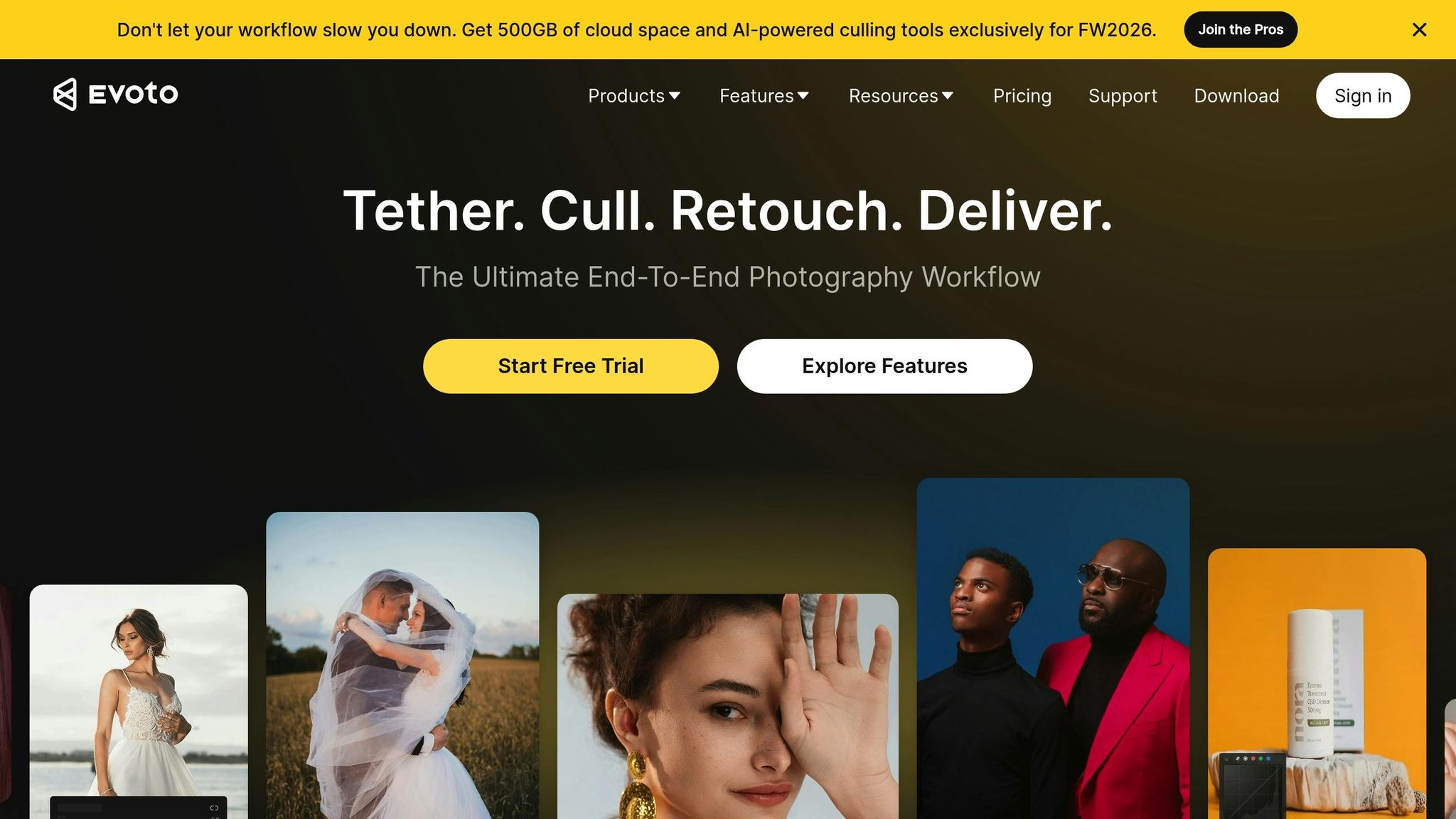
Evoto steps up the editing game by offering advanced portrait and background tools, perfect for creating that polished Instagram aesthetic and grid layout. Tailored for portrait photographers and Instagram creators, this platform speeds up editing workflows by up to 10 times compared to traditional methods. Professional photographer Vanessa Joy describes it as a "game changer", highlighting its ability to "de-wrinkle clothes, remove red veins around the eye, and clean up hairlines". Supporting formats like RAW, TIFF, PNG, and JPEG, Evoto handles professional-grade files while remaining user-friendly for social media creators.
Evoto's AI focuses on enhancing portraits by removing blemishes, reducing wrinkles, and evening out skin tones while keeping textures natural. Retoucher Pratik Naik praises its ability to "maintain skin texture while evening tones and transitions" and appreciates the option to sync and save presets for recurring clients. The platform offers sliders for facial reshaping - adjusting features like the nose, jawline, and eyes - as well as body modifications such as waist contouring and leg elongation. Unique tools include the AI Makeup Editor for applying digital foundation, lipstick, and eyeshadow, along with features like Glasses Glare Remover, AI Open Eyes, Armpit Fat Removal, and Clothes Wrinkle Remover. These tools make it easier to produce polished, professional content that stands out.
Evoto's AI Background Remover simplifies background editing by automatically detecting subjects and creating transparent backgrounds or swapping them with solid colors or custom images. It handles intricate details like hair and fur while offering options to retain original shadows or add new drop shadows. Additional tools like the AI Sky Changer enhance outdoor shots by replacing dull skies, and the AI People Remover eliminates unwanted elements from backgrounds. Batch processing allows users to apply the same background edits across multiple images, helping maintain a cohesive look for Instagram feeds. Combined with Evoto's color-matching tools, these features ensure a consistent visual style across all your photos.
Evoto streamlines editing for Instagram creators with features like Sync, which lets you edit one image and apply the same adjustments to an entire set. The AI Color Match tool analyzes a reference image and replicates its color palette, making it easy to achieve a signature look or maintain your brand’s color style. Photographer Mark Wallace highlights the convenience of creating custom presets, saying, "You can repeat the same edits with just one click". Evoto operates on a credit-based pricing system, where most features cost 1 credit per exported image, while basic adjustments like cropping and color edits are free. Available on Windows, macOS, iPadOS, and mobile, the platform also prioritizes privacy by deleting images from its servers immediately after processing.
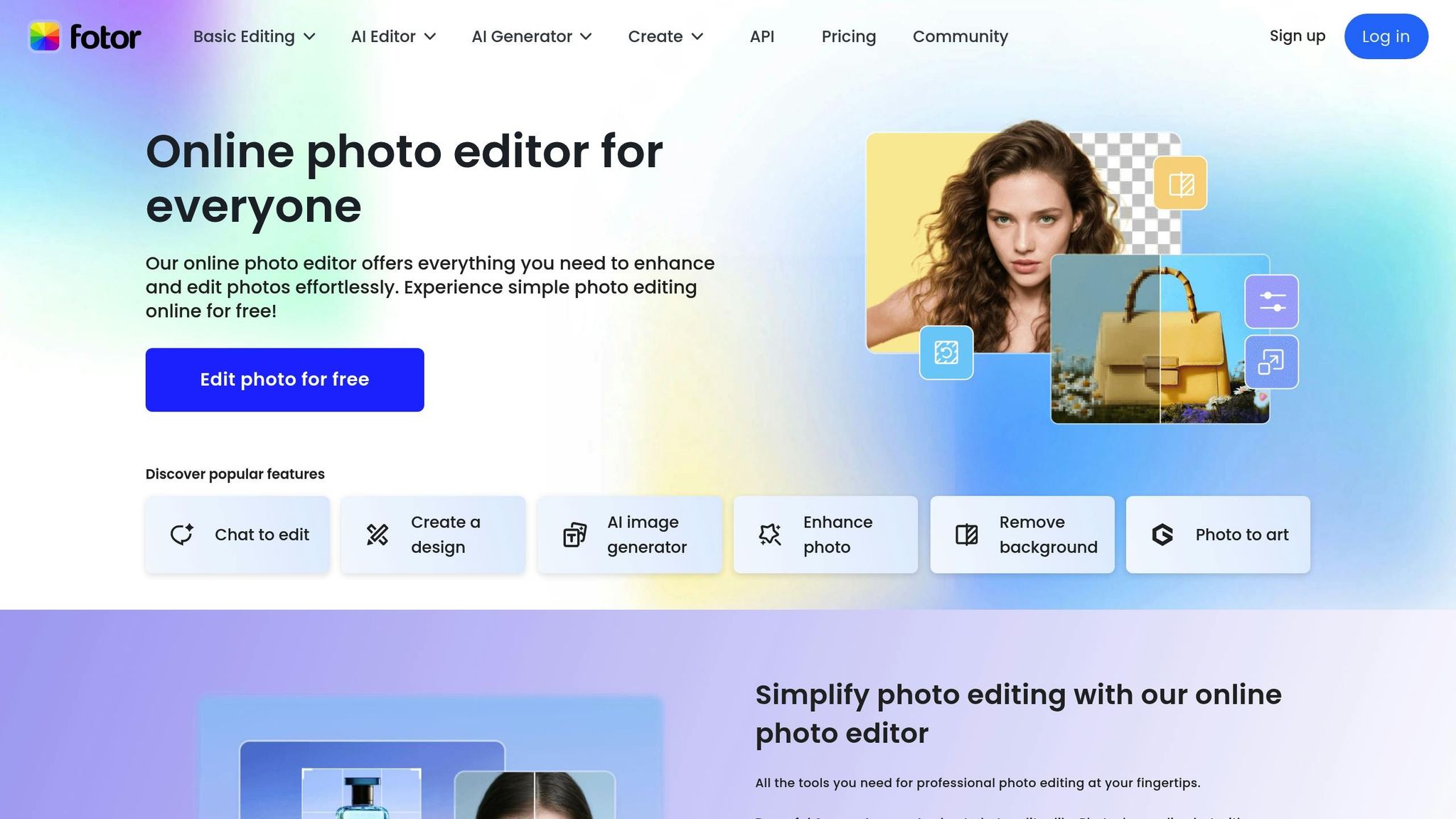
Fotor provides a suite of AI-driven tools and Instagram-ready templates, trusted by millions for its simplicity and professional results. From quick one-click enhancements to creative transformations, Fotor is a go-to platform for content creators seeking efficient, high-quality edits without diving into technical complexities. Jennifer highlights its user-friendly interface and polished results.
Here’s a closer look at Fotor’s standout AI features.
Fotor’s AI Photo Enhancer takes care of lighting, sharpness, and clarity adjustments with a single click. The upscaling tool is another game-changer, boosting image resolution to stunning 4K quality. Beyond basic edits, Fotor offers creative filters like cartoon, anime, sketch, painting, and even Ghibli-style effects.
Other innovative tools include the AI Replace, which allows you to add or swap elements in an image using text prompts, and the AI Expand, which extends images beyond their original boundaries - great for adjusting aspect ratios without cropping essential details. For added convenience, the Chat to edit feature lets you type commands like “make background white” or “focus on the face” to streamline your edits.
For Instagram creators, Fotor simplifies workflows with tools designed for efficiency and precision.
The AI Background Remover processes images in about 3 seconds, letting you export them as transparent PNGs or swap backgrounds with solid colors, preset patterns, or AI-generated scenes. The Blur Tool adds a depth-of-field effect for a professional touch to portraits.
One-click retouching features include skin smoothing, blemish removal, teeth whitening, and enhancing facial features. Additional AI tools like the AI Hairstyle Changer, AI Clothes Changer, and AI Avatar Generator expand creative possibilities, whether you’re updating profile pictures or experimenting with new looks.
Fotor makes Instagram content creation seamless with pre-designed templates for Posts and Stories, letting you integrate your edited images directly into social media layouts. Its Batch AI Editor can handle up to 50 photos at once, applying enhancements, background edits, and retouching across all images - ideal for maintaining a cohesive aesthetic on your feed. This consistency is one of many ways to grow your Instagram following by building a recognizable brand identity.
"Fotor photo editor allows me to easily create, modify and manage photos all in one place. The abundance of customizable templates is a massive bonus." - Ana, Blogger
Accessible via web browsers, Windows, Mac, iOS, and Android, Fotor offers a Free Plan for basic editing and a Fotor Pro subscription for unlocking advanced AI features.
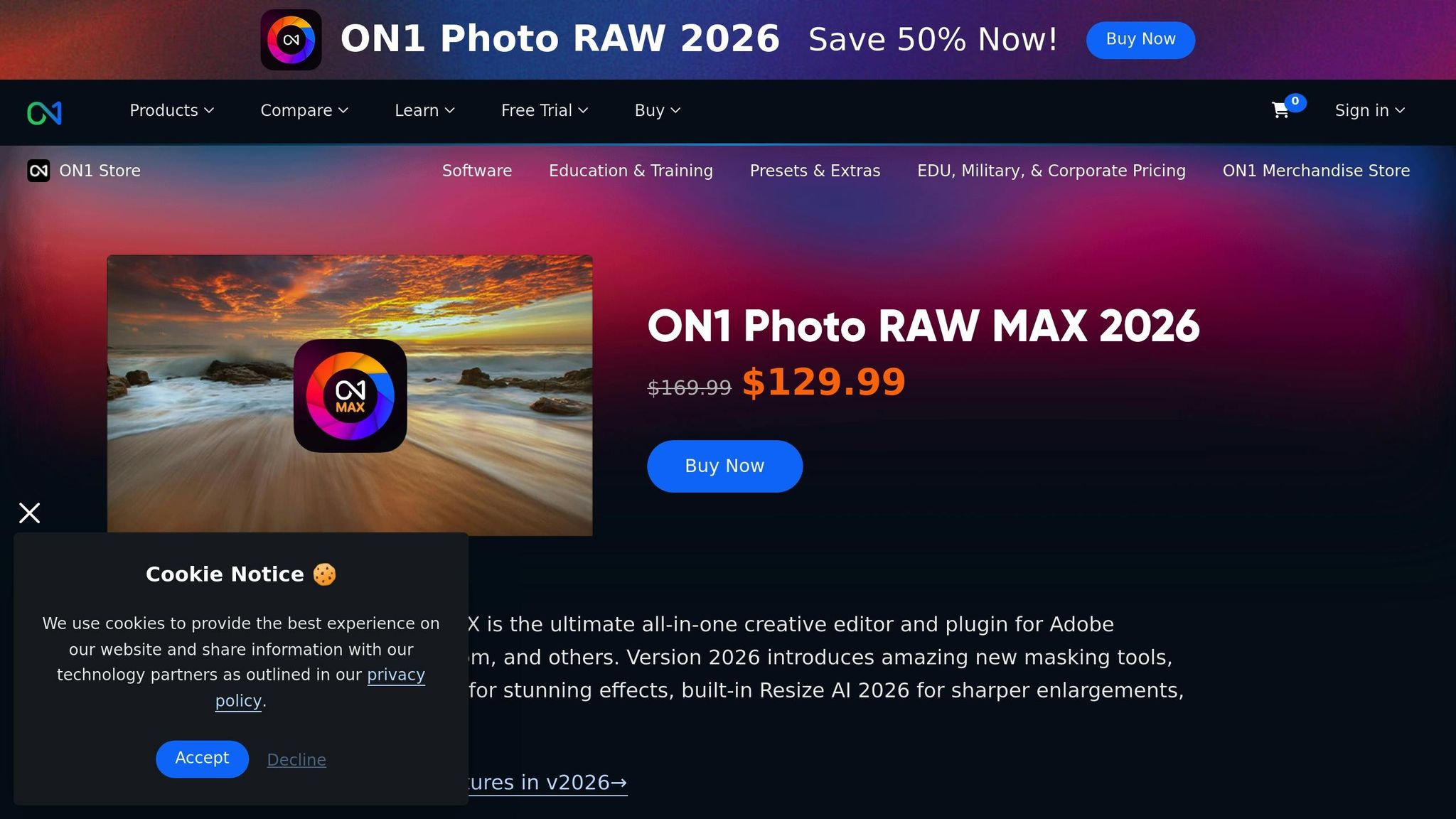
ON1 Photo RAW Max 2026.2 is a powerful desktop suite designed with Instagram creators in mind. Whether you use it as a standalone editor or as a plugin for popular photo software, it offers 200 GB of Cloud Sync, making it easy to transition between desktop and mobile editing. Let’s dive into how its AI tools and features can transform your Instagram content.
ON1 Photo RAW Max builds on its strong foundation with advanced filters and creative tools. The Brilliance AI tool adjusts exposure, color, and tone automatically, enhancing areas like faces and skies without requiring manual masking. For those looking to add artistic flair, the ON1 Effects Module offers hundreds of filters, LUTs, textures, and borders, all of which can be layered to create your desired Instagram aesthetic. The 2026 update introduces Depth Lighting, Double Exposure, and Motion Filter, enabling cinematic and artistic effects.
Super Select AI allows one-click adjustments to specific areas without the need for brushing, while the Generative Crop & Expand tool intelligently extends your canvas. This feature is perfect for converting vertical photos into Instagram-friendly square or landscape formats with realistic content filling.
"I really like the new AI foreground/background masking... The new AI Resize is amazing." - Eric, Beta tester
Portrait AI takes the hassle out of portrait editing by detecting faces and applying enhancements while maintaining natural skin texture. It uses frequency separation to avoid that overly smooth, "waxy" look. Group photos? No problem - individual sliders let you fine-tune adjustments for each subject. The AI also handles skin smoothing, shine reduction, and blemish removal. For larger distractions, the content-aware Perfect Eraser gets the job done. Other automatic tools include eye brightening, iris sharpening, teeth whitening, and subtle lip adjustments. To save time, you can batch-apply these settings across multiple photos, ensuring a consistent look for your Instagram feed.
Designed with Instagram creators in mind, ON1 Photo RAW Max includes Resize AI, which can upscale images by up to 1,000% while keeping them sharp - perfect for enlarging mobile-cropped photos. NoNoise AI cleans up grainy, low-light shots, and Sky Swap AI offers 231 built-in dramatic sky options to replace dull backgrounds in seconds.
"FASTEST version I ever owned." - Pierpaolo, Verified user
ON1 Photo RAW Max is available as a one-time purchase for $169.99 (currently on sale for $129.99) or as a subscription for $89.99/year (sale price: $79.99/year). The subscription includes 200 GB of Cloud Sync and access to all future updates, ensuring seamless editing across devices for your Instagram posts.
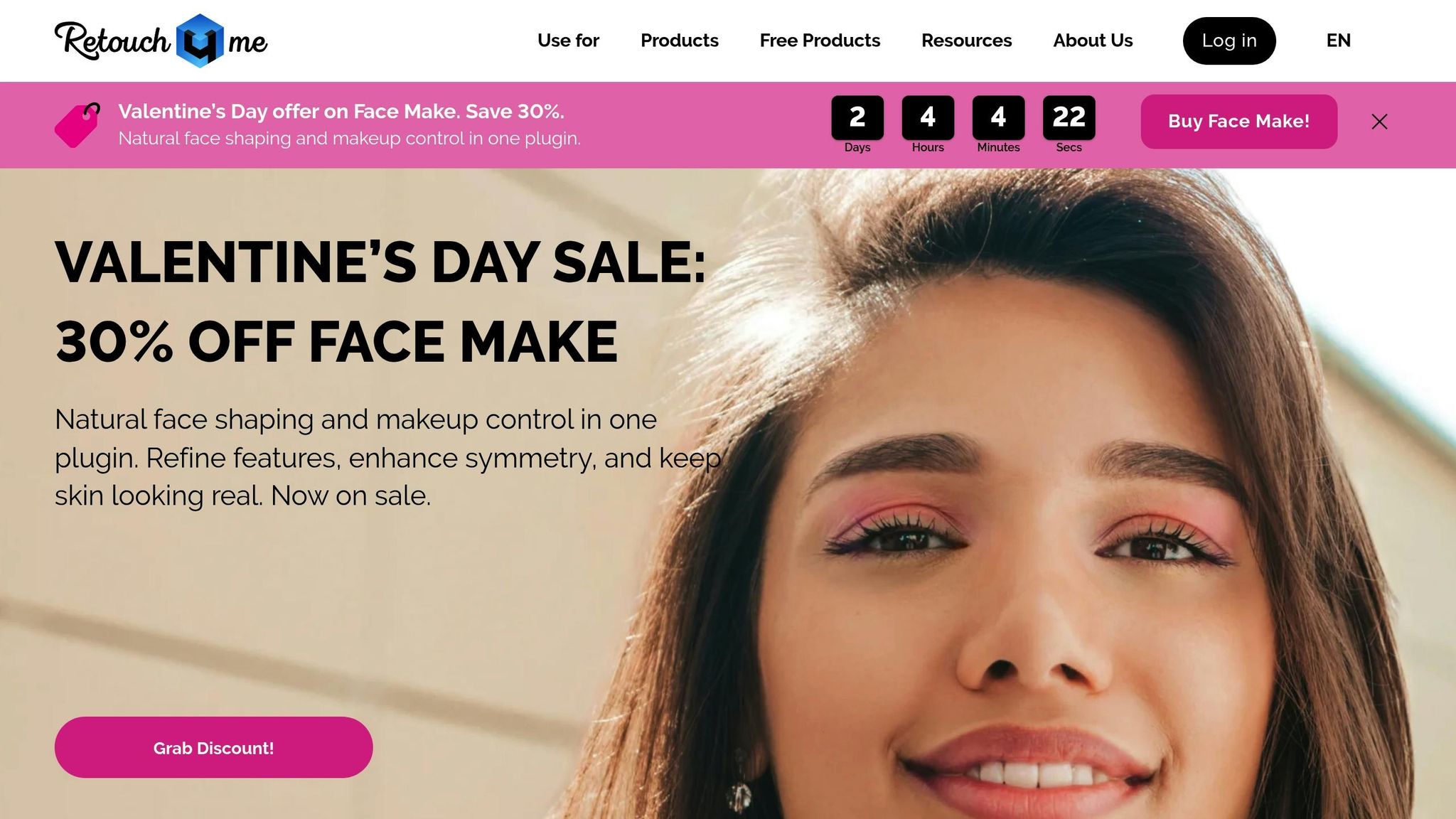
Retouch4me stands out from other Instagram editing tools by offering AI-powered plugins dedicated to specific retouching tasks. Unlike all-in-one tools, these plugins provide precise control over individual edits, making it a go-to option for creators who want professional-grade results. High-quality visuals are essential for those looking to get more followers on Instagram organically. Acting like an on-demand retoucher, Retouch4me delivers polished outcomes quickly. Designed for desktop use, it operates as a standalone app or integrates seamlessly with Photoshop, Lightroom, and Capture One.
When it comes to portraits, Retouch4me shines by preserving natural skin texture. Its specialized plugins include:
For beauty and fashion content, the Face Make plugin refines facial features and applies digital makeup, while Portrait Volumes enhances depth through highlights and shadows. Additional tools like Eye Vessels, Eye Brilliance, and Teeth provide detailed finishing touches. Plus, the software can handle batch processing, making it ideal for creators managing large photo sets.
Beyond skin retouching, Retouch4me also improves overall image quality, ensuring your photos look polished from every angle.
The Color Match plugin enables color grading by applying the tones of a reference image to your photos. You can even export LUTs (lookup tables) to maintain a consistent aesthetic across both photos and videos. For studio shots, the Clean Backdrop plugin removes imperfections like dirt, sensor dust, and creases from backgrounds, giving your images a professional finish.
Retouch4me simplifies workflows, even for high-volume projects. In 2025, Kemmetmueller Photography, a school photography business, paired Retouch4me's portrait enhancement with background removal to cut their processing time from 30 seconds per image to just 8 seconds - a 73% time savings. This efficiency allowed them to process photos for 114,000 students (three images each) and save over 2,090 hours of manual work in a single season. For Instagram creators, this means you can stack plugins like Heal and Dodge & Burn into Photoshop Actions, enabling one-click professional edits.
Pricing for individual plugins ranges from $124 to $149 as a one-time purchase, or you can opt for a subscription at $20 per month for 200 retouches. Free tools, including Frequency Separation and a basic version of Color Match, are also available. With a 4.5/5 star rating, Retouch4me is praised for its precision in AI-driven skin retouching.
Finding the right AI editing tool comes down to your specific needs, budget, and the type of content you create. Each tool offers unique features tailored to different editing tasks. Below is a quick comparison of their key features and pricing to help you decide.
| Tool | Best For | Key AI Features | Ease of Use | Pricing |
|---|---|---|---|---|
| Luminar Neo | Creative photography & selfies | Sky AI, Relight AI, GenErase | Moderate | $119 one-time or via Setapp starting at $9.99/month |
| Adobe Lightroom | Professional RAW editing & volume | AI Masking, Lens Blur, color grading | Moderate/High | Free (mobile basic); $4.99/month (mobile premium); $19.99/month (Photography Plan) |
| Canva AI | Social media templates & graphics | Magic Edit, Magic Eraser, Background Remover | High | Free (limited); Pro plan $12.99–$15/month |
| Evoto | Bulk portrait & wedding retouching | AI skin retouching, batch processing | Moderate | Pay-per-credit system |
| Fotor | Quick AI fixes & virtual glam edits | AI Photo Enhancer, Magic Eraser, makeup/clothes AI | High | Free (basic); paid plans from $12/month |
| ON1 Photo RAW Max | Subscription-free pro editing | AI organizing, generative tools | Moderate | Pricing varies |
| Retouch4me | High-end portrait retouching | Specialized plugins (Heal, Dodge & Burn, Color Match) | Professional | Paid per plugin |
For comprehensive RAW editing, Adobe's Photography Plan at $19.99/month is a standout option. If you're looking for a one-time purchase, Luminar Neo offers excellent long-term value, especially during sales. Canva, on the other hand, shines with its robust free tier for users focused on templates and quick layouts.
Choose based on your content needs: Canva is perfect for graphic-heavy posts, while Lightroom and Luminar Neo are better suited for high-quality photo editing. Be sure to explore free trials to find the tool that works best for your Instagram or other creative projects.
AI-driven photo editing tools have transformed what used to be hours of manual work into tasks that take just seconds. Today, a large number of photographers depend on these tools to speed up their workflow and improve their edits. Not only do these tools save time, but they also help boost engagement, with 85% of social media managers stating that AI enables them to create better content more efficiently.
But it’s not just about speed - it’s also about delivering consistent, high-quality results. AI tools ensure a unified visual style across your content, which can improve follower loyalty and even help with platform algorithms. And with Instagram posts now indexed by Google (as of July 2025), using AI to optimize captions and alt-text can extend your reach far beyond Instagram itself.
Whether you’re a beginner or a seasoned pro, these tools offer something for everyone. From automatic skin retouching to background generation, the seven tools highlighted here provide powerful features without requiring advanced technical skills.
Take advantage of free trials to discover which tool fits your needs. Use batch processing to save time, explore AI presets to define your visual style, and focus on crafting content that reflects your story. AI is here to amplify your creativity, not replace your unique perspective.
For those just starting out on Instagram, finding an AI photo editor that's easy to use and delivers great results is key. Snapseed stands out as a top pick - it’s completely free and comes with over 25 straightforward tools, along with handy presets for quick touch-ups. Its simple layout and effective features make it perfect for crafting polished, professional-quality photos without requiring advanced editing skills.
To achieve edits that look natural when using AI retouching, opt for tools that keep facial textures intact and make only subtle changes. Look for features like intensity sliders, which let you fine-tune adjustments and steer clear of an overly "edited" appearance. Choose tools specifically designed to deliver lifelike results by preserving natural details and steering away from harsh, plastic-like effects. Carefully tweak the settings to enhance features in a way that feels seamless and true to the original image.
Batch-editing photos has never been easier, thanks to AI-powered tools that let you make adjustments to multiple images simultaneously. Apps like Picsart, CapCut, Pippit, and Designkit offer features such as bulk resizing, cropping, background removal, and filter application. These tools streamline the editing process, save time, and make it simple to achieve a consistent Instagram aesthetic with just a few clicks.


