
Checklist for Safe Instagram Automation
How to automate Instagram without risking bans: use API-compliant tools, enable 2FA, set safe activity limits, rotate hashtags, and monitor warnings.
How to automate Instagram without risking bans: use API-compliant tools, enable 2FA, set safe activity limits, rotate hashtags, and monitor warnings.
4.98 /5 - from 58k reviews
Trusted by 50,000+ creators — get real engagement delivered to your profile in minutes, not days.

Instagram automation can save you time, but doing it wrong can get your account penalized. From shadowbans to permanent suspensions, unsafe practices can hurt your reach and reputation. Since early 2026, Instagram has tightened enforcement, flagging accounts using non-compliant tools.
Here’s how to automate safely:
For a secure option, tools like UpGrow align with Instagram’s rules and don’t require your password. Plans start at $39/month, offering safe growth without risking your account.
Follow these steps to grow your account while staying within Instagram's guidelines.
Before diving into Instagram automation, you need to take some essential steps to safeguard your account and ensure you're using tools that align with Instagram's official policies. These steps are all about security and setting up your account for API-compliant tools, which follow Instagram's guidelines.
Let’s start by laying the groundwork for a secure and compliant setup.
Switching to an Instagram Business or Creator account is non-negotiable if you want to use API-compliant automation tools. Personal accounts simply don’t have access to Instagram’s official APIs, so any automation for personal accounts relies on risky, unofficial methods.
To switch, head to Settings > Account type and tools > Switch to professional account, then choose between Business or Creator accounts. You’ll also need to link your Instagram account to a Facebook Page where you have admin rights. This step is crucial because it enables secure API access, which is required for features like publishing, analytics, and moderation.
A professional account not only grants API access but also ensures you won’t need to reauthorize app permissions every 90 days. With this setup, your account will have "Standard Access" for self-managed automation. If you’re using tools to manage multiple client accounts, "Advanced Access" is required, which involves Meta App Review.
Strengthen your account’s security by enabling two-factor authentication (2FA). This extra layer of protection is particularly important when using automation tools, as they often connect from various servers or IP addresses.
Instagram’s 2FA requires a special login code whenever someone tries to access your account from an unrecognized device or browser.
"Two-factor authentication protects your account by requiring a code if there's a login attempt from a device we don't recognize." - Instagram Help Center
To enable it, go to Settings > Security > Two-factor authentication, and select your preferred method. Instagram suggests using authentication apps like Duo Mobile or Google Authenticator over SMS, as they’re more secure and work across devices. Don’t forget to download your backup codes during setup - these come in handy if you lose access to your phone.
Before connecting any new automation tool, it’s a good idea to review the apps that already have access to your account.
To do this, tap More in Instagram’s bottom left corner and navigate to Settings > Your app and media > Website permissions > Apps and Websites. Under the Active tab, you’ll find a list of apps that have accessed your account in the past 90 days. If you don’t recognize an app or no longer use it, click Remove to revoke its access. Instagram organizes these apps into three categories: Active (recently used), Expired (inactive for over 90 days), and Removed (revoked by you).
When adding a new automation tool, only grant the permissions it absolutely needs. For instance, a scheduling tool might need "content publishing" access but doesn’t need "messaging" permissions. Keeping permissions limited minimizes potential risks if an app is ever compromised. Also, make sure the tool uses OAuth 2.0 to ensure your password remains secure.
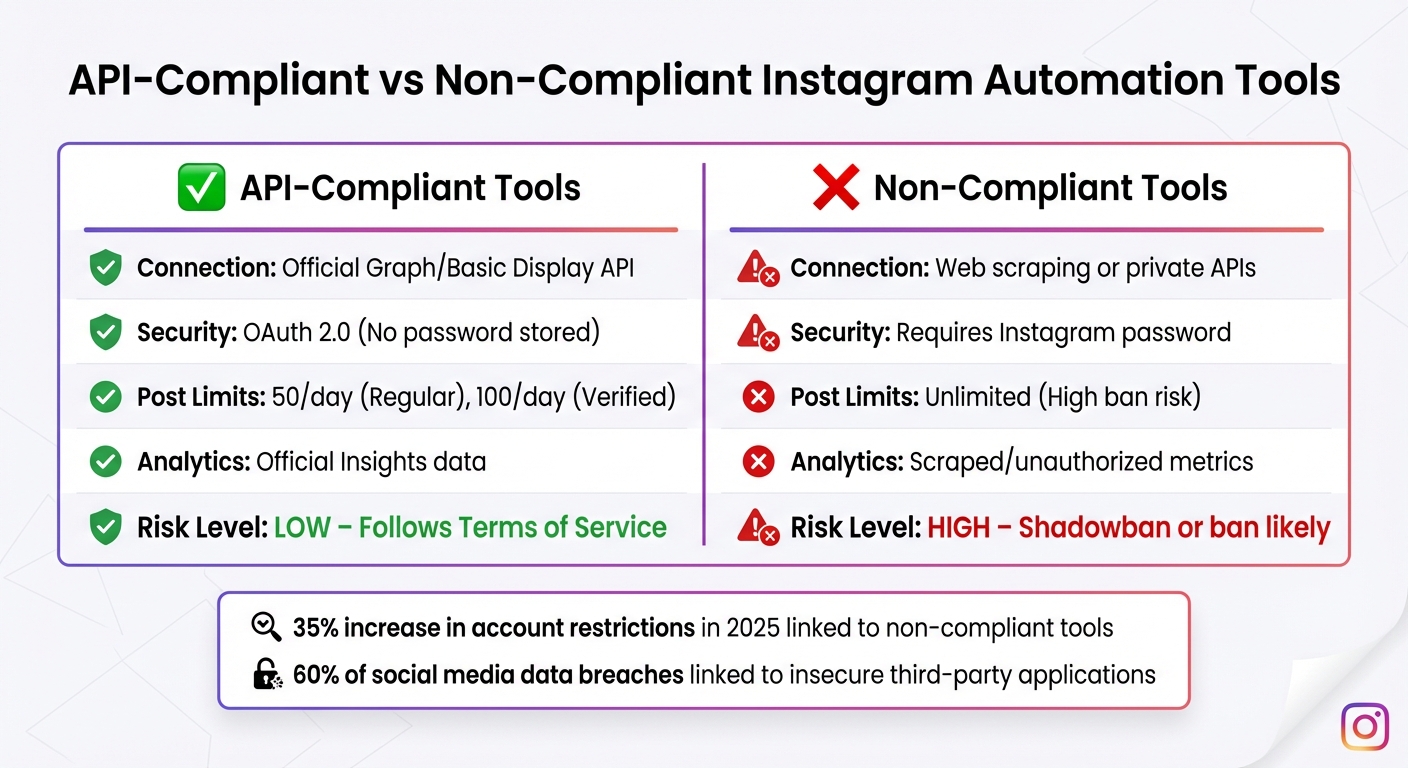
API-Compliant vs Non-Compliant Instagram Automation Tools Comparison
Once your account is secure and ready, follow these steps to automate safely and effectively using a professional Instagram growth service.
Choose tools that rely on Instagram's official Graph or Basic Display API. These are the only connections Instagram explicitly allows. Using alternatives like web scraping, browser automation, or private APIs can put your account at serious risk. A 35% increase in account restrictions in 2025 was linked to non-compliant third-party tools.
Look for tools that utilize OAuth 2.0 authentication, which allows you to log in securely through Facebook or Instagram without sharing your password. Before connecting, review the tool's documentation to ensure it uses the Graph API rather than risky methods like browser extensions or headless browsers.
API-compliant tools also include built-in rate limiting to stay within Instagram's activity caps - 50 posts per day for regular accounts and up to 100 for verified accounts. Additionally, enabling Two-Factor Authentication reduces the risk of compromise by 50% when integrating third-party tools.
To minimize risks, test any new tool on a secondary account for a week. This helps you identify potential issues like shadowbans or drops in reach. Also, confirm that the tool only requests necessary permissions - e.g., a scheduling tool should not require access to your Direct Messages.
| Feature | API-Compliant Tools | Non-Compliant Tools |
|---|---|---|
| Connection | Official Graph/Basic Display API | Web scraping or private APIs |
| Security | OAuth 2.0 (No password stored) | Requires Instagram password |
| Post Limits | 50/day (Regular), 100/day (Verified) | Unlimited (High ban risk) |
| Analytics | Official Insights data | Scraped/unauthorized metrics |
| Risk Level | Low – Follows Terms of Service | High – Shadowban or ban likely |
Once you've selected a secure tool, focus on mimicking natural behavior. Avoid rigid posting schedules; instead, vary timing within flexible windows (e.g., between 8:47 and 9:13 AM) and keep gaps of 3–4 hours between posts. For new accounts, wait at least 30 days before automating, and limit weekly activity increases to 20%.
Stick to the 80/20 rule: automate 80% of tasks like publishing posts, but dedicate 20% of your time to manual engagement, such as responding to DMs and comments.
"Travel blogger Sarah (@Wanderlust_Diaries) maintained a 4.2% engagement rate while adding 2,100 new followers monthly by automating 30 weekly posts with varied schedules."
Follow these daily activity limits to stay safe: 150–200 follows, 300–500 likes, and 50–100 DMs per day. For hourly activity, cap automation at 20–30 follows, 60 likes, and 30 comments.
Keep an eye on your account's performance to catch issues early. Look for action blocks, shadowbans (lasting 14–28 days), or significant drops in engagement - like a 50%+ decline in organic impressions. If you notice these warning signs, pause third-party tools for 48–72 hours.
Pay attention to user feedback, especially if you're using DM automation. Watch for messages like "STOP" or "human", as receiving more than 10 spam reports in a short period could trigger a manual review of your account. Additionally, audit automation logs monthly to identify "silent failures", such as undelivered messages or irrelevant AI responses.
Frequent login verification requests or alerts about logins from unfamiliar IP addresses are also red flags that your account security might be compromised.
Instagram's algorithms now monitor for repetitive patterns. Accounts that use the same captions, hashtags, or interact with only a narrow set of content are more likely to be flagged. To avoid this, rotate at least 30 different hashtag combinations and avoid reusing the same caption more than once a month.
Engage with a variety of content types and accounts to maintain a natural interaction pattern. Avoid excessive reposting - the algorithm favors fresh, original content and may penalize accounts that recycle posts too often.
Stick to official API-based analytics for accurate and compliant data. Tools that rely on unauthorized methods can compromise your account. In fact, 60% of social media data breaches are linked to insecure third-party applications.
Choose tools that use HTTPS for data transmission, offer encryption, and clearly outline their privacy policies. Ensure that each tool only accesses the permissions it needs. Features like location, age, gender, and language filters can help you reach your target audience without breaking Instagram's rules.
"Compliance isn't just about avoiding bans - it's about building trust with your audience and maintaining a positive reputation."
– Deven Bhooshan, Founder of InfluencerDM
Businesses using compliant automation tools reported a 25% increase in engagement, proving that safe automation isn't just about protecting your account - it can also boost performance. Regularly reviewing your analytics ensures your account remains secure and aligned with Instagram's policies as you grow.
Keeping your automation safe and effective isn't a one-and-done task. Instagram’s policies are constantly evolving, and 75% of businesses have experienced disruptions due to outdated third-party integrations. To ensure your automation remains both compliant and efficient, regular monitoring and updates are essential.
Make it a habit to dive into your Instagram Insights every week. This helps you catch potential issues early, like sudden drops in engagement or reach. Pay close attention to trends in engagement rates, follower growth, and organic impressions. If these metrics take an unexpected dive - without changes to your posting activity - it could signal a shadowban or an algorithm penalty.
Look for red flags such as missing content in hashtag searches or unexpected verification requests. If you notice anything unusual, stop all automation immediately and switch to manual posting for 48–72 hours. During this pause, use the "Your Activity" log under Settings to check for suspicious activity. It’s also a good time to audit your DM flows and comment replies for anything out of the ordinary.
Building on your initial security setup, monthly maintenance is critical. Start by updating your Instagram password every month. Use a password manager like LastPass or 1Password to create strong, unique passwords with at least six characters, numbers, and special symbols.
Next, review the apps connected to your Instagram account. Remove any tools you no longer use or that haven’t been updated recently. While personal account permissions automatically expire after 90 days of inactivity, Business and Creator account permissions require manual audits.
Also, ensure Two-Factor Authentication (2FA) is enabled. Instagram reports that accounts with 2FA are 50% less likely to be compromised.
"Two-factor authentication... is the single most effective step to protect your account from hackers"
– Instagram Help Center
Instagram’s enforcement strategies have shifted dramatically, especially with the introduction of AI-powered anomaly detection and behavior profiling in 2026. Activity limits that were acceptable last month might now trigger penalties, as thresholds are adjusted based on factors like account history, age, and credibility.
Stay ahead of these changes by regularly checking Instagram’s developer blog and official partner updates. For example, in 2026, Instagram introduced a limit of 200 automated direct messages per hour per account, catching many businesses off guard.
"Instagram is not eliminating automation. It is narrowing what counts as acceptable use. The direction favors platform-endorsed tools and penalizes anything that attempts to game engagement metrics"
– Taylor, Industry Expert at Storrito
When rolling out new automation features, test them on a secondary account for at least a week before applying them to your main profile. The rules of the game are always changing, and staying informed ensures your strategy stays both compliant and effective.
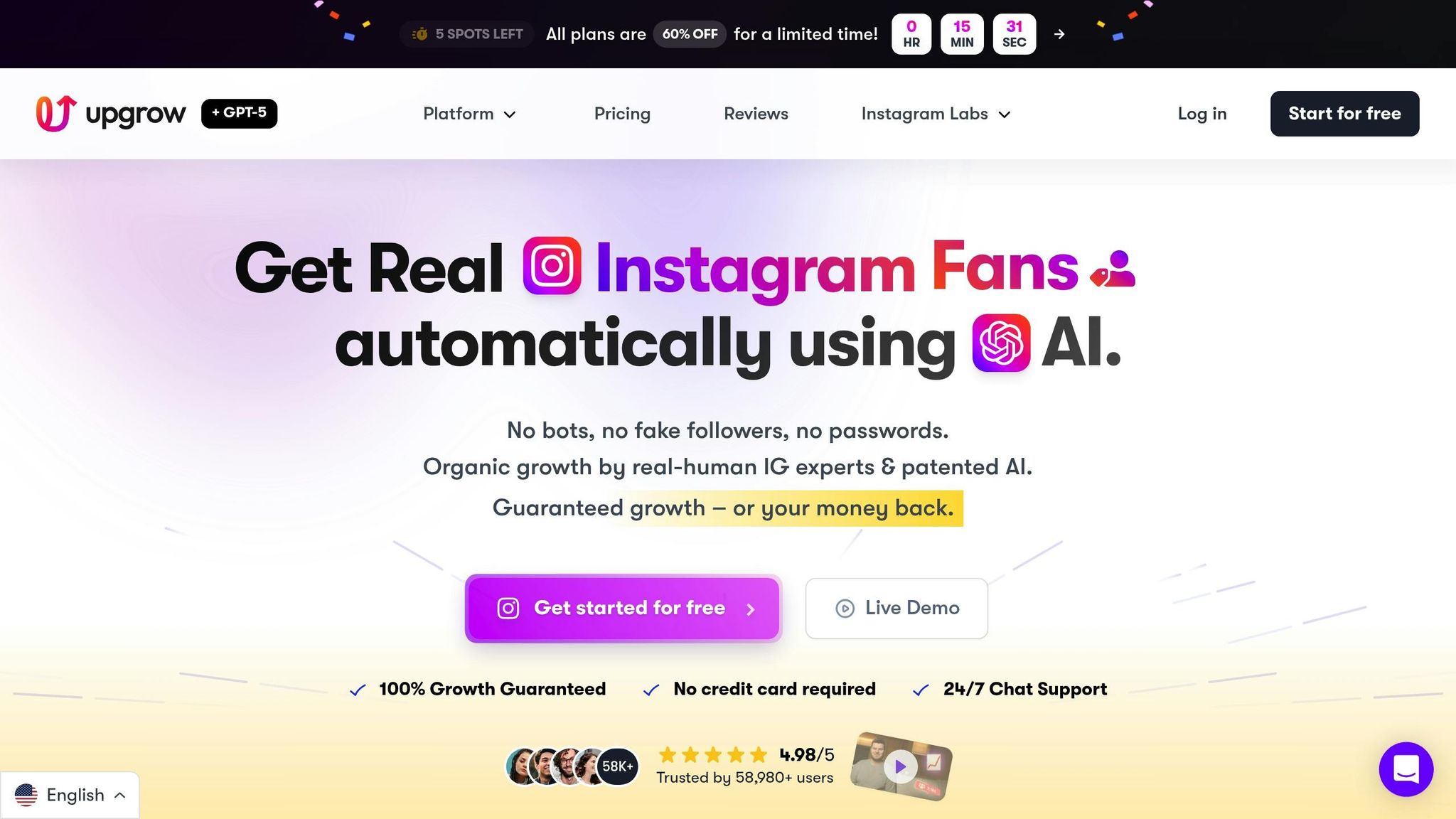
If you're looking for a way to grow your Instagram presence while staying within the platform's rules, UpGrow is a solid option. This tool is specifically designed to align with Instagram's Terms of Service, minimizing risks and ensuring steady, compliant growth.
Unlike other tools that require your Instagram password or automate actions like likes and follows, UpGrow works differently. It doesn’t need access to your credentials. Instead, it combines a patent-pending AI system with input from human experts to deliver organic, genuine growth - no bots or fake interactions involved. This unique approach has already helped over 58,000 users grow their Instagram accounts without facing bans or restrictions.
"UpGrow is the first & only growth service that fully comply with Instagram's Terms of Service and guidelines. Our safe, effective and sustainable growth techniques align and comply with Instagram's policies – hence how we've been able to help 58,000+ satisfied clients grow their Instagram audiences – without any account issues, ever."
– Alex Castellano, UpGrow
UpGrow checks all the boxes for safe and effective Instagram automation. Here’s what sets it apart:
With plans starting at just $39/month, UpGrow offers an affordable way to grow your Instagram account. Plus, the service includes a follower growth guarantee, giving you peace of mind as you expand your audience.
If you're serious about growing your Instagram while staying compliant, UpGrow provides a safe and effective solution tailored to evolving platform policies.
Growing your Instagram account doesn't have to come at the cost of risking bans or shadowbans. The secret lies in using tools that comply with Instagram's official Meta API, sticking to natural posting and engagement habits, and keeping an eye out for any warning signs on your account.
Think of the 80/20 rule: let automation handle repetitive tasks, but keep some manual engagement to maintain authenticity. Stick to safe activity limits, mix up your posting schedule, and keep your content fresh. This helps you avoid patterns that Instagram's detection systems might flag as suspicious.
These steps are the foundation of a safe and effective Instagram growth strategy. By using compliant tools, you not only protect your account but also improve its performance. This approach builds trust with your audience while ensuring you stay within Instagram's guidelines.
Take action today: enable two-factor authentication, review app permissions, and test new tools on a secondary account. If you encounter an action block or warning, stop automation and switch to manual posting for a few days.
For a secure and compliant growth option, consider UpGrow. It offers AI-driven targeting, real-time analytics, and full Instagram compliance - without ever needing your password. With plans starting at $39/month and a growth guarantee, it’s a smart way to grow your audience while staying within Instagram's rules.
To determine if an Instagram automation tool complies with API guidelines, ensure it relies on official APIs, such as the Instagram Graph API or Instagram Messaging API. Additionally, it must align with Instagram's core policies, which include:
These checks help ensure the tool operates within Instagram's approved framework.
If you hit an action block or think you’ve been shadowbanned, the first step is to stop using any automation tools right away. To check for a shadowban, try posting with niche hashtags and see if your post shows up under those tags. Familiarize yourself with Instagram's spam detection rules and stick to safe practices for automation to prevent additional issues. Always make sure your activities align with Instagram’s guidelines to keep your account secure.
When starting with a new Instagram account, it's important to ease into things carefully. Begin with a warm-up phase that lasts around 2–4 weeks. During this time, keep your activity low and avoid using any automation tools. This helps establish trust with Instagram and reduces the risk of triggering any safety measures.
After the warm-up, you can introduce automation, but stick to conservative limits. Focus on human-like activity levels for actions like following, liking, and messaging. Avoid anything that might come across as spammy. Regularly monitor your engagement and ensure your actions stay within Instagram's safety guidelines to maintain your account's health.


