
Best AI Tools for Instagram Story Scheduling in 2026
Compare top AI tools for auto-publishing Instagram Stories, captions, stickers, and analytics to boost consistency and engagement.
Compare top AI tools for auto-publishing Instagram Stories, captions, stickers, and analytics to boost consistency and engagement.
4.98 /5 - from 58k reviews
Trusted by 50,000+ creators — get real engagement delivered to your profile in minutes, not days.

Instagram Stories are a vital part of social media strategy, with over 500 million daily viewers. Yet, managing them manually can lead to inconsistent posting and missed engagement opportunities. AI scheduling tools solve this by automating posting, optimizing times, and even generating captions and hashtags tailored to your audience.
Here’s what the best tools in 2026 offer:
Top picks include UpGrow for growth-focused AI targeting, Sprout Social for agencies with detailed analytics, and RobinReach for creators with AI-powered captions and images. Free options like Meta Business Suite cover basic scheduling, while tools like Plann and Zapier-integrated workflows offer tailored solutions for different needs.
| Tool | Auto-Publish | Interactive Stickers | AI Features | Starting Price | Best For |
|---|---|---|---|---|---|
| UpGrow | Yes | Yes | Captions, targeting | $39/mo | Growth-focused users |
| Sprout Social | Yes | No | ViralPost timing | $99/mo | Agencies & large teams |
| Meta Business Suite | Yes | Links only | No | Free | Small businesses |
| RobinReach | Yes | Yes | Captions, AI images | Free to start | Creators, e-commerce |
| Plann | Yes | No | No | $16/mo | Solo creators |
Choose a tool that fits your workflow and engagement goals. Whether you’re a creator, business, or agency, these AI-driven tools can save time, improve consistency, and maximize your Instagram Story performance.
In the fast-moving world of Instagram, automated scheduling has become essential for managing Stories effectively. But not all scheduling tools are created equal - many platforms built for other networks fall short when it comes to Instagram-specific features. They might lack a grid preview, fail to manage hashtags effectively, or offer limited support for Reels. To get the most out of your scheduling tool, it’s crucial to understand what sets a high-performing AI Story scheduler apart from the rest.
The best AI tools go beyond basic scheduling. They can draft captions that match your brand’s tone, suggest trending audio, and curate 3-8 targeted hashtags based on current trends. This avoids the outdated strategy of cramming 30 hashtags into a post. They also excel at planning multi-slide narratives, seamlessly linking slides to tell a cohesive story. Additionally, advanced AI analyzes your audience’s unique viewing habits to determine the best posting times - far more effective than relying on generic "best time" recommendations.
For Instagram Stories, certain features are non-negotiable. Look for tools that offer auto-publishing via Instagram’s official API and support interactive stickers. These elements not only ensure your account's safety but also boost engagement. As Tobias Manroth, CMO at Storrito, explains:
"Interactive stickers... open a conversation and signal that a real person made choices about this Story, regardless of how the visual layer was produced."
Interactive features like polls, quizzes, link stickers, and countdowns are increasingly important to Instagram’s algorithm. They carry more weight than simple views when it comes to engagement. A desktop editor that allows you to pre-load these elements can save significant time while keeping your Stories visually appealing and authentic.
A good scheduling tool should provide analytics that go beyond basic view counts. Key metrics like tap-forwards, tap-backs, and exits offer deeper insights into how your audience interacts with your content. For example, tap-forward rates can indicate slides that fail to engage, while tap-backs suggest content that resonates or surprises viewers. Exit rates help identify where your narrative loses traction.
| Metric | What It Tells You |
|---|---|
| Tap Forward | Viewer skipped ahead - content may not be engaging enough |
| Tap Back | Viewer rewatched - content is compelling or unexpected |
| Exit | Viewer left the Story sequence entirely |
| Views/Impressions | Measures reach and top-of-feed visibility |
Pair these analytics with a user-friendly interface that includes a slide-by-slide preview, a centralized dashboard for managing multiple accounts, and the speed to batch a week’s worth of Stories in just 15 minutes. Together, these features make it easier to refine your Story content for the best possible engagement.

UpGrow isn't just another scheduling tool - it goes beyond setting posting times to ensure the right people see your Instagram Stories. With nearly 59,000 users and a stellar 4.98/5-star rating, this platform combines audience-building with Story optimization to help you connect with engaged followers, not random accounts. Let’s break down how UpGrow makes this happen.
UpGrow’s AI takes audience targeting to the next level by using filters like location, age, gender, language, and interests. This precision ensures your Stories are seen by people who are genuinely interested in your content. Users often praise the platform for its "insanely accurate" targeting, which helps them attract real followers instead of bots or inactive accounts.
But it doesn’t stop there. The AI also tracks Story replies, emoji reactions, and comments, then follows up instantly with personalized direct messages. These automated interactions are perfect for capturing high-intent leads and can save social media managers about 6–7 hours of manual work each week. That’s time you can reinvest in creating better content.
UpGrow doesn’t just help you grow your audience - it helps you understand them. The platform’s live dashboard centralizes all your data, giving you a clear view of follower growth and Story performance without the hassle of spreadsheets. It even highlights high-intent followers, organizes them by engagement level, and sends out automated weekly reports. For businesses, this can eliminate hours of manual tracking, which can cost up to $15,000 annually.
Even better, the dashboard pinpoints which Stories generate the most clicks and conversions. This means you can focus on what works instead of relying on guesswork.
Creating engaging content is easier with UpGrow’s tools. The Caption Wizard and Hashtag Genius, powered by GPT-4, help craft captions and hashtags designed to maximize Story performance. Plus, the platform analyzes engagement data to identify top-performing Story formats, so you can replicate what works.
For those looking to supercharge their growth, the Boost™ tool offers impressive results. Beta users reported a 275% increase in monthly followers after using it. With 24/7 growth monitoring, this tool delivers results comparable to having a full social media team - at a fraction of the cost. Plans start at just $39/month, and new users can take advantage of a free trial and a growth guarantee.
Picking the right tool for scheduling Instagram Stories can make a huge difference in engagement, especially in 2026. With AI-powered features leading the way, here’s a look at some of the top tools transforming Instagram Story scheduling.
Sprout Social is a great fit for agencies that need advanced scheduling tools and detailed analytics. Its ViralPost feature identifies the best times to post, ensuring maximum reach. Beyond scheduling, it tracks Story metrics like taps forward, taps back, exits, and average reach. These insights help you understand where your audience loses interest, so you can fine-tune your content. Pricing starts at $99/month, making it ideal for teams managing multiple clients.
Meta Business Suite is a free tool provided by Meta itself. It allows you to schedule Instagram Stories up to 75 days in advance, which is perfect for planning around big launches or seasonal campaigns. However, interactive stickers like polls and quizzes can’t be pre-scheduled and must be added manually through the Instagram app. For small businesses that don’t need advanced AI capabilities, this tool gets the job done.
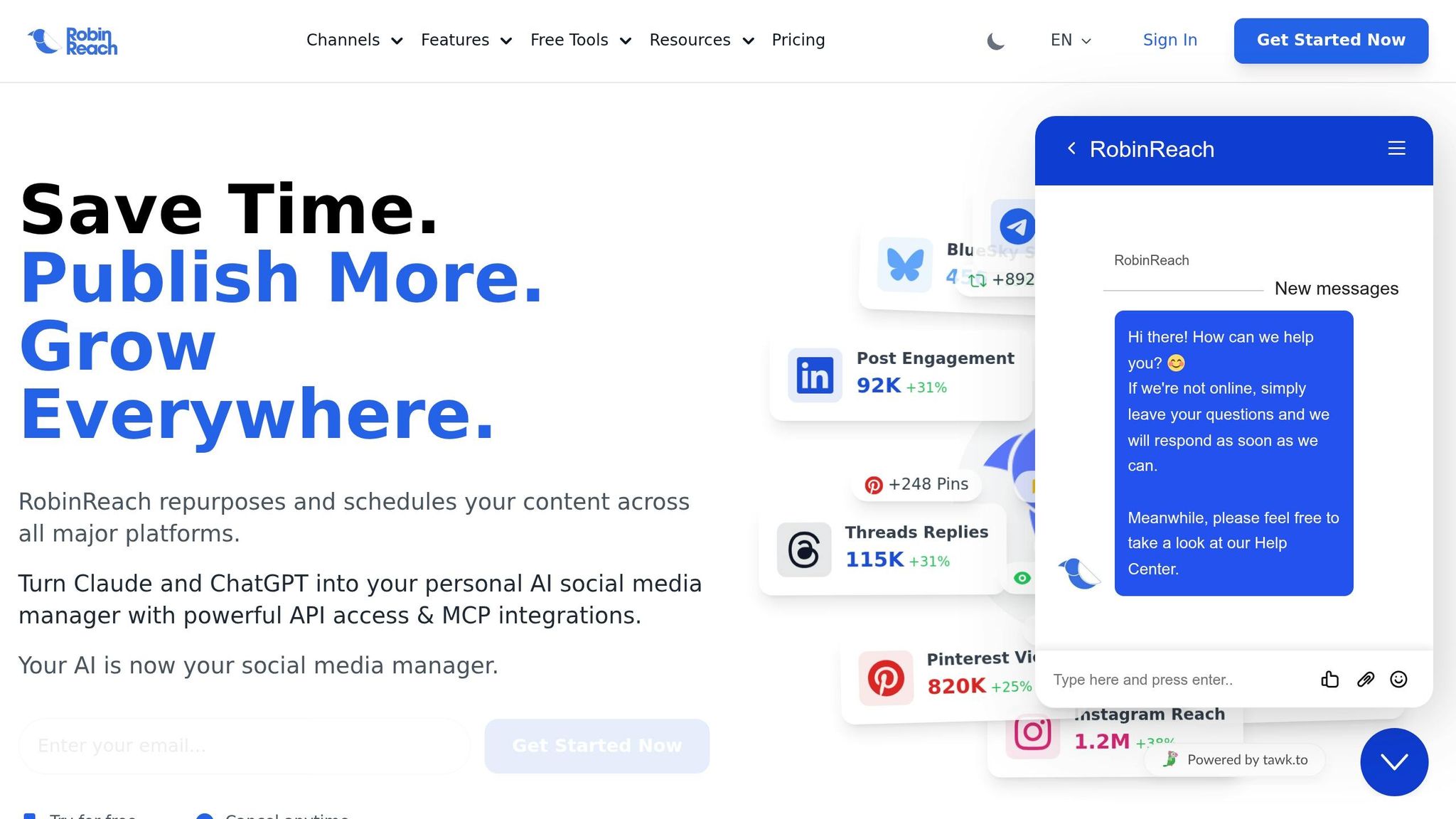
RobinReach is tailored for creators and small e-commerce teams looking for powerful automation at an affordable price. It offers Story auto-publishing, AI-generated captions through its RobinGen tool, and AI-powered image creation with RobinPixel - all accessible from one dashboard. With a 4.8/5 rating from users, RobinReach is free to start, with paid plans offering additional features and removing post limits.
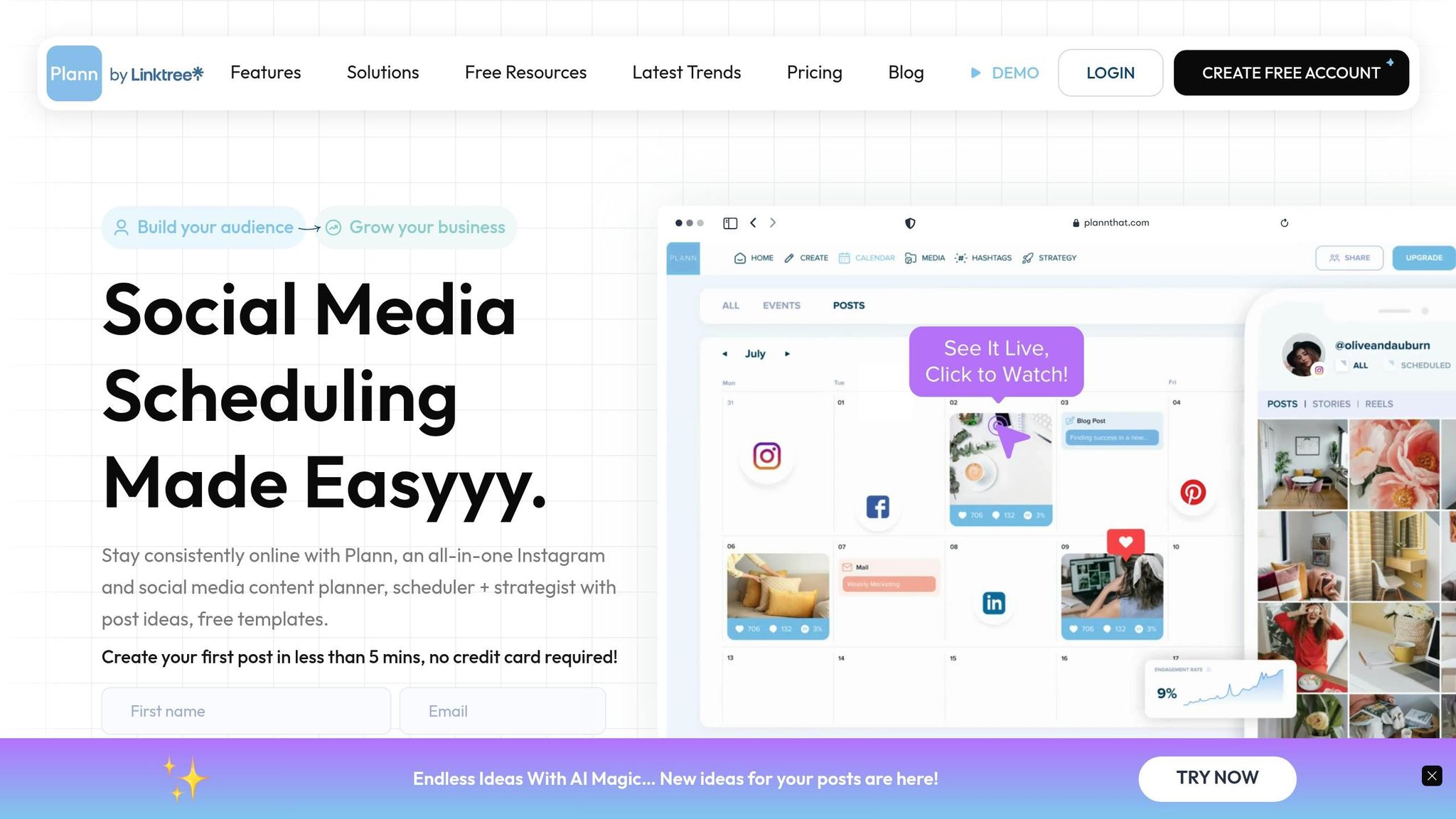
Plann is perfect for solo creators and small businesses. Its visual planning interface lets you map out your Story sequences before they go live, helping your content stay cohesive and intentional. The platform supports Story auto-publishing and helps maintain a consistent aesthetic across your feed and Stories. Paid plans start at $16/month.
For tech-savvy users, combining a scheduler like Postiz with Zapier or Make.com unlocks serious customization. You can create workflows that pull content from Google Drive, generate captions with AI, and queue posts for publishing automatically. Postiz even supports MCP (Model Context Protocol) servers, allowing AI tools like Claude to handle scheduling. While this approach is ideal for developers and advanced users, Postiz offers a free plan with a 7-day trial for premium features.
| Tool | Story Auto-Publish | AI Captions | Best For | Starting Price |
|---|---|---|---|---|
| Sprout Social | Yes | Yes (ViralPost) | Agencies & large teams | $99/mo |
| Meta Business Suite | Yes | No | Small businesses on a budget | Free |
| RobinReach | Yes | Yes (RobinGen) | Creators & e-commerce | Free to start |
| Plann | Yes | No | Solo creators | $16/mo |
| Zapier + Postiz | Yes | Yes | Developers & power users | $0 (7-day trial) |
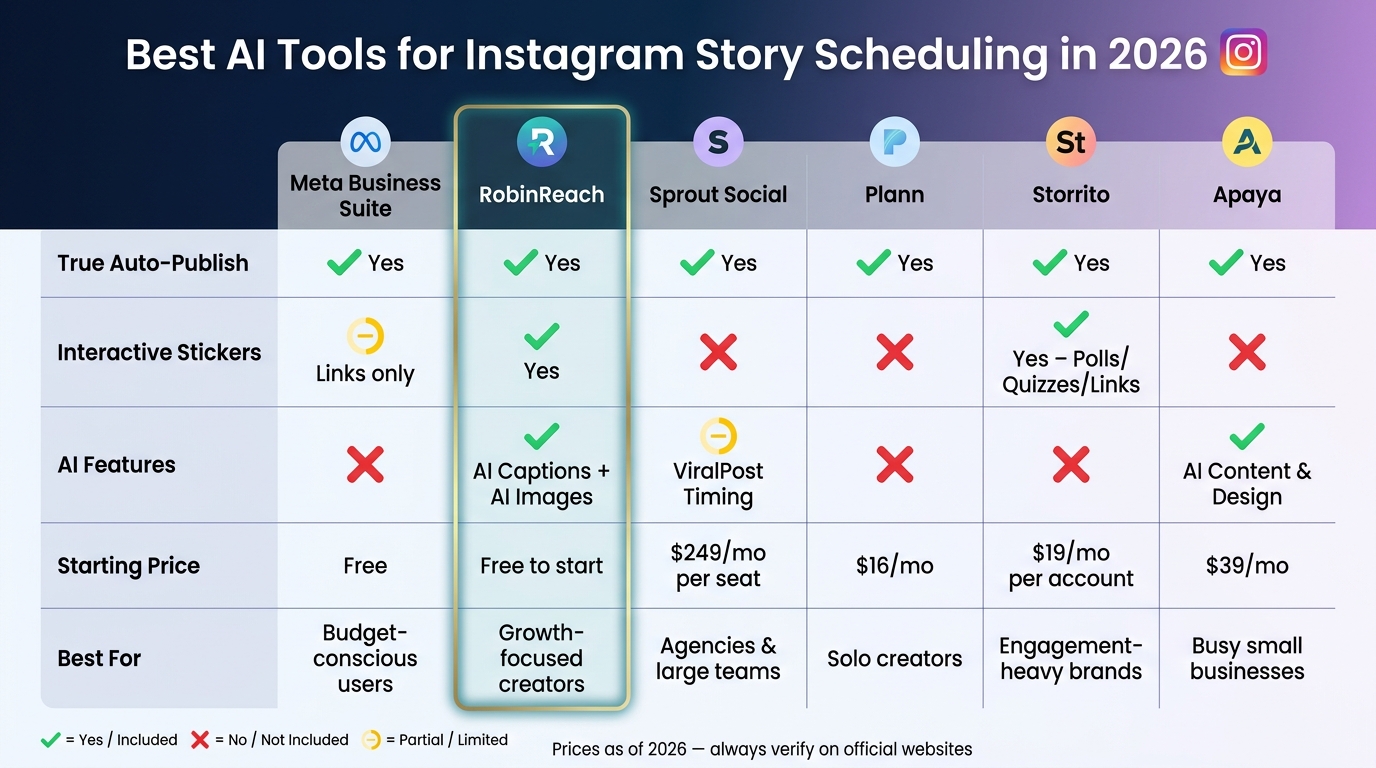
Best AI Tools for Instagram Story Scheduling in 2026: Side-by-Side Comparison
Picking a scheduling tool based solely on price can backfire. Sure, a $15/month tool might seem like a bargain, but if it still requires manual publishing, it’s not saving you much time. Jamie Partridge, Founder of PostEverywhere, sums it up perfectly:
"An Instagram scheduler that requires you to open your phone and manually hit 'publish' isn't really a scheduler - it's a reminder app."
To start, figure out your must-haves. If your strategy relies on interactive elements like polls, quizzes, or link stickers, be aware that many schedulers strip these features during auto-publishing due to Meta’s API restrictions. In that case, you’ll need a tool that explicitly supports these interactive stickers. On the other hand, if your main goal is simply consistent posting, a free option like Meta Business Suite might be all you need - it can schedule content up to 75 days in advance at no cost.
Think about the value of your time. If you bill your time at $50/hour, a $250/month tool that saves you four hours a week essentially pays for itself. Plus, there’s the added benefit of higher engagement - Stories posted during peak audience times can generate up to 40% more engagement than those posted during off-hours. The right scheduler not only saves time but also boosts your reach and helps keep your posting strategy on track.
Once you’ve narrowed down your options, test the tool on a private account. This lets you spot any formatting issues or missing interactive features before going live. Make sure the tool supports the interactive elements you need and connects through Instagram’s official Graph API - this ensures your account stays safe from penalties.
| Tool | True Auto-Publish | Interactive Stickers | AI Features | Starting Price | Best For |
|---|---|---|---|---|---|
| Meta Business Suite | Yes | Links only | No | Free | Budget-conscious users |
| RobinReach | Yes | Yes (Stickers, Links, Music) | AI captions (RobinGen), AI images (RobinPixel) | Free to start | Growth-focused creators |
| Sprout Social | Yes | No (mobile notification req.) | ViralPost timing | $249/mo per seat | Agencies & large teams |
| Plann | Yes | No | No | $16/mo | Solo creators |
| Storrito | Yes | Yes (Polls, Quizzes, Links) | No | $19/mo per account | Engagement-heavy brands |
| Apaya | Yes | No | AI content & design | $39/mo | Busy small businesses |
Pick a scheduling tool that aligns with your workflow - whether you’re looking for simple scheduling or advanced features like polls, quizzes, and link stickers.
Scheduling is the backbone of any Instagram strategy, but real growth requires a focused and consistent approach. As the saying goes:
"Consistency beats creativity on Instagram. A business posting decent content daily will outperform a business posting brilliant content sporadically."
To elevate your strategy, consider combining scheduling with UpGrow's AI-powered targeting. A smart way to approach this is the 90/10 split: let AI tools handle 90% of your content - like product highlights, evergreen tips, or Stories - while dedicating the remaining 10% to spontaneous, manually curated moments, such as behind-the-scenes updates or real-time reactions. This balance ensures reliability while keeping your content fresh and engaging, all while leveraging UpGrow’s tools to reach the right audience consistently.
Instagram Story schedulers are typically safe, provided they comply with Instagram’s guidelines for your account type. As of 2026, most tools use Instagram’s official publishing methods for Business and Creator profiles. Some, however, still depend on reminders for manual posting. To stay secure, review the scheduler’s supported Story features - like stickers or links - and verify whether it uses auto-publishing or reminders before committing to it.
It depends on how you’re publishing. If you’re using auto-publishing, features like polls or quizzes typically aren’t supported. To include these interactive elements directly within Instagram, you’ll need to use notification-based publishing. While some tools advertise support for these features during auto-posting, achieving full functionality usually requires mobile publishing.
When reviewing Instagram Insights, it's tempting to focus solely on reach and engagement numbers. But to truly understand how your Stories are performing, you need to dig into the quality metrics. These include:
For example, high completion rates and replies suggest your Stories are resonating with your audience. On the flip side, high exit rates or frequent early taps forward could mean viewers are losing interest or skipping ahead.
To get the full picture, look at trends across entire Story sequences over time. This approach helps you identify patterns and refine your content strategy for future Stories. It's not just about individual slides - it’s about how the whole sequence performs.


