Instagram Content Batching: 30-Day Reuse Plan
Build a 30-day Instagram system that reuses top assets, batches captions and scheduling, and fills 80–90% of each month at once.
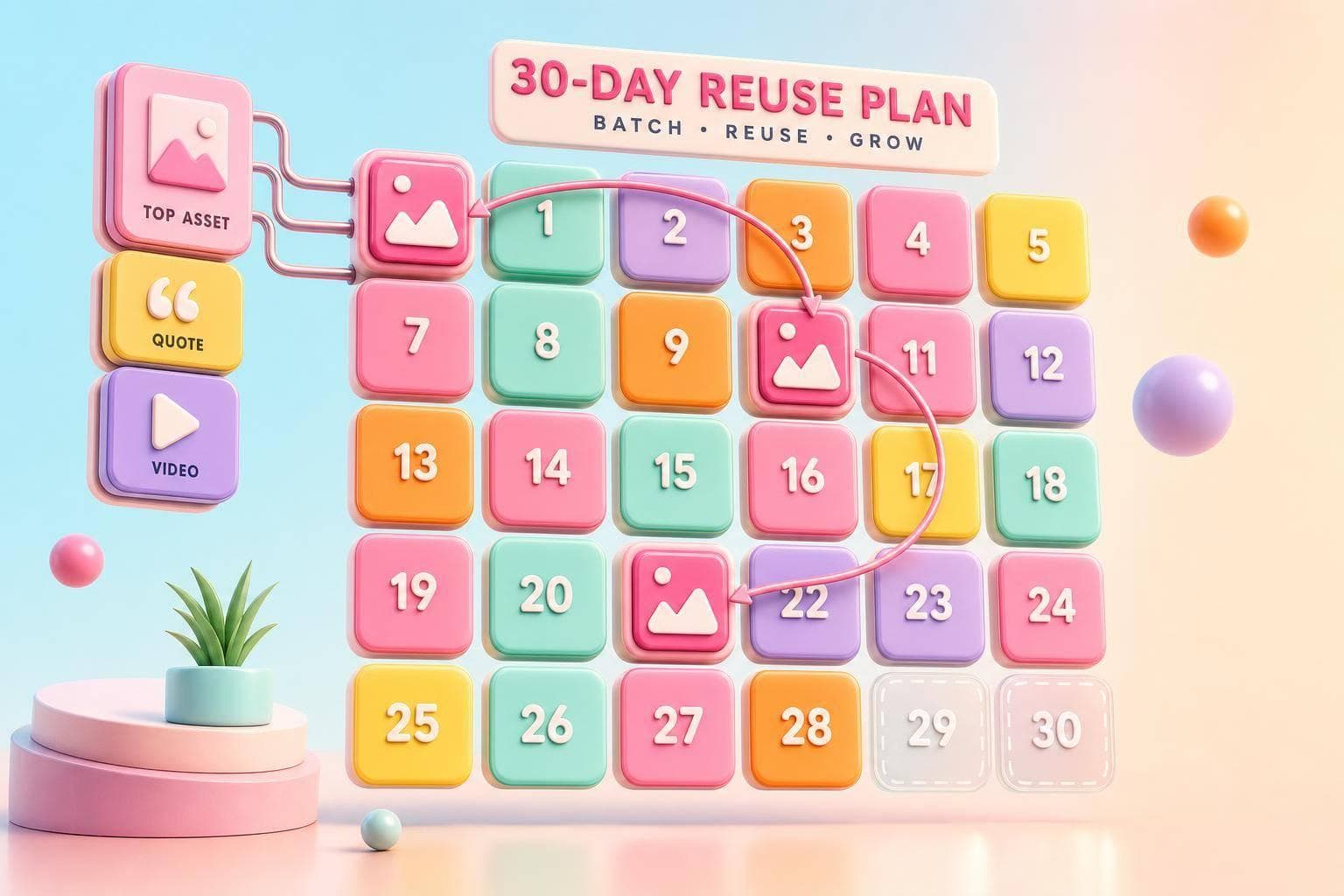
You do not need 30 new Instagram posts every month. I can map most of the month in one sitting, reuse posts that already did well, and leave 10%–20% open for trends or last-minute updates.
Here’s the whole plan in simple terms:
- I set up a 30-day calendar first
- I batch work into planning, content, and scheduling
- I sort old posts before I make anything new
- I reuse posts based on reach, saves, shares, and engagement
- I turn one post into more than one format
- I keep a bank of captions, hooks, and hashtag sets
- I schedule posts at peak times from Instagram Insights
- I do one final check before anything goes live
- At the end of the month, I review results and do it again
A few numbers matter most here. The plan suggests a 60–90 minute monthly planning block, with about 80%–90% of posts set ahead of time. It also points to 3–5 content pillars and shows that pillar-based posting can improve engagement by up to 30%.
What I like about this system is how plain it is: plan, sort, batch, schedule, review. That cuts daily guesswork and helps me get more use out of posts I already have.
If I had to sum up the article in one line, it would be this: build a monthly posting system around reuse, not around making everything from scratch.
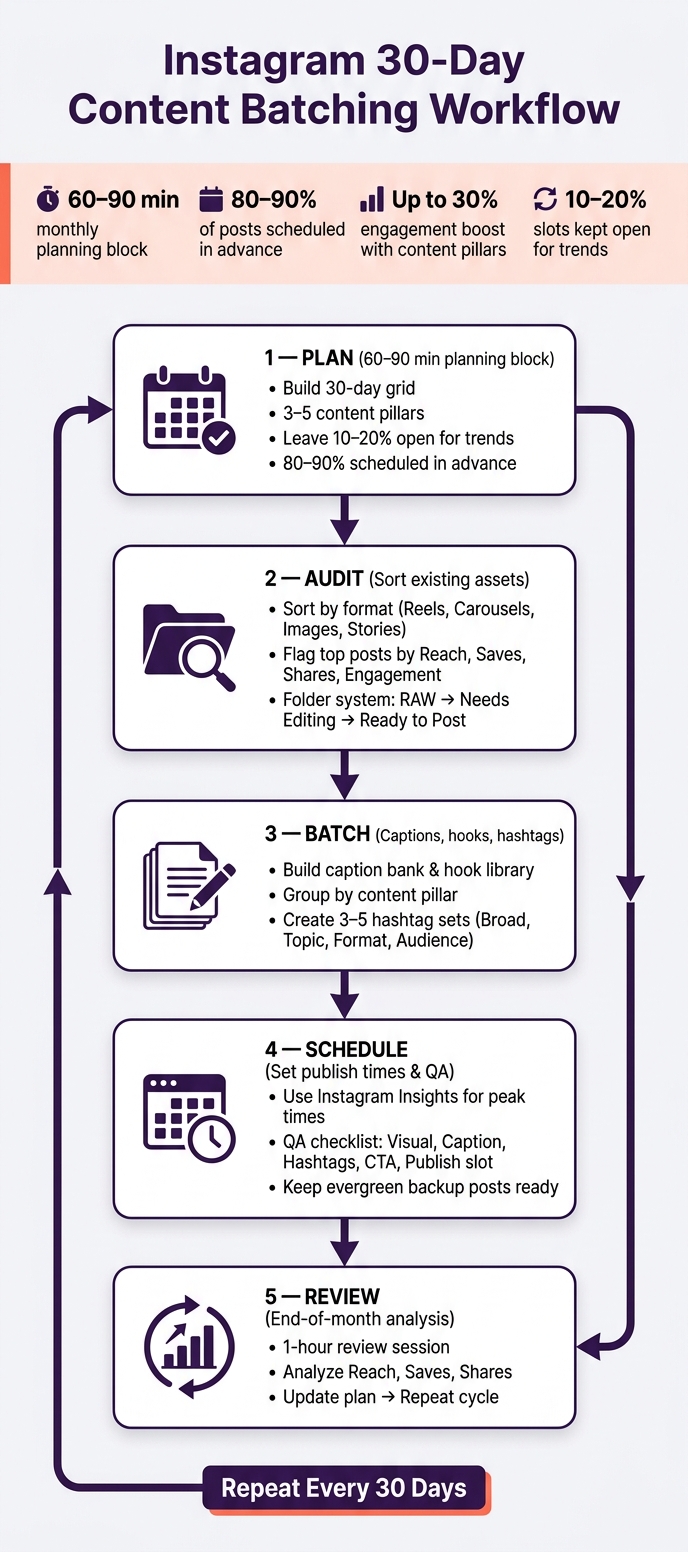
Instagram 30-Day Content Batching Workflow
How I Batch Create a Week of Instagram Content
sbb-itb-3c55afb
1. Build Your 30-Day Planning Block First
Start by laying out your old and new assets on a 30-day grid. A 60- to 90-minute planning block at the start of the month gives the rest of the month a clear shape.
Set Weekly Themes and Daily Post Slots
Use your calendar to place reusable content before making anything new. Build four weekly themes from 3–5 content pillars, then give each day its own format. Accounts that organize posts into content pillars can see engagement rates increase by up to 30%.
Plan about 80–90% of the month in advance. Leave 10–20% open for trending audio, timely updates, or breaking news.
Block Time for Planning, Writing, Design, and Scheduling
Break the work into three sessions so it doesn’t turn into a giant, messy task all at once:
| Session | Duration | What Gets Done |
|---|---|---|
| Strategy & Ideation | One afternoon | Brainstorm pillar ideas; sketch the 30-day grid layout |
| Content Creation | One full day | Shoot all photos; record and edit video clips/Reels |
| Captions & Scheduling | One afternoon | Write captions; group hashtags; upload to a scheduler |
Use a Simple Monthly Content Tracker
A basic spreadsheet can keep the whole month organized. Track one post per row and include fields like these:
| Field | Example |
|---|---|
| Date | MM/DD/YYYY (e.g., 9/8/2026) |
| Content Pillar | Educational, Product, Behind-the-Scenes |
| Format | Reel, Carousel, Single Image, Story, Quote Graphic |
| Source Asset | File link |
| Caption Link | Reference to the pre-written caption in the master doc |
| Hashtag Group | Set A: Industry Tags / Set B: Niche Tags |
| Best Time to Post | 10:00 AM EST |
| Status | Idea → Drafting → Review → Scheduled |
Once the grid is in place, audit your assets and match each post slot to a reusable file. With the month mapped out, you can sort old and new assets into reusable batches.
2. Audit and Sort Your Old and New Instagram Assets
Once your monthly grid is mapped, pause before making anything new. First, sort what you already have. A fast Instagram audit helps you avoid doing the same work twice and brings older posts back into view.
Sort Assets by Format and Topic
Put every asset in one place. Then sort by format: Reels, carousels, single images, Stories, and quote graphics.
After that, group each asset under one of your content pillars, such as Education, Social Proof, Product, Behind-the-Scenes, or Personal Brand. This makes gaps easy to spot. You’ll see what’s ready, what needs work, and what’s missing.
To keep things clean, use a simple folder setup. Inside each pillar folder, create these three subfolders:
- RAW/Unedited
- Needs Editing
- Ready to Post
As you work, move files from one stage to the next. It’s simple, but it keeps the whole system from turning into a mess.
Flag Posts Worth Reusing
Check Instagram Insights from the last 30 days and look at Reach, Engagement, and especially Saves and Shares to find content worth reusing. If you’re deciding what matters most, saves and shares are the clearest signals.
After you flag your top posts, decide how much updating each one needs before you post it again:
| Reuse Signal | What It Suggests | Action |
|---|---|---|
| High Saves | Evergreen value | Light refresh or format swap, such as turning it into a Reel |
| High Shares | Strong share signal | Repost with a new hook to reach a fresh audience |
| High Reach | Strong topic or hashtag match | Reuse the topic with updated visuals |
| High Engagement | Community response | Reuse the caption style or interactive element |
Turn One Asset Into Multiple Formats
One strong post can do a lot more than you think. A carousel that did well can become a Reel script, a Story sequence, or a single-image quote graphic. That gives you more posts without starting from scratch.
The main idea already connected with your audience. That’s the hard part. Now you’re just reshaping proven material into new formats to fill the month faster.
Once you’ve flagged the best assets, batch the captions, hooks, and hashtag groups around them.
3. Batch Captions, Hooks, and Hashtag Groups
After you’ve picked the posts worth reusing, batch the copy that goes with them. Put your captions, hooks, and hashtags together in one sitting so the rest of the month stays on track.
Build a Caption Bank and Hook Library
Keep one master doc in Google Docs, Notion, or a spreadsheet for captions, CTAs, and hook ideas. Set it up around your 3–5 core content pillars so your monthly plan stays balanced and still reflects what your brand knows best.
Pull your strongest caption angles from older posts, then adjust them for each format. During your batch session, write reusable hooks and CTA options too. That way, when it’s time to schedule, you’re making small edits instead of starting from scratch.
Group Captions by Format and Goal
Sort captions by format and by post goal. It makes matching the right copy to each post much faster.
A simple flow works well here:
- Pick the asset first
- Add the matching hook
- Drop in the caption
- Attach the right hashtag set
Build Hashtag Sets by Content Pillar
Build your hashtag sets ahead of time so batch day doesn’t get bogged down. Accounts that sort posts into predefined categories can see engagement rates increase by up to 30%.
Build each set with four hashtag categories:
| Category | Purpose | Example |
|---|---|---|
| Broad | Broad reach | #socialmediamarketing, #healthylifestyle |
| Topic | Matches your main topics | #instagramtips, #mealpreprecipes |
| Format | Describes the actual visual asset | #checkerboardgrid, #smoothiebowl |
| Audience | Targets your ideal audience | #creativeentrepreneur, #austinfitness |
Create 3–5 saved sets, with one for each core pillar, and keep them next to the matching captions. Then line up each pillar’s hashtag set with its scheduled post slots in your monthly grid.
If a pillar theme changes, update the set. It’s a small step, but it keeps your hashtags lined up with what you’re posting.
With your copy and tags ready, the next move is to assign publish times and package each post for scheduling.
4. Set Publish Times and Run a Final QA Check
Assign Posting Times for the Full Month
Now that your captions and hashtag sets are ready, set posting times for the full 30 days. Use Instagram Insights to find when your audience is most active, then place your main anchor posts in those peak windows.
It also helps to group similar post formats into repeatable time slots. That makes the schedule easier to follow and easier to manage. At the same time, leave about 10%–20% of your slots open for timely updates, trending audio, or last-minute swaps.
Pair Each Post With Its Final Post Package
After the schedule is in place, check each post package before it goes live. Go through the same checklist every time:
- Visual file: Ready to post
- Caption: Pulled from the bank; hook checked
- Hashtags: Correct set selected
- Cover image: Matches the Instagram grid layout
- CTA: Matches the post goal
- Publish slot: Set in the monthly grid
Space similar themes across the month so the feed doesn’t feel repetitive. A quick scan of the queue before scheduling also helps spread reused content out more evenly.
Review the Queue and Leave Room for Swaps
Do one final pass before you schedule everything. Check each post against this table:
| QA Category | What to Check |
|---|---|
| Visuals | Crop, file name, slide order, cover image |
| Copy | Caption formatting, clean line breaks, accurate link references, CTA |
| Tags | Correct hashtag set, account tags, location tag if needed |
| Logistics | Publish time confirmed |
| Status | Approved, links checked, file ready to post |
Keep a small folder of evergreen backup posts ready for open slots. If something timely pops up, you can swap it in without throwing off the whole month.
Conclusion: The Monthly Checklist to Repeat
The monthly workflow is simple: plan, audit, batch, schedule, review.
This setup works especially well for solo creators and small teams that need steady output without turning every day into a scramble.
After 30 days, spend one hour reviewing Reach, Saves, and Shares, then update the plan for the next month. Use Instagram analytics to track your progress and refine your strategy. Repeat the checklist and swap in the assets that performed best. From there, use those results to build the next 30-day grid.
UpGrow can support organic growth with targeting and analytics.
FAQs
How often should I reuse old Instagram posts?
Reuse older Instagram posts when they’ve already done well, especially if they picked up a lot of saves or shares. There’s no set schedule for this, but a monthly check of your performance data usually makes it easy to spot posts worth bringing back.
If a post still fits your brand, offers, or current campaigns, reuse the main idea and give it a fresh spin. That could mean a new hook, an updated cover, or a different format. Start with the numbers, then archive anything that no longer fits your niche.
What posts are best to batch first?
Start with your core content pillars and the formats you post again and again, like educational carousels, Reels, and thought-leadership posts.
Then look back at your last 20–30 posts and see which formats and topics did best. Use those as your main categories.
This gives you a simple way to batch similar tasks together, whether that’s writing captions, filming videos, or designing graphics.
How do I know which content pillars to use?
Review your last 20 to 30 posts and sort them by the job each one does. That might include education, social proof, FAQs, or something else your audience looks for at different stages.
From there, choose 3 to 5 core themes that show what your brand knows best and line up with your business goals.
Next, check your performance data to see which topics get the most engagement. Then adjust those pillars each month based on what your audience responds to.