9 Instagram AI Competitor Analysis Tools 2026
Only a few Instagram AI competitor tools offer verified reporting, audience checks, and official API support.

If I had to narrow this list fast, I’d split it into two groups: verified tools you can compare now, and unverified names you should double-check before buying. Based on the article, 5 tools have usable 2026 details and 4 do not.
If you want the short answer:
- I’d look at Instagram competitor analysis for side-by-side benchmarking, audience overlap, and forecast-style reporting
- I’d use Rival IQ for agency reporting and multi-account comparison
- I’d consider Hootsuite if I wanted competitor tracking inside a social management setup
- I’d pick Sked Social if scheduling and analytics need to live together
- I’d choose Not Just Analytics for simple public-profile checks and daily follower movement
The article judges tools by a clear set of points:
- Price in USD
- Dashboard views
- Post and competitor tracking
- Audience data
- Hashtag tracking
- Reporting depth
- Best fit for creators, brands, or agencies
What stood out to me is how the list separates tools with solid source-backed detail from tools with missing proof. That matters. A tool may sound good on paper, but if pricing, reporting, or tracking data can’t be confirmed, I’d treat it as a maybe, not a buy.
How To Make A Social Media Competitor Analysis 🔍 [+ FREE TEMPLATE]
sbb-itb-3c55afb
Quick Comparison
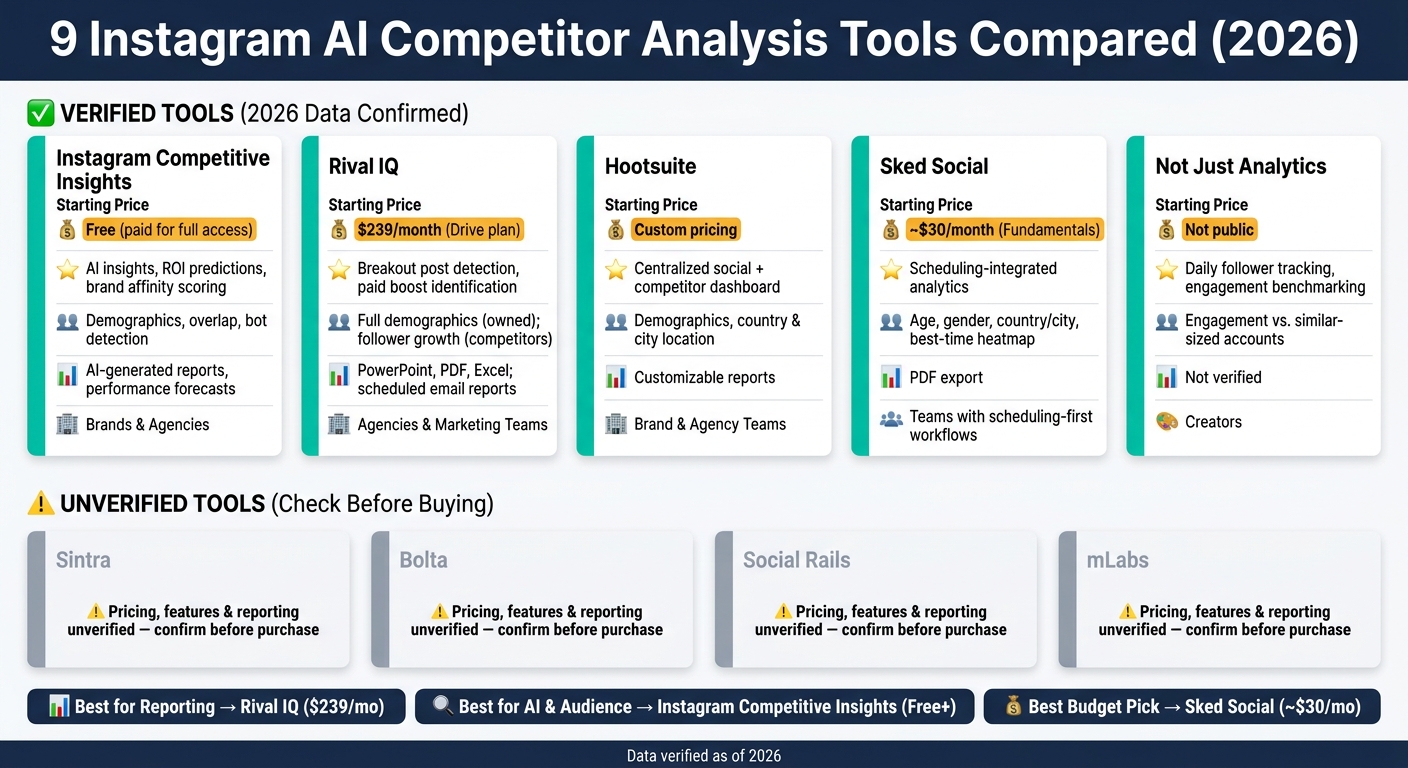
9 Instagram AI Competitor Analysis Tools Compared (2026)
| Tool | Starting Price | Main Use | Audience Data | Reporting | Best Fit |
|---|---|---|---|---|---|
| Instagram Competitive Insights | Free tools; paid plan for full access | Benchmarking, overlap, forecasts | Age, gender, location, language, overlap, bot checks | AI summaries, ROI predictions, forecasts | Brands, agencies |
| Rival IQ | $239/month | Multi-account comparison and exports | Full demographics for owned accounts; public follower data for competitors | PowerPoint, PDF, Excel, scheduled email reports | Agencies, marketing teams |
| Hootsuite | Custom | Social management plus competitor monitoring | Demographics, city and country data | Custom reports | Brand and agency teams |
| Sked Social | About $30/month | Scheduling plus Instagram analytics | Age, gender, city/country, follower growth, best-time heatmap | PDF export | Teams using scheduling-first workflows |
| Not Just Analytics | Not public | Public-profile benchmarking and follower movement | Engagement comparison vs. similar-sized accounts | Not confirmed | Creators |
| Sintra | Not verified | Not verified | Not verified | Not verified | Not verified |
| Bolta | Not verified | Not verified | Not verified | Not verified | Not verified |
| Social Rails | Not verified | Not verified | Not verified | Not verified | Not verified |
| mLabs | Not verified | Not verified | Not verified | Not verified | Not verified |
My takeaway: if you care most about reports, start with Rival IQ. if you care most about audience checks and forecasting, analyze competitors on Instagram using Instagram Competitive Insights. If budget is tight, Sked Social starts much lower than $239/month, and Not Just Analytics keeps things simple.
That’s the full picture in a compact form, so you can scan the list and match the tool to your workflow without reading every product section line by line.
What to Look for in an Instagram AI Competitor Analysis Tool
Start with tools that help you compare accounts side by side, break down content performance, check audience quality, and turn raw data into clear next steps.
Competitor benchmarking is the starting point. You want side-by-side metric comparisons that show engagement rates, growth trends, and content performance across several accounts at the same time. Instagram’s native Competitive Insights can benchmark up to 10 public professional accounts across 30-, 60-, and 90-day windows, so it works well as a baseline before you add third-party tools on top.
Content and posting analysis should go beyond surface-level stats. A solid tool should show which formats are working, how much traction competitors are getting from Reels, how hashtags perform, and how often they post. It should also make those patterns easy to spot in a dashboard, so you’re not digging through messy charts just to find one useful signal.
Audience quality checks are where stronger tools pull ahead of basic ones. Fake follower detection powered by AI, plus Instagram demographic data like age, gender, location, and language, can tell you a lot about who a competitor is reaching. Audience overlap analysis also helps, especially if you want to know whether you’re fighting for the same people or speaking to different groups.
The strongest tools also help with summaries, forecasts, alerts, and reporting. That’s where data starts to become something you can act on instead of just stare at.
| Feature Category | What to Look For |
|---|---|
| Benchmarking | Side-by-side metrics, growth trends, engagement rate comparison |
| Content Analysis | Content performance, posting frequency, Reels traction, format analysis, hashtag tracking |
| Audience Insights | Demographics, audience overlap, fake follower detection |
| AI Features | Performance predictions, summaries, automated alerts |
| Reporting | Exportable reports, historical data |
| Dashboard Views | At-a-glance competitor dashboards, multi-account views |
Use these criteria to judge each tool below.
1. Instagram Competitive Insights
Instagram Competitive Insights is built for the benchmarking work covered above. It lets you compare multiple accounts side by side with charts, overlap analysis, and AI insights.
Pricing
There are free tools available, but full access sits behind a paid plan.
Dashboard Views
The dashboard gives you side-by-side metrics, comparison charts, and audience overlap data.
Post and Competitor Tracking
This tool tracks engagement, growth trends, content consistency, and past performance over time.
It also comes with an Ads Spy Tool, which lets you watch competitor ad timelines, target countries, ad formats, and landing page screenshots.
Audience
Audience data goes beyond surface-level numbers. You can review age, gender, location, and language, plus audience overlap and follower authenticity checks.
Hashtag and Reporting Depth
On the hashtag side, the platform includes an AI hashtag generator and trending hashtags by country.
Reporting goes deeper too. You get AI-generated insights, brand affinity scoring, ROI predictions, and performance forecasts.
| Feature | Instagram Competitive Insights |
|---|---|
| Comparison Metrics | Engagement rates, growth trends, content consistency, audience demographics |
| Ad Tracking | Ad timelines, target countries, ad formats, landing page screenshots |
| Audience Depth | Demographics, overlap analysis, authenticity/bot detection |
| Hashtag Tools | AI hashtag generator and trending hashtags by country |
| Reporting | AI-generated insights, brand affinity scoring, ROI predictions, performance forecasts |
| Cost | Free tools available; full access requires a paid plan |
Best for: Brands and agencies that want deeper audience intelligence and AI-driven reporting. Creators can start with the free tools first, then decide if they need the full suite.
2. Rival IQ
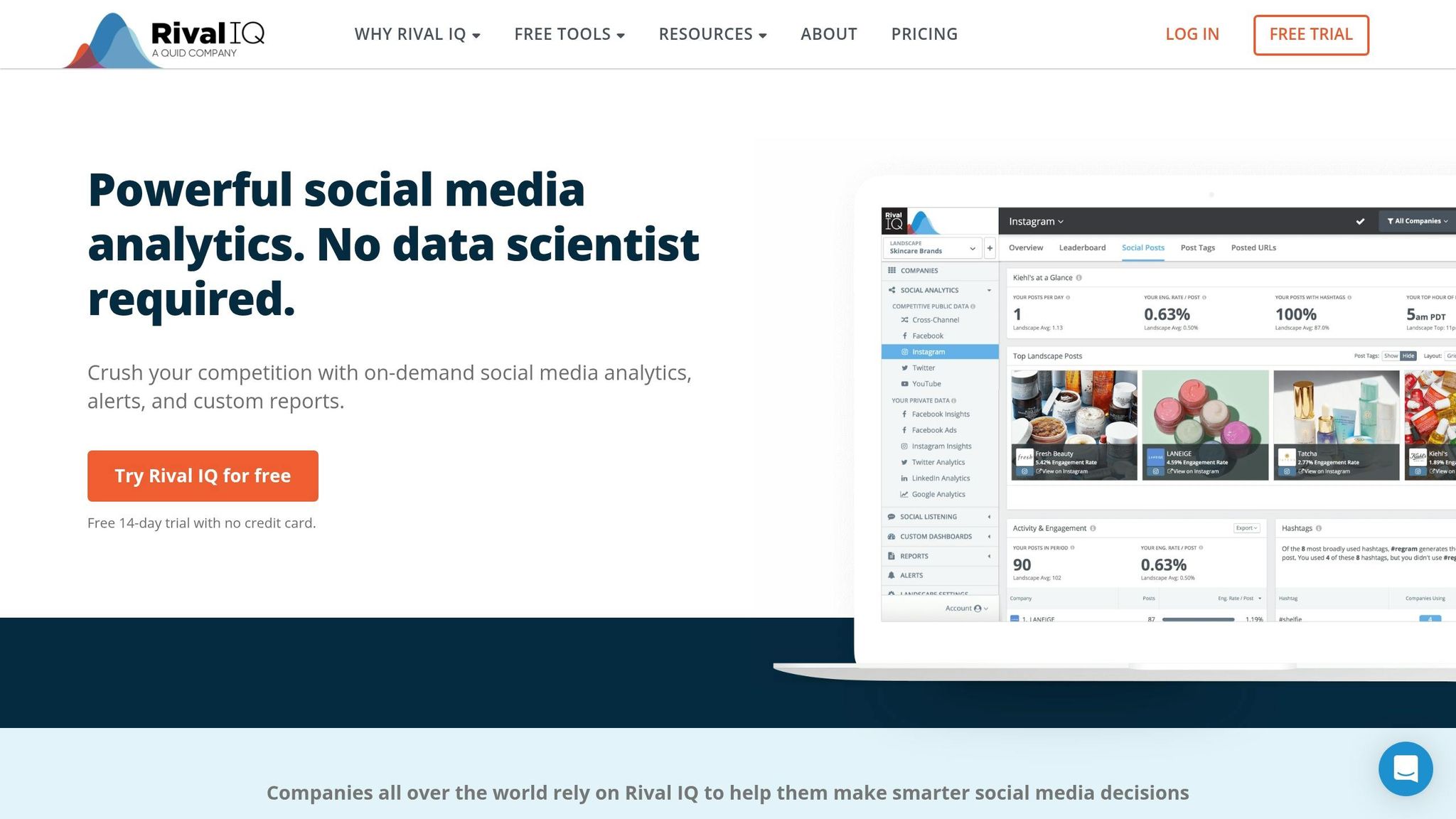
If you need export-ready reports and side-by-side benchmarking across many accounts, Rival IQ fits that job well. The platform is built around Landscapes, which acts as the main workspace for comparing competing accounts.
Pricing
Rival IQ has three plans:
- Drive starts at $239/month and covers up to 15 companies
- Engage starts at $349/month for up to 25 companies
- Enterprise is a custom plan for teams tracking 80+ companies
Dashboard Views
The Landscapes dashboard gives you a top-level look at total audience size, posting activity, and engagement across all tracked accounts.
There’s also a Social Posts view for looking at posts one by one. You can filter by Reels, Carousels, or Photos, then sort by engagement rate or total engagement. That makes it much easier to spot what’s working instead of scanning a wall of posts and hoping something jumps out.
Post and Competitor Tracking
Rival IQ highlights breakout posts and spots paid boosted posts. That’s a big deal because it helps you tell the difference between posts that won on their own and posts that got a paid push.
It also helps you monitor competitor performance over time, so you can see trends instead of just single-post spikes. This data is essential for refining your Instagram growth strategies based on what works for your rivals.
Audience, Hashtag, and Reporting Depth
For owned accounts, Rival IQ includes audience data like age, gender, and city- or country-level location. For competitor accounts, data is limited to public metrics such as follower count and follower growth.
For hashtags, Rival IQ uses Hashtag Clouds and trend charts to compare hashtag usage with the engagement those hashtags generate. On the reporting side, you can export dashboards to PowerPoint, PDF, or Excel, and you can schedule weekly or monthly email reports.
| Feature | Rival IQ |
|---|---|
| Pricing | From $239/month (Drive) to custom Enterprise |
| Dashboard | Landscapes overview + Social Posts view |
| Post Tracking | Breakout post detection, paid boosted post identification |
| Audience Data | Full demographics for owned accounts; follower growth for competitors |
| Hashtag Tools | Hashtag Clouds, trend charts (usage vs. engagement) |
| Reporting | PowerPoint, PDF, and Excel export; scheduled email reports |
Best for: Agencies and marketing teams that need polished, repeatable competitive reports.
Next, compare tools that combine competitor tracking with broader social management.
3. Hootsuite
Hootsuite is a solid next step for teams that want competitor insight inside a broader social dashboard.
It works best when competitor audience data and hashtag patterns need to sit inside the same reporting flow. You can see audience demographics, plus country- and city-level location data. It also tracks hashtag performance by engagement and reach, and it lets users build customizable reports.
Pricing is custom, and plans scale based on team size and feature access.
One thing Hootsuite does well is keep everything in one place. The dashboard brings together audience views, hashtag data, and reporting in a single workspace. Teams can also track post performance over time across monitored accounts, which makes it easier to spot patterns instead of looking at one post at a time.
| Feature | Hootsuite |
|---|---|
| Pricing | Custom pricing, scales by team size and feature access |
| Dashboard | Centralized workspace for audience, hashtag, and report views |
| Post Tracking | Post performance tracking over time across monitored accounts |
| Audience Data | Demographics and country and city location data |
| Hashtag Tools | Hashtag performance tracking by engagement and reach |
| Reporting | Customizable reports |
Best for: Brand and agency teams that need social reporting plus lightweight competitor monitoring.
Next, it helps to look at tools built for scheduling-first workflows with lighter competitor analysis.
4. Sked Social
Sked Social's Insights dashboard tracks post performance and audience behavior for Instagram Business and Creator accounts. It makes the most sense when you want analytics built right into your scheduling workflow.
Pricing
Sked Social has three pricing tiers in 2026. The Fundamentals plan costs about $30/month for 1 user and 1 social set. Essentials comes in at about $75/month with unlimited users and 3 social sets. The Professional plan is about $155/month and covers unlimited users across 5 social sets.
Dashboard Views
The Insights dashboard brings post performance trends and audience behavior into a single view. It's geared toward Instagram Business and Creator accounts, so you can check how content is doing without bouncing between tools.
Audience
Audience data covers age, gender, and country or city breakdowns. You also get follower growth trends and a best-time-to-post heatmap that shows when follower activity is highest.
Hashtag and Reporting Depth
Sked Social also includes a Top Hashtags table that ranks tags by engagement. Reports can be exported as PDF files, which is handy if you need to share results with a team or client.
| Feature | Sked Social |
|---|---|
| Pricing | From about $30/month (Fundamentals) to about $155/month (Professional) |
| Dashboard | Insights dashboard focused on post performance trends and audience behavior |
| Post Tracking | Performance tracking over time |
| Audience Data | Age, gender, country or city breakdowns, follower growth, best-time-to-post heatmap |
| Hashtag Tools | Top Hashtags table ranking tags by engagement |
| Reporting | PDF export for reports |
Best for: Teams that want Instagram analytics, audience insights, hashtag tracking, and PDF reporting in one dashboard.
If you need deeper competitor benchmarking, the next tools go past scheduler-first analytics.
5. Not Just Analytics
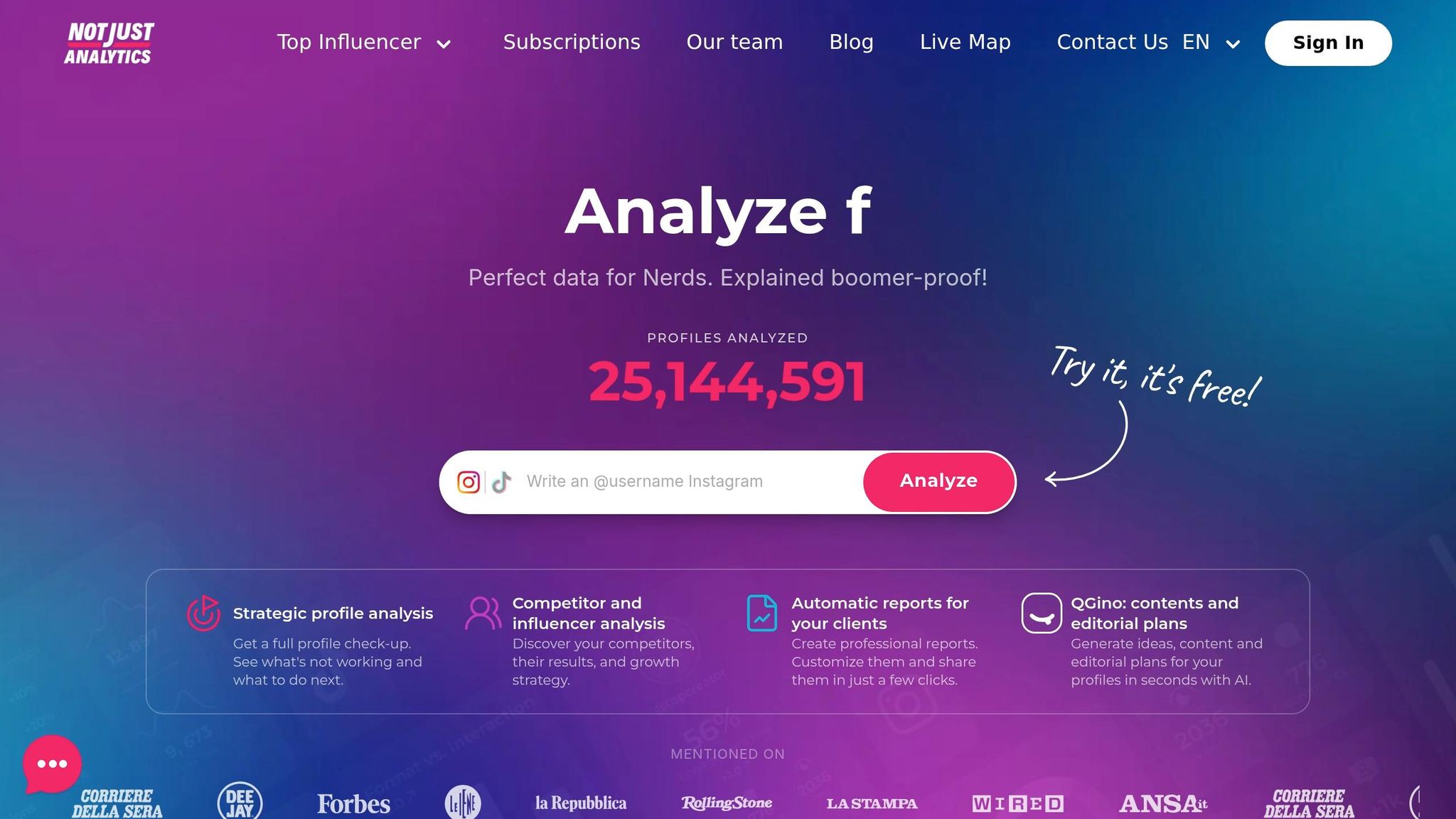
Not Just Analytics is the leanest option in this group. It stays focused on public-profile benchmarking and daily follower movement, which makes it a good fit if you want fast answers without a crowded interface.
Pricing
2026 pricing is not public, so you'll need to check the site for current plans.
Dashboard Views
The platform centers on its Profile Analysis dashboard. In one view, you can see engagement rate, average likes, and average comments per post, or view someone's Instagram followers for deeper context.
Post and Competitor Tracking
Not Just Analytics includes Competitor Lists, which let you monitor multiple public accounts at the same time. It also tracks daily follower and following changes, so spikes and drops are easy to spot.
Audience, Hashtag, and Reporting Depth
This tool does its best work in growth tracking and engagement benchmarking. The chart surfaces follower spikes or drops, which can help flag bots or viral posts. It also compares a profile's engagement rate against similar-sized accounts, giving you a useful benchmark for competitor research.
| Feature | Not Just Analytics |
|---|---|
| Pricing | Not public; check site for current plans |
| Dashboard | Profile Analysis dashboard with engagement rate, average likes, and average comments |
| Post & Competitor Tracking | Competitor Lists for monitoring multiple public accounts |
| Audience Data | Engagement benchmarking against similar-sized accounts |
| Hashtag Tools | Not detailed in available sources |
| Reporting | Not detailed in available sources |
Best for: Creators who want fast profile analysis and daily follower tracking.
Next, we'll look at tools with broader AI workflows and deeper reporting.
6. Sintra
Sintra stays brief here for one reason: the source set doesn’t verify its Instagram competitor-analysis features.
That means the provided materials do not confirm details about Sintra’s:
- pricing
- dashboard
- tracking
- audience data
- hashtag analysis
- reporting
So if you’re reviewing tools side by side, treat this entry as unverified in this source set, not as a full product assessment.
7. Bolta
Bolta is included here for completeness. That said, the current source set does not confirm its Instagram competitor analysis features.
At this point, the available sources do not verify Bolta's pricing, dashboard, tracking, audience, hashtag, or reporting features. So for this review, it's best to treat Bolta as unverified.
8. Social Rails
There’s no verified 2026 source data for Social Rails at this time. So its pricing, dashboard, tracking, audience, hashtag, and reporting features can’t be confirmed.
That means Social Rails stays on this list for completeness, but not as a verified option. If you're using unverified tools, it's best to perform an Instagram audit to ensure your data remains accurate.
Next: the final tool with verified feature data.
9. mLabs
The available sources do not verify mLabs' Instagram competitor analysis features. Because of that, its pricing, dashboard views, post tracking, audience data, hashtag tracking, and reporting depth can't be confirmed, making it difficult to use Instagram analytics to improve your strategy.
The next section compares the verified tools side by side.
Side-by-Side Comparison Table
Use this table to compare the verified tools above by cost, depth, and best fit.
Here’s a quick comparison of the verified tools covered above.
| Tool | Starting Price | Key Strength | Reporting | Audience Data | Best Fit |
|---|---|---|---|---|---|
| Instagram Competitive Insights | Free; paid for full access | AI insights, brand affinity scoring, ROI predictions | AI-generated reports, performance forecasts | Demographics, overlap, authenticity/bot detection | Brands and agencies needing deeper benchmarking |
| Rival IQ | $239/month (Drive) | Breakout post detection, paid boost identification | PowerPoint, PDF, Excel export; scheduled email reports | Full demographics for owned accounts; follower growth for competitors | Agencies needing polished, repeatable competitive reports |
| Hootsuite | Custom pricing | Centralized social and competitor dashboard | Customizable reports | Demographics, country and city location | Brand and agency teams needing social reporting plus competitor monitoring |
| Sked Social | ~$30/month (Fundamentals) | Scheduling-integrated analytics | PDF export | Age, gender, country or city, best-time-to-post heatmap | Teams wanting analytics built into a scheduling workflow |
| Not Just Analytics | Not public | Daily follower tracking, engagement benchmarking | Not verified | Engagement benchmarking against similar-sized accounts | Creators wanting fast profile analysis |
| Sintra | Not verified | Not verified | Not verified | Not verified | Not verified |
| Bolta | Not verified | Not verified | Not verified | Not verified | Not verified |
| Social Rails | Not verified | Not verified | Not verified | Not verified | Not verified |
| mLabs | Not verified | Not verified | Not verified | Not verified | Not verified |
This side-by-side view makes it easy to spot which tool fits your workflow best.
Conclusion
No single tool works for every workflow. Pick the one that lines up with the metric you care about most. The table above helps you narrow the field fast.
If you just need a quick scan, public-profile metrics, follower trends, and authenticity checks will usually do the job. If you need more than a surface-level look, step up to deeper AI reporting and demographic overlap. Running paid social? Put ad timeline, landing page, and targeting analysis at the top of your list.
That’s the key trade-off: choose the tool that fits your main workflow, not the one with every feature under the sun.
Match the tool to your core need - post tracking, audience quality, hashtag performance, or reporting - to save time and budget in 2026.
FAQs
How do I choose the right Instagram AI competitor tool?
Choose a tool with an official API integration if you want to keep your account safer and stay within platform rules.
It also helps to pick a tool with strong analytics. Look for real-time tracking for follower growth, engagement, audience demographics, and past content performance. If it matches your goals, features like AI-powered targeting or anomaly detection can be useful too. And of course, make sure the tool fits your budget and gives you the reporting options you need.
What metrics matter most in competitor analysis?
Focus on metrics that help you make decisions, not vanity numbers. The ones that tend to matter most are follower growth trends, posting frequency, and engagement rates. Those give you a clear way to compare your performance with other accounts in your niche.
It also helps to track your top content types, along with engagement signals like comments, saves, and send rates. Add hashtag usage, audience demographics, and content velocity to the mix, and you can spot openings, see what’s working, and fine-tune your strategy without guessing.
How can I verify whether a tool’s features are real?
Check whether the tool uses official API integrations. That’s one of the clearest signs it follows Instagram’s rules and takes account safety seriously.
You should also look for transparent, real-time analytics that show metrics that matter, such as reach, saves, profile visits, and engagement patterns - not just surface-level numbers.
A legit tool should also make it clear that its growth methods are organic and bot-free.