
Instagram Action Blocked? How to Fix "We Restrict Certain Activity" in 2026
Stop retries, remove automation, wait 24–48 hours, and resume slowly to clear Instagram action blocks.
Stop retries, remove automation, wait 24–48 hours, and resume slowly to clear Instagram action blocks.
4.98 /5 - from 58k reviews
Trusted by 50,000+ creators — get real engagement delivered to your profile in minutes, not days.
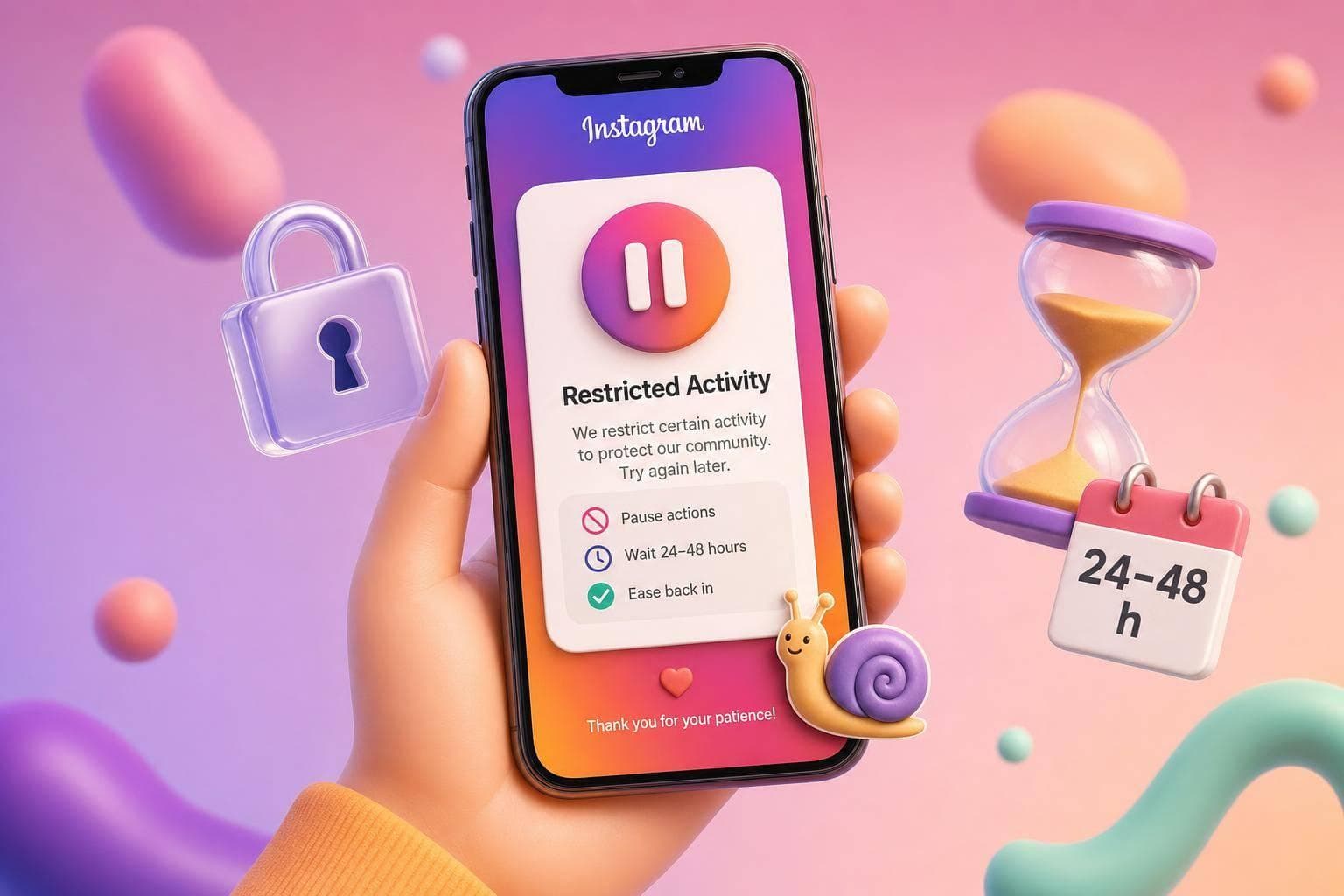
If Instagram says "We restrict certain activity", I treat it as a temporary stop on one action - and the best move is simple: stop, wait 24–48 hours, remove any bot-like tools, and avoid testing the action over and over.
Most cases are not full bans. They usually happen after fast bursts of follows, likes, comments, or DMs. In this guide, I’d keep the focus on three things: what type of limit you have, how long it may last, and what not to do while waiting.
Here’s the short version:
Quick comparison:
| Issue | What I see | Usual length | What I do first |
|---|---|---|---|
| Temporary action block | Popup warning | 24–48 hours | Stop and wait |
| Longer action limit | Popup with no clear end date | Days to weeks | Remove app access and rest account |
| Shadowban | No popup | 7–30+ days | Check hashtags and posting patterns |
One stat stands out: repeat retries can add 24–72 hours to the limit, and repeat offenses inside 30 days often lead to longer penalties. So if I want the account back to normal, I don’t push it - I slow down.
When Instagram shows "We restrict certain activity to protect our community," it means one action on your account looked spam-like. Most of the time, that decision comes from Instagram's automated systems, not a human moderator.
In plain English: this is usually an automated action block, not a full ban. So while one feature may stop working, other parts of your account can still work as usual.
Use the chart below to match the popup on your screen.
| State | Popup Wording | Duration | What's Affected | What to Do |
|---|---|---|---|---|
| Temporary Action Block | "We restrict certain activity to protect our community" | 24–48 hours | Specific actions: follows, likes, comments, or DMs | Stop that action right away; use the "Tell Us" button if you think Instagram got it wrong |
| Extended/Indefinite Block | "Action Blocked... we can't let you do that right now" (no date) | A few days to several weeks | Specific actions or multiple features | Remove third-party app access; wait 7 days, then send a manual review request through Help |
| Shadowban | None - silent restriction | 7–30+ days | Reach, hashtag visibility, Explore placement | Check your hashtags; stop engagement pods; post original content |
If your account lines up with the temporary block row, the next section covers the fastest fix.
One hidden cause shows up again and again: third-party automation. Apps that mass-follow, auto-like, or send copy-pasted DMs at bot-like speed are the top trigger. Other common causes include doing too many follows or likes in a short period, sending repetitive DMs, and using banned hashtags.
Once you know which state fits, move to the fix steps below.
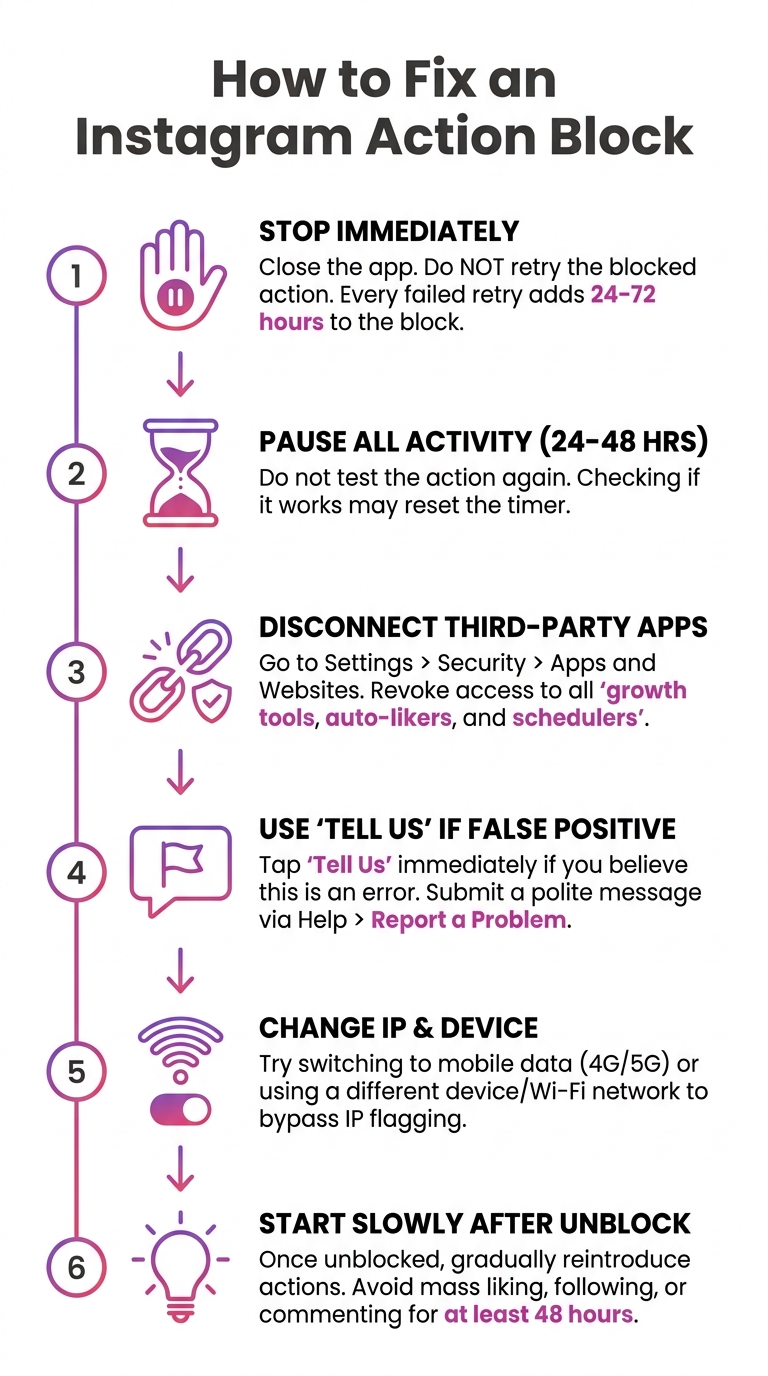
How to Fix Instagram Action Block: Step-by-Step Guide
If your popup matches the temporary block row above, fix it in this order. Follow these steps in order. Retrying the blocked action can make the block last longer.
Close the app and don’t retry the blocked action. Stop likes, follows, comments, and DMs as soon as the popup appears. Every failed retry can add 24 to 72 hours to the block.
Don’t test the action again during this window. If you keep checking whether it works, you may reset the clock.
Go to Settings > Security > Apps and Websites and revoke access to any third-party growth tools, auto-likers, follower trackers, or scheduling apps. Do this before you test the app again.
If this seems wrong, use the "Tell us" button on the popup. If that option isn’t there, go to Profile > Menu (☰) > Help > Report a Problem. Send one short, factual report.
Go to Settings > Account > Account Status to see whether Instagram flagged a feature or a rule issue. That helps you tell the difference between a plain temporary block and a broader restriction.
Start with one normal action to confirm the block is gone. Then come back at about 25–30% of your normal volume and build up over the next 7 to 14 days.
If the block is still active after 48 hours, the next section explains how long it usually lasts and what to avoid while you wait.
There’s no set countdown for an Instagram action block. In most cases, a temporary block clears within 24–48 hours. But if the account has been flagged more than once, the block can last for days or much longer. In many cases, automation is what makes the penalty drag on. Right now, the main goal is simple: don’t do anything that looks like the same trigger again.
Repeat offenses within a 30-day window lead to longer blocks. A second offense usually means a 3 to 7-day block, and a third can stretch to 7 to 14 days. If Instagram spots repeated automation, the block may become indefinite and last for weeks or longer if the platform treats it as repeated automated behavior.
Use this pause to clean up the actions that likely caused the block in the first place.
Stop the blocked action and let the account sit for 24–48 hours. Keep activity low, avoid other high-volume actions, and remove access for any third-party apps in Settings → Security → Apps and Websites.
These actions tend to make the block last longer or bring on extra reviews:
Once the block lifts, ease back in at a normal human pace.
Now that the block is lifting, the goal is simple: don’t repeat the same patterns that set it off in the first place.
Meta Help Center (2026) says repeated or automated activity can trigger limits. That includes sudden activity spikes, repetitive text, and automation signals. So if Instagram thinks your account is acting like a bot, even by accident, another block can show up fast.
The safest move is to act at a human pace. Spread likes, follows, comments, and DMs throughout the day instead of doing them in short bursts. And if you just had a spike, keep things light for 1–2 days.
Use this checklist to keep your activity looking human:
| Prevention habit | Why it helps |
|---|---|
| Spread activity across the day | Lowers burst velocity |
| Vary comment wording | Avoids copy-paste spam signals |
| Use one primary device and one consistent network | Prevents suspicious access flags |
| Check Account Status after spikes | Catches risk before another block hits |
It also helps to keep your login behavior steady. Frequent VPN use and switching between devices can look suspicious, even if you’re doing nothing wrong.
UpGrow uses human-paced, Instagram-compliant growth with no bots, no mass follow/unfollow, and no password handover. That cuts out some of the most common triggers behind action blocks.
If other Instagram errors are showing up along with the block, the guide to common Instagram API errors and fixes covers related issues worth checking.
If you’ve seen the word “restrict” and aren’t sure whether it means the same thing, what "restrict" on Instagram means explains the difference.
And if your reach dropped without any pop-up or warning, how to fix an Instagram shadowban walks through that separate problem.
If the Instagram action blocked message keeps coming back, check the FAQ below for edge cases.
Last updated: July 2026


