Table of contents
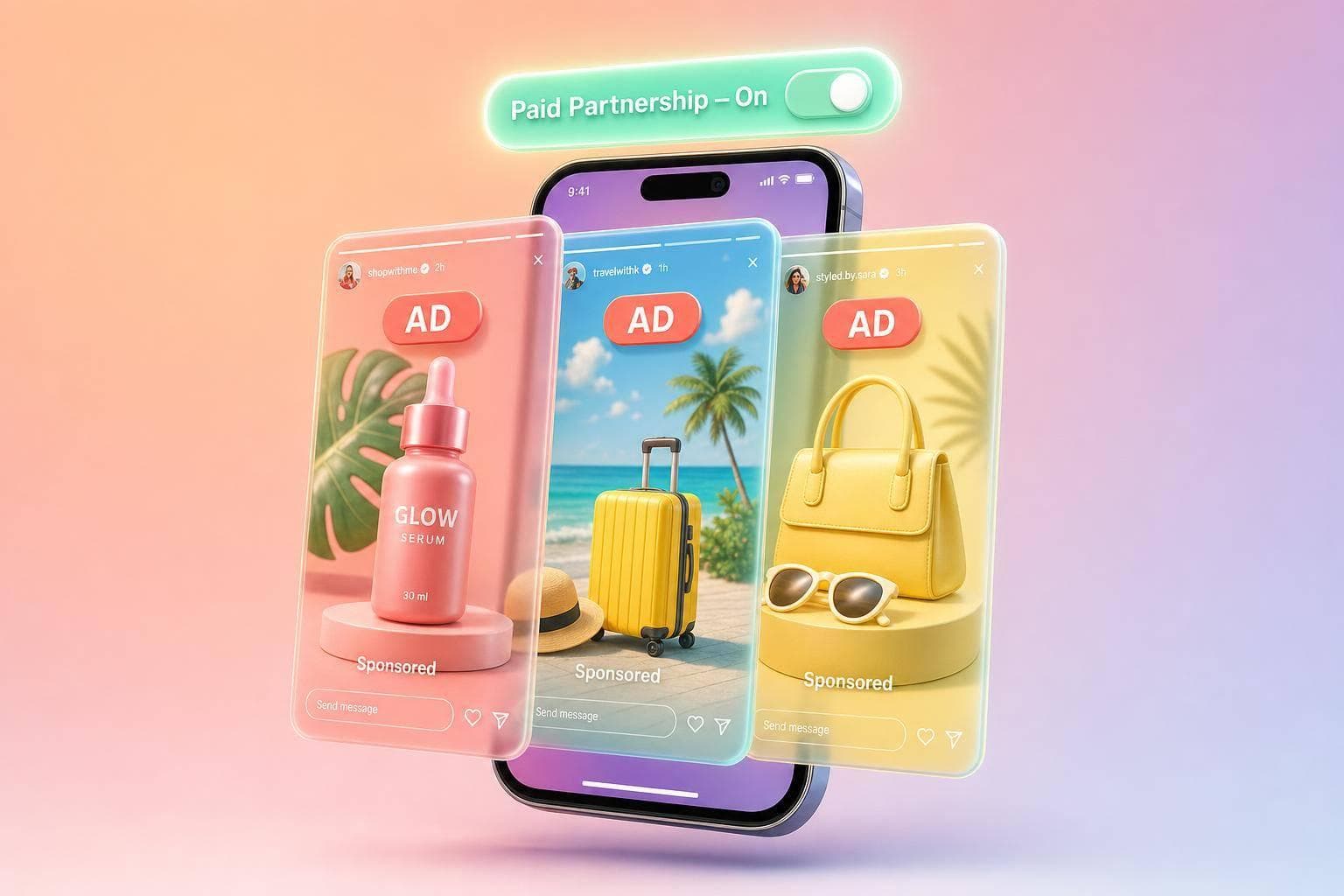
If a brand paid me, sent me a free product, or gave me any perk, I need to disclose it on the Story itself. The short version is simple: I use Instagram’s Paid Partnership label, add plain on-screen text like “Ad” or “Paid partnership with [Brand]”, and repeat that disclosure on every promo frame.
Here’s the full takeaway in one place:
- Any material connection counts - payment, free product, affiliate pay, job ties, ownership, family ties, travel, event access, or early access.
- Free products still count, even if the brand did not ask for a post.
- Instagram’s label alone is not enough - the disclosure should appear on the frame where people can see it right away.
- Plain words work best - like “Ad,” “Sponsored,” or “[Brand] gifted me this product.”
- Each promo frame needs its own disclosure - not just the first Story slide.
- For video, I should do both - say it out loud and show it on screen, since many people watch with sound off.
- Before posting, I should review the full Story after adding stickers, links, polls, and tags.
A few terms are risky. Words like “collab” or “thanks to [Brand]” do not clearly tell viewers what I got. And if the disclosure is hidden behind a sticker, too small to read, or stuck only on the opening frame, that can cause problems.
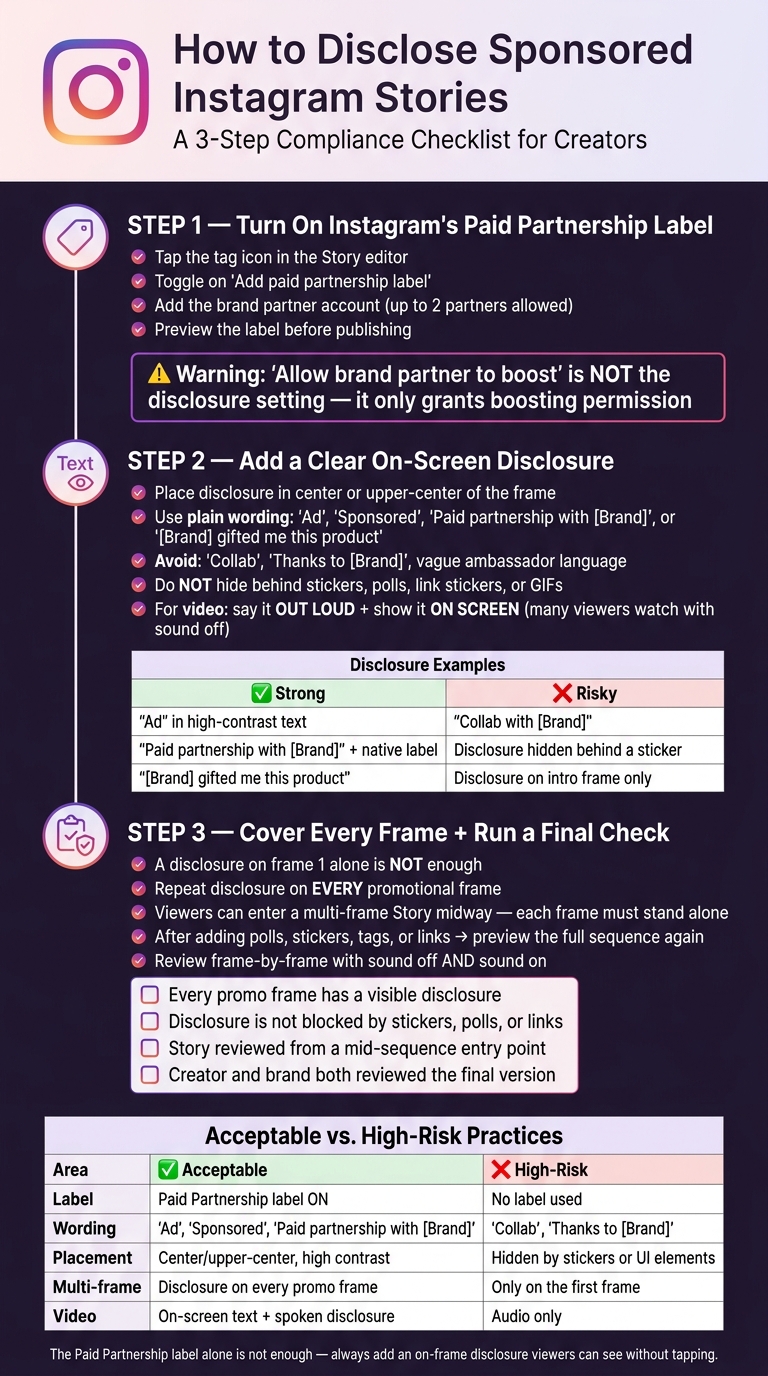
How to Disclose Sponsored Instagram Stories: 3-Step Compliance Checklist
DISCLOSE BRAND PARTNERSHIPS
sbb-itb-3c55afb
Quick comparison
| What to do | Better choice | Risky choice |
|---|---|---|
| Label | Use Paid Partnership label | Rely on no label |
| On-screen text | “Ad” or “Paid partnership with [Brand]” | “Collab” or vague thanks |
| Placement | Center or upper-center, easy to read | Hidden by stickers, links, or app UI |
| Multi-frame Stories | Repeat on every promo frame | Put it on frame 1 only |
| Video Stories | On-screen text and spoken disclosure | Audio only |
One stat matters here: in a multi-frame Story, 1 disclosure on 1 frame does not cover 100% of the promo sequence. If viewers enter midway, they can miss it. That is why the disclosure should stay visible across the full sponsored run.
If I keep the label on, use plain wording, and check each frame before posting, I’m in much better shape.
Step 1: Turn on Instagram's Paid Partnership label
In the Story editor, tap the tag icon, switch on Add paid partnership label, add the brand partner, and confirm you picked the right account. Meta lets you add up to two brand partners to one Story. Before you post, check the preview and make sure the label and partner name show up the way they should.
One easy mistake here: Allow brand partner to boost is not the disclosure setting. That option only gives the brand permission to promote your Story as a Partnership Ad. It does not add or control the disclosure. Turn it on only if your agreement clearly says the brand can run your content as an ad.
If the tag won’t save, or the brand account doesn’t show up, fix the access issue before anything goes live.
Check account access, brand approval, and the tagged account name
A few issues tend to block this step:
- Account access: Branded content settings are for Creator and Business accounts. If you don’t see the option, update the app and check your professional settings.
- Brand approval: Some brand accounts need to approve creators before tagging works. If the brand hasn’t approved the tag, you may not be able to select it, or the label may fail to show as expected. Handle this before your posting date.
- Handle verification: Search results can pull up lookalike accounts, regional versions, or unrelated profiles. Double-check the handle, profile photo, and account name against the brand’s approved handle and partnership brief. If the brand uses separate U.S. and global accounts, confirm which one belongs on the campaign.
Preview the label before publishing
Before publishing, go back to the Story preview and check that the Paid Partnership label is visible and shows the right brand. If the label is missing or points to the wrong account, fix it before posting. Instagram’s wording can shift a bit from one screen to another, but the preview still needs to show the right label. If it’s not visible there, it doesn’t count.
The native label by itself still isn’t enough. FTC guidance says disclosures must appear directly on the Story itself. Once the label is set, add an on-screen disclosure people can’t miss.
Step 2: Add a clear disclosure directly on the Story
Once the label is in place, add the disclosure where people can see it without tapping. After you add the Paid Partnership label, put a clear disclosure on the Story frame itself. The label does not replace an on-screen disclosure. The FTC says the disclosure should appear on the Story frame so viewers can see it right away, without tapping or looking somewhere else. Think of the label as backup, not the main signal.
Use plain wording that people understand at a glance. Good options include "Ad", "Sponsored", "Paid partnership with [Brand]," and "[Brand] gifted me this product." Skip vague phrasing on its own, like "collab", "ambassador", "thanks to [Brand]," or a discount code with no explanation. Those can be blurry. They may not tell viewers that the creator got paid, received free products, got a discount, earned a commission, or got some other perk.
Placement matters too. The text should be easy to read on a phone, with strong contrast against the background. Put it in the middle or upper-center of the frame. Stay away from the very top and bottom, where Instagram's interface can cover it. Also, don't tuck the disclosure behind a link sticker, poll, quiz, GIF, product tag, or any other tappable element. If people can't read it right away, it isn't doing its job.
| Placement or wording | Assessment |
|---|---|
| "Ad" in high-contrast text on the endorsement frame | Strong - short, direct, unmistakable |
| "Paid partnership with [Brand]" on screen + Instagram's native label | Strongest - combines both disclosure layers |
| "[Brand] gifted me this product" | Strong for free-product campaigns |
| "Collab with [Brand]" | Risky - doesn't clearly signal advertising |
| Disclosure hidden behind a sticker or link | Risky - may not be noticed or readable |
| Disclosure on a separate introductory frame only | Risky - viewers may skip it before reaching the endorsement |
For video Stories, the disclosure needs to work both on screen and out loud. Audio by itself isn't enough, because lots of people watch Stories with the sound off. Say the disclosure near the start of the video and show it on screen at the same time. If a second sponsored product shows up later in that same video, repeat the disclosure instead of assuming viewers caught it the first time.
Step 3: Handle multi-frame Stories and run a final policy check
Keep the disclosure visible across every promotional frame
A disclosure on the first frame is not enough for a multi-frame Story. People often jump in halfway through a sequence, so each promotional frame needs its own visible disclosure.
If the disclosure looks good on one frame, don’t stop there. Check the full Story from start to finish and make sure it still works across the whole sequence. Add the disclosure to every promotional frame. Then, after you add polls, link stickers, product tags, countdowns, or music, preview the full sequence again from the beginning. Those elements can move things around or cover the disclosure text.
Go frame by frame and make sure the disclosure is still easy to read, not blocked, and not sitting too close to Instagram’s interface controls.
Use a final pre-post checklist and an acceptable-vs-risky comparison table
This last pass helps catch small changes that slipped in after stickers, tags, or edits.
- [ ] Every promotional frame in the sequence has a visible disclosure
- [ ] Disclosure remains visible after adding stickers, polls, tags, or links
- [ ] The Story was reviewed frame by frame from a mid-sequence entry point
- [ ] Creator and brand reviewed the final version
Review the Story one frame at a time: start in the middle of the sequence, watch it with sound off, then with sound on, and test each interactive element.
| Area | Acceptable practice | High-risk practice |
|---|---|---|
| Timing | Disclosure shown before or when the endorsement begins, repeated across frames | Added only on the first frame while later frames contain product claims or links |
| Multi-frame coverage | Disclosure repeated on every promotional frame throughout the sequence | Single disclosure on the opening frame only |
After that final review, the Story is ready to post.
Conclusion: Post sponsored Stories that are clear, visible, and ready for review
Before you post, do one final check. A compliant sponsored Story needs to do five things: confirm the material connection, turn on Instagram's Paid Partnership label, add a plain on-screen disclosure, repeat that disclosure on every promotional frame, and have the final Story reviewed with the brand before it goes live.
Use direct wording such as "Paid partnership with [Brand]", "Sponsored by [Brand]," or "Ad: [Brand] gifted me this product."
The Paid Partnership label helps, but it does not replace an on-frame disclosure. Put the disclosure where viewers will notice it right away.
For video Stories, say the disclosure out loud and show it on screen.
Before posting, have the creator and brand review the final Story together to confirm disclosure visibility, tags, claims, and consistent claims across every frame to maintain engagement and trust.
FAQs
Do I need to disclose gifted products on Instagram Stories?
Yes. Under FTC guidelines, free products, PR packages, and similar perks create a material connection. If you post about them, you need to disclose that clearly.
Use a clear, high-contrast label on every Story frame that shows or mentions the product. For example:
- "Gifted by [Brand]"
- "PR package from [Brand]"
Skip vague wording. And don’t rely on only tagging the brand.
Where should I place a sponsored disclosure on a Story frame?
Place a high-contrast disclosure on every Story frame that shows or mentions the product.
Put the disclosure closer to the center of the screen, not near the top or bottom edges. Instagram profile names, reply fields, and buttons can cover those areas.
The disclosure needs to be easy to see right away, with no extra taps or clicks.
Also turn on Instagram’s native Paid Partnership tool for each Story.
What if viewers skip the first sponsored Story frame?
If someone skips the first frame, you can still stay compliant. Just add a clear, high-contrast disclosure to every Story frame that mentions or shows the sponsored product.
Don’t put the disclosure only in the first frame. Add Ad or Sponsored in a prominent spot on each frame so viewers can see it no matter where they jump into the Story.