21 BTS Content Ideas For Fashion Shoots
Plan BTS by stage—prep, styling, on-set, and wrap—and use Reels, Stories, and carousels to turn one fashion shoot into a week of content.
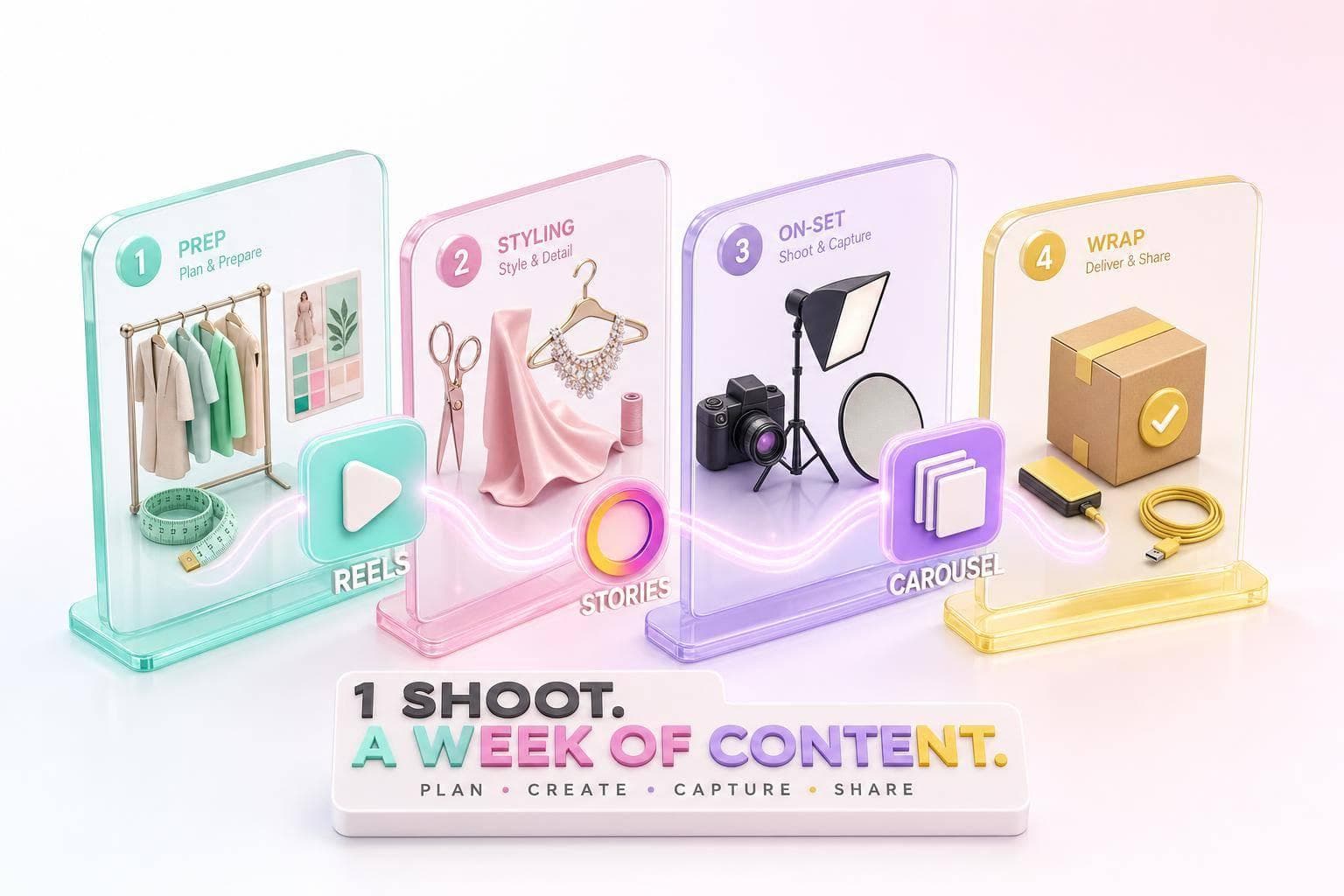
One fashion shoot can give you a full week of social posts if you plan BTS by stage. The core idea is simple: use Reels for movement, Stories for live updates, and carousels for recaps.
Here’s the short version:
- Show prep: location checks, mood boards, props, lighting, and shot lists
- Show look changes: rack tours, styling swaps, makeup chair clips, and touch-ups
- Show the set in motion: test shots, pose runs, POV clips, monitor reactions, and set resets
- Show the people: team intros, model moments, final checks, huddles, and wrap reactions
- Plan for 15–25 raw clips and 20–30 stills per shoot to support 3–5 posts
- Review views, saves, and reach within 48–72 hours
In other words: BTS works best when I treat it like a timeline, not a pile of random clips. Before, during, and after the shoot each give me different post angles, and each format has a clear job.
Behind the Scenes Fashion Shoot | BTS Videography Reels #shorts
sbb-itb-3c55afb
Quick Comparison
| Shoot stage | Best BTS ideas | Best format |
|---|---|---|
| Pre-shoot | Location scout, mood board, prop setup, lighting prep, shot list | Stories, Reels, carousels |
| Styling | Rack tour, styling swaps, makeup time-lapse, touch-ups, short team notes | Reels, Stories, carousels |
| On-set | Test shots, pose sequence, camera POV, monitor reactions, transitions | Reels, Stories |
| Wrap | Team intros, model clip, final look check, last-shot huddle, thank-you post | Stories, Reels, carousels |
My takeaway: the best BTS content shows process, changes, decision-making, and team energy. That’s what gives the final campaign more context and makes people care about the finished image.
How To Use Reels, Stories, And Carousels For Fashion Shoot BTS
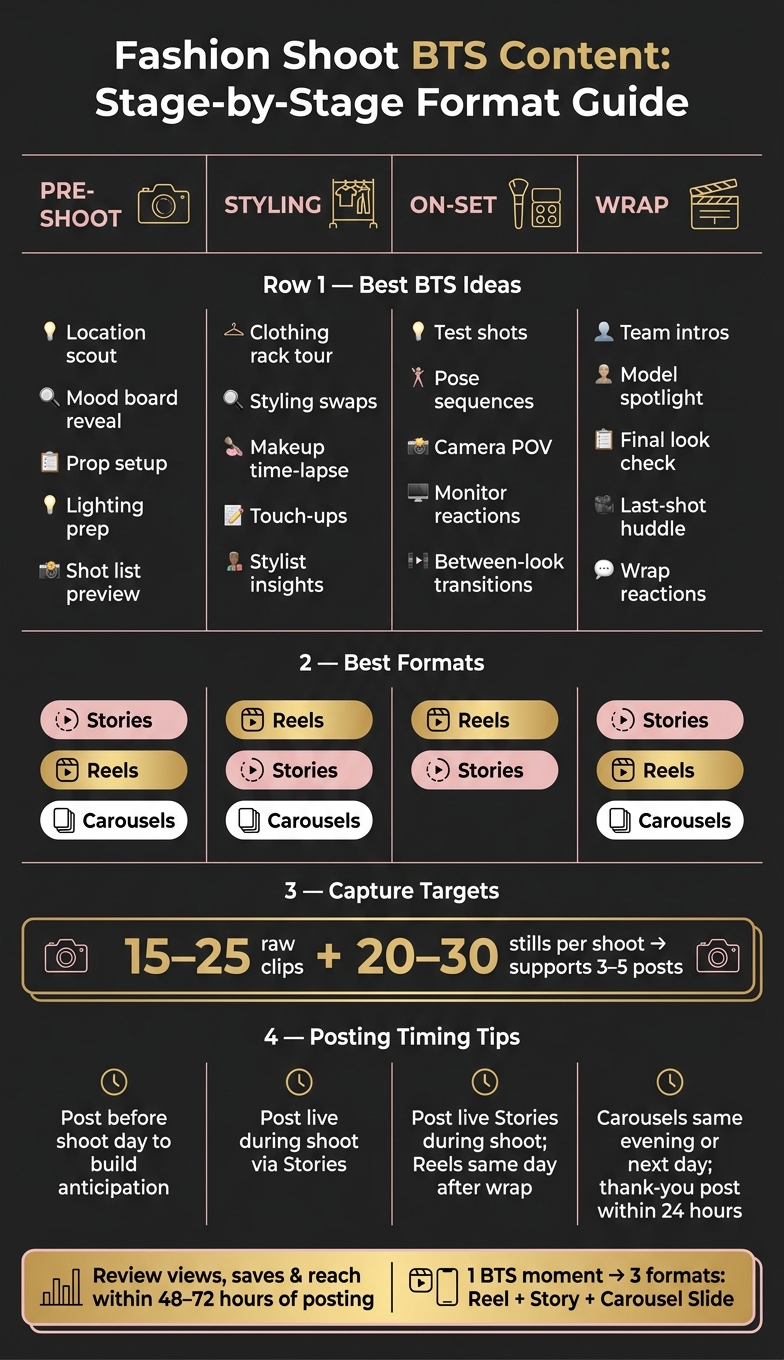
Fashion Shoot BTS Content: Stage-by-Stage Format Guide
Use Reels for motion-heavy moments, Stories for live updates, and carousels for the finished recap.
Reels are built for discovery, so they can reach people beyond your followers. That makes them a strong fit for a lighting test, a model walk-in, or a fast styling swap. Stories are better for posting the day as it happens, with in-the-moment updates from the makeup chair and the set. Carousels work best for a recap people can swipe through and save later, with rack tour details, close-up styling shots, and the final hero look in one post.
On shoot day, post in this order:
- setup Reel
- live Stories
- carousel recap that evening or the next day
A smart way to keep content moving? Capture one BTS moment once, then reuse it in three ways: a Reel with trending audio, a Story with a poll, and a carousel slide. That gives you three touchpoints without making the content feel recycled.
For Reels, open with a strong visual hook in the first 2–3 seconds. For Stories, use polls and question boxes to keep people involved during the shoot. For carousels, arrange the images so each swipe adds something new, then end with the finished look as the payoff for viewers who stick with it.
Use this format mix as you move through the BTS ideas below, starting with pre-production.
1. Pre-Production & Set Prep
These five ideas focus on everything that happens before the first frame is shot. And that part matters more than most people think. It’s where the campaign starts to take shape.
Location Scout Walkthrough
Film 2–3 short clips of the team checking angles, natural light, and background textures at the location. Add a short caption that explains why the spot made the cut. This works well as a pre-shoot Reel or Story.
Mood Board Reveal
Share a carousel that pairs your mood board with matching set references, like color palettes, fabric swatches, pose ideas, or styling notes. People love this format because it’s easy to save, and it gives them a clear sense of the direction before the shoot begins.
Prop and Backdrop Setup
Record the smaller moments: hanging garments, placing props, testing backdrop colors, and laying out accessories. These candid clips feel natural and satisfying to watch. Post them as a Story sequence early on shoot day if you want that in-the-moment feel, or turn them into a short Reel.
Gear and Lighting Prep
Show the camera, lenses, lights, reflectors, and tethering setup in short clips with simple text labels. A before-and-after lighting test can make this more fun to watch, especially for followers who enjoy the production side of fashion content.
Shot List Preview
Post a partly blurred shot list as a Story or carousel. It builds anticipation without showing the final looks too soon, and it signals a polished shoot.
For these posts, keep an eye on saves, shares, and Story completion rate.
Next: the wardrobe, hair, and makeup moments that change the look in real time.
2. Wardrobe, Hair & Makeup
After prep comes the first visible shift: wardrobe, hair, and makeup. This is the point where the look starts to click, and followers can watch it happen in real time. Start at the rack, then move through hair, makeup, and those small fixes between takes.
Clothing Rack Tour
Slowly pan across the rack and label the key looks on screen. A Reel can help you get more reach, Stories work well for live clips, and a carousel is a good way to recap how the final look came together.
Styling Swaps in Action
Catch those last-second changes - shoes, blazers, or accessories. A short Reel works best here because it shows, step by step, how the outfit changed right before the camera rolled.
Makeup Chair Transformation
Use a short time-lapse Reel to show the model’s before-and-after glam. Add quick text notes for key techniques, like soft glam eye or long-wear base for studio lights. Post the full change as a Reel, then save the before-and-after frames for a carousel.
Quick Touch-Ups Between Takes
Film fast lipstick fixes, shine control, and flyaway cleanups between takes. Add a short caption that explains the method, like why long-wear products matter when it’s 85°F on location. This can work as a Story or as part of a Reel.
Stylist & Hair-and-Makeup 10-Second Insights
Record one short vertical clip for each look where the stylist or makeup artist explains the direction in a single sentence, such as a soft glam direction with neon liner to match the accessories. Cut those clips into a Reel montage so followers can see that each look was built with intent.
3. On-Set Shooting Process
Once the looks are locked and the lights are in place, the shoot shifts into its fastest, most alive phase. This is where behind-the-scenes content tends to feel strongest: motion, direction, split-second calls, and the raw pace of a set in motion.
First Test Shots & Monitor Review
Film a short clip of the photographer adjusting angles while the model holds a pose and the team checks the first frames on the monitor. Post the rough clip to Stories during the shoot, then turn it into a polished Reel later that day.
That timing matters. It keeps the spotlight on decisions happening in the moment - who asked for the change, what shifted, and why.
Pose Progression Sequences
Record the model moving through 5–10 poses in sequence, then trim it into a fast Reel. Keep the Reel between 6–10 seconds, and start with the strongest pose so the opening frame hits hard.
A few days later, give that same footage another use. Post a carousel 2–4 days after the shoot with stills from the best poses and short styling notes.
Then move into POV clips so viewers can see how those poses were directed.
Camera POV & Walk-Throughs
Shoot over-the-shoulder footage or record straight from the photographer's point of view while moving around the subject or swapping lenses. This angle puts followers right on set.
During the shoot, share one POV clip to Stories with a quick poll asking whether people prefer a wide angle or close-up. Afterward, build a longer Reel and add text overlay like Photographer POV: editorial denim campaign once you're back in the edit.
Monitor Review Reactions
Catch the moment when the model, stylist, or client spots a strong frame on the monitor. Those unscripted reactions show the team working together in real time.
Post the reaction clip live to Stories, then match it with the final photo in a carousel so people can see the full decision arc.
Between-Look Transitions
Film the brief gap between Look 1 and Look 2: the backdrop swap, prop reset, set reset, or the model stepping back into frame. Share a fast Look 2 loading... teaser to Stories during the shoot.
Later, cut those clips into a transformation Reel - empty set → styled set → model in place - and publish it within a few days.
4. Team, Talent & Wrap-Up
The shoot doesn’t end when you get the last frame. Some of the best behind-the-scenes footage happens right after: people laughing, doing a final check, or gathering for one last push. That kind of footage gives BTS content more life and shows the people behind the work.
Once the main shoot-day action is done, turn the camera toward the team and the reset.
Meet the Team
Film short 2–3-second name-and-role clips for each person on set, like the stylist, photographer, makeup artist, hair stylist, and creative director. Then post them as an Instagram Story series during the shoot.
Model Spotlight
Record a 10-second clip of the model talking about their favorite look of the day or how they got ready. Post it as a Reel soon after wrap. It adds personality and gives the content a human center.
Final Look Check
Capture the last 30 seconds before the final frame: the collar fix, powder touch, and the model stepping in. Post it to Stories in real time.
Then get one more clip of the full crew in a quick huddle before the final frame.
Last-Shot Huddle
Film the whole crew gathering for a last creative check before the final frame. Use a wide shot so everyone is in view. Share it as a Story during the shoot, then reuse it as the opening clip of a wrap-up Reel later that day.
Wrap-Up Reactions
Catch the moment the photographer or creative director calls it. Keep the natural sound: cheers, claps, and laughter. Post the raw version to Stories right away, then cut a shorter version for a Reel within 24 hours.
Close with a short thank-you post that pulls together the best BTS moments from the day.
Post-Shoot Thank-You
Post a same-day carousel or short clip with final selects, one BTS frame, and a quick thank-you that names the team. Tease the next post or campaign drop.
Quick Planning Tips For Better BTS Performance
Once the shoot-day structure is set, tie content capture to each phase of the day. One shoot can easily turn into a full week of posts if you plan footage around pre-shoot, mid-shoot, and wrap. Put together a simple phase-by-phase shot map before call time. It cuts down on on-set guesswork and helps the production stay on track.
Pick a BTS owner before the shoot starts. That can be an assistant, a second shooter, or the photographer. Give them a short shot list grouped by phase, with a target of 15–25 raw clips and 20–30 stills per shoot. That’s usually enough to support 3–5 posts for the following week.
Once capture is assigned, timing becomes the next job. Think of Stories as the live layer and Reels or carousels as the edited layer. During the shoot, post one or two Stories to show that the shoot is happening. Then publish Reels and carousels after wrap so you can stretch visibility without flooding your followers.
After each shoot, spend 20–30 minutes reviewing your top posts. Check views, saves, and reach within 48–72 hours of posting. Pay close attention to the moment shown and the first two seconds. Those small details often tell you why one post works and another falls flat.
Add what you learn to a BTS playbook so the shot list gets better each session. UpGrow's real-time dashboard can help track which BTS formats - setup clips, rack tours, makeup-chair moments, styling swaps, and team intros - drive the strongest growth. Use those notes to tighten up the next shoot's shot list.
Conclusion
The best fashion-shoot BTS usually comes from four moments: prep, transformation, craft, and team energy. That’s the stuff people want to see. Not random clips grabbed in the gaps between setups, but footage picked on purpose. That difference often decides whether content gets watched or scrolled past.
Match each moment to the right format. Use Reels for motion, Stories for live coverage, and carousels for step-by-step recaps.
Here’s the good news: one shoot can fuel a week of posts if you capture just 10–15 extra seconds per setup.
BTS also makes the shoot easier to remember and easier to share. When you film it this way, prep, production, and wrap don’t just happen in the background - they keep working as content long after the shoot ends.
FAQs
How do I assign one person to capture BTS without slowing down the shoot?
Assign one team member to handle BTS on a smartphone or a small camera. Their job is simple: grab short, candid clips during natural pauses like lighting tweaks, outfit changes, or makeup touch-ups, without getting in the way of the main shoot.
That approach keeps things moving. No one has to stop and pose, and the BTS footage feels more natural.
To keep the process lean, they can use the camera timer and steady handheld shots. Later, AI-powered editing tools can cut those raw clips into polished Reels or Stories.
What should I post first if I only have time for one BTS format?
If you only have time for one behind-the-scenes format, go with Reels.
Right now, Instagram gives Reels more visibility, which makes them your best bet for getting more reach, bringing in new followers, and getting people curious about what you’re doing.
They also make it easy to show the human side of a shoot. Think fast-moving clips, time-lapses, and candid moments with your team. To get the most out of each post, spend the first 30 to 60 minutes replying to comments, answering messages, and interacting with your audience.
How can I turn one fashion shoot into a full week of Instagram content?
Create a mix of assets during the shoot, like setup clips, rack tours, makeup chair moments, and team intros, so you leave with enough content for the whole week.
Then spread that content across a few formats. Use Reels for fast-paced BTS edits, carousels for step-by-step progress or final looks, and Stories each day for candid moments, polls, or Q&As. UpGrow can help optimize reach and track engagement.