AI UGC Video for Instagram Ads: Ultimate Guide
Build short AI-generated UGC videos for Instagram—hooks, specs, testing, and clear AI/sponsor disclosures.
Build short AI-generated UGC videos for Instagram—hooks, specs, testing, and clear AI/sponsor disclosures.
4.98 /5 - from 58k reviews
Trusted by 50,000+ creators — get real engagement delivered to your profile in minutes, not days.
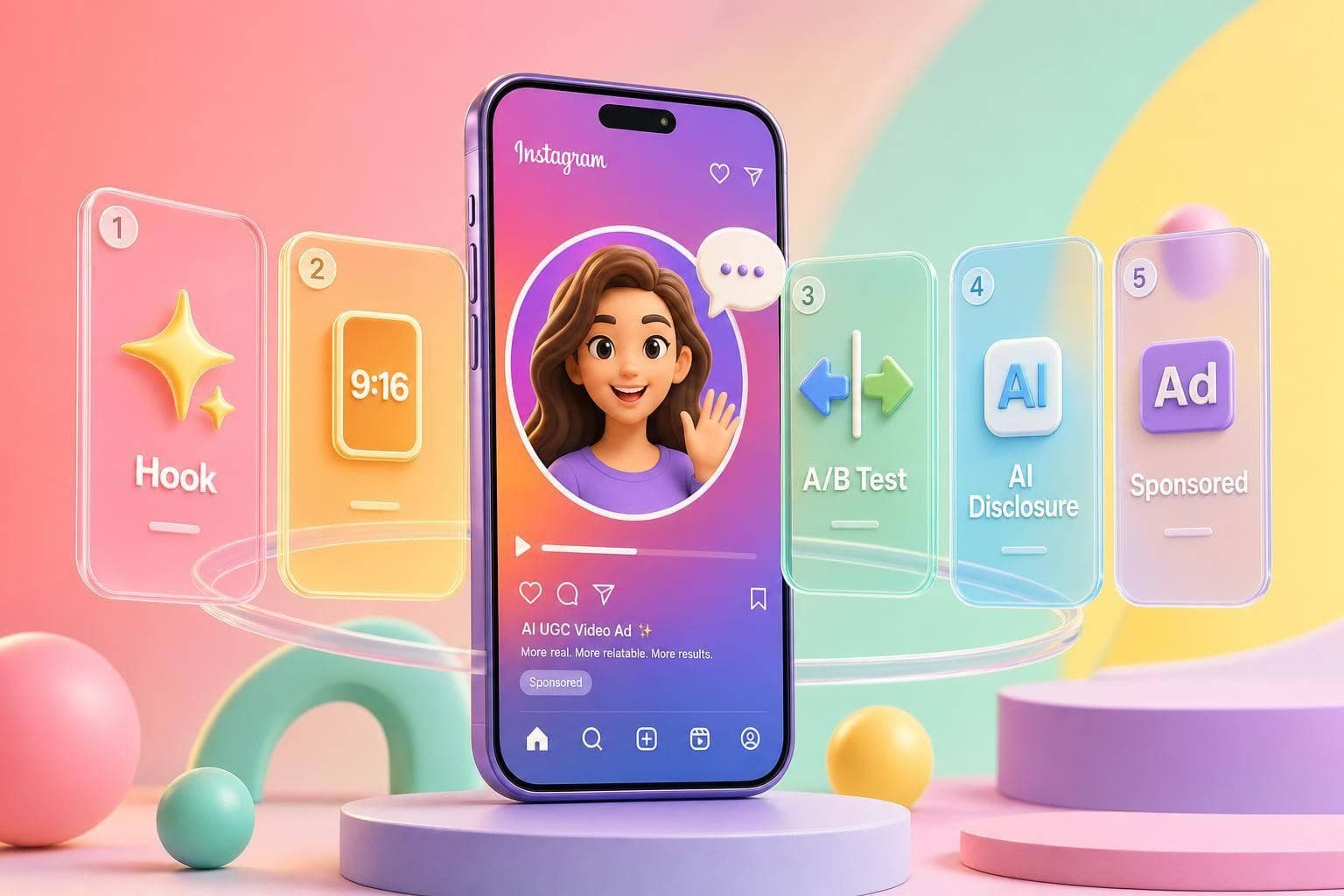
You have about 1.5 seconds to stop the scroll on Instagram. If I want AI UGC ads to work, I need to build short vertical videos with a strong first line, early product shots, clear captions, simple testing, and plain disclosure that the ad is sponsored and, when needed, AI-made.
In plain terms, this guide shows me how to:
A few numbers stand out:
If I had to boil the whole article down to one idea, it would be this: make the ad feel like a native Instagram post, test the opening fast, and keep the claims and disclosures clean.
| Area | What I’d focus on |
|---|---|
| Format | 9:16 for Reels and Stories, 1:1 or 4:5 for Feed |
| Script | Hook → proof → CTA |
| Edit | Show product early, use 1–2 lines of captions, keep text away from the top and bottom |
| Testing | Change one variable at a time |
| Compliance | State sponsorship early and do not present AI people as real customers |
| Growth | Make sure the ad promise matches the bio, pinned posts, and Highlights |
So before I spend a dollar, I’d make sure the video is short, clear, easy to follow with sound off, and lined up with what people will see after they click.
Next, line up each AI tool with the ad format and placement where it does its best work.
AI script generators are best for conversion copy and structured ad narratives.
AI avatar and presenter tools fit testimonial and founder-message ads that need direct-to-camera delivery.
AI UGC video generators work well for product demos and unboxing ads.
AI editing and caption tools help with captions sized for mobile viewing, safe framing, background cleanup, and music matching.
| Tool Category | Best Ad Format | Key Strength |
|---|---|---|
| AI Script Generators | Problem-Solution, Founder Message | Conversion copy and structured narratives |
| AI Avatar/Presenter Tools | Testimonial, Founder Message | Realistic on-camera presenter delivery |
| AI UGC Video Generators | Product Demo, Unboxing | Full video composition with B-roll |
| AI Editing/Caption Tools | All formats | Mobile captions, sound-off clarity |
After you pick the format, build for the placement. This part matters more than people think. Crop, length, and safe zones can shape hook retention and CTA visibility just as much as the message itself.
Reels and Stories both use 9:16 vertical video. Reels tend to work best at 8–15 seconds, while Stories usually run in 10–15-second segments and are a strong fit for urgent offers or direct CTAs. For Feed placements, 1:1 square or 4:5 vertical are the preferred ratios.
Keep your main text and CTAs away from the top and bottom edges on Reels and Stories. Instagram's UI - profile names, "Shop Now" buttons, and caption text - sits in those areas and can cover anything placed there. A simple rule: keep overlays centered in the frame.
Export in 1080p MP4 or MOV for Meta Ads Manager.
| Placement | Aspect Ratio | Ideal Duration | Best Use Case |
|---|---|---|---|
| Reels | 9:16 (Vertical) | 8–15 seconds | Short hook-led ads |
| Stories | 9:16 (Vertical) | 10–15 seconds | Urgent offers, direct CTA |
| Feed | 1:1 or 4:5 | 15–30 seconds | Product demos, social proof |
With the tools and specs locked in, the next move is script prompts and performance editing.
AI UGC Video Ad Creation Process for Instagram
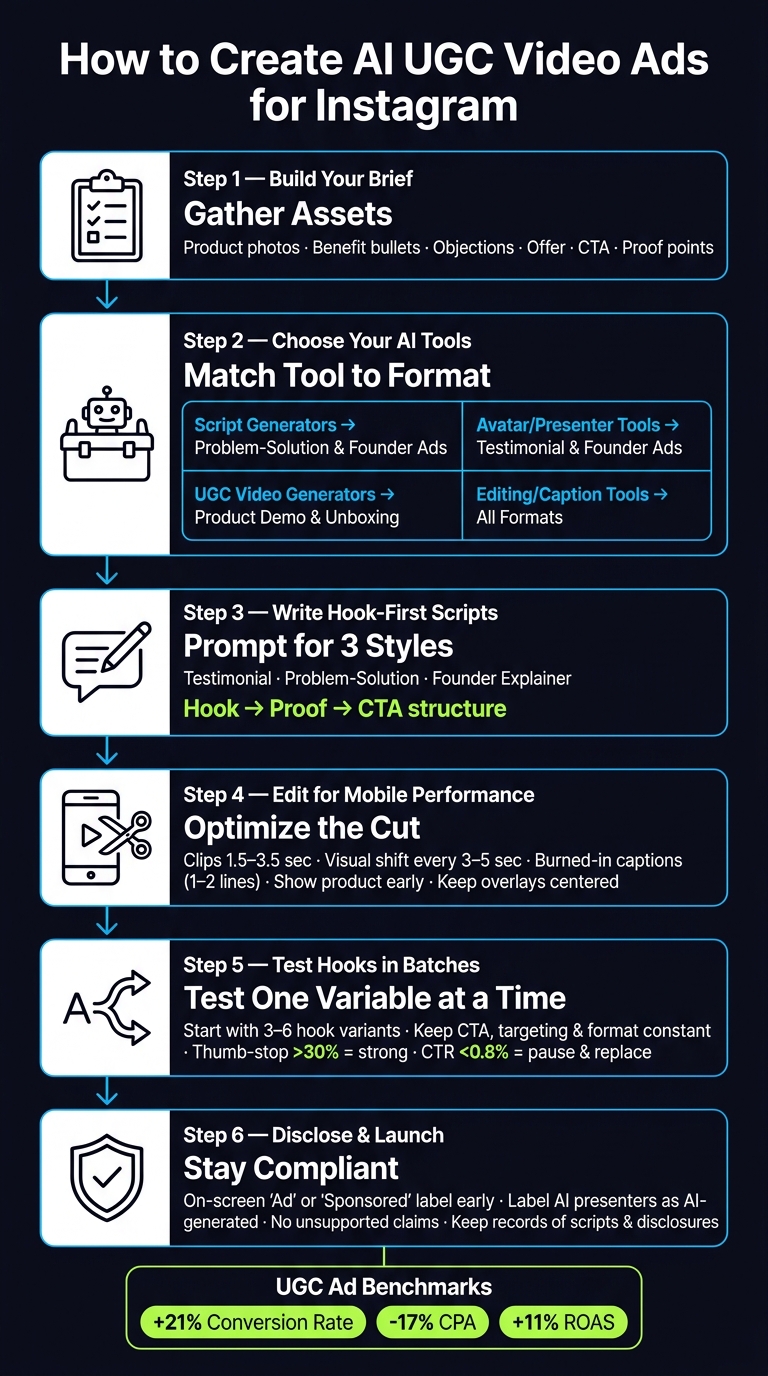
Once you've picked the format and placement, build the ad in this order: brief, prompts, then edit.
Start by gathering the raw materials:
These inputs help the ad feel specific. Without them, it can drift into bland, generic copy.
Your campaign objective shapes the whole ad. If you're running a conversion ad, get to the product and CTA fast. If it's an awareness ad, you can spend a bit more time on the problem first.
It also helps to add a short do-not-do list. Include forbidden claims, restricted visuals, and any compliance issues tied to your category. That small step can save you a headache later.
When writing prompts, include the role, audience, pain point, tone, and CTA. That gives the model enough direction to produce something usable instead of vague filler.
Here’s how that plays out across three common ad styles:
Hooks should be short and specific. Build them around the audience’s biggest pain point, desire, or curiosity. And make them easy to read with the sound off.
Don’t stop at the script. Spell out the visuals too. Call for close-ups, lifestyle scenes, before-and-after framing, or unexpected everyday settings. In other words, prompt what people should see, not just what they should hear.
From there, generate a few versions and polish the strongest angle during editing.
Once AI gives you a draft, editing is what makes or breaks it.
First, cut dead space. Aim for clips that run about 1.5–3.5 seconds each. Add some kind of visual shift every 3–5 seconds - a B-roll cut, zoom, or text overlay - to keep attention from dropping off.
Next, add burned-in captions. Use large, high-contrast fonts. Keep captions to 1–2 lines at a time. If a benefit matters, make it pop with a color change or larger text. Also, show the product early. People shouldn't have to wait to figure out what the ad is about.
The finished cut should feel native to Instagram, not polished to the point where it looks like a commercial.
Use this checklist before testing hooks, angles, and formats:
| Check | What to Verify |
|---|---|
| First 3 seconds | Hook and value proposition are obvious with sound off |
| Product visibility | Appears early in the opening seconds |
| Captions | Accurate, legible, within safe zones |
| Framing | Key content centered and clear of top/bottom UI |
| CTA | Single, clear, unmistakable at the end |
| Export | 1080p and the correct aspect ratio for the placement |
If the video clears those checks, it's ready for testing.
Once the cut is ready, test one variable at a time. That matters more than people think. If you change the hook, CTA, format, and targeting all at once, you won't know what did the heavy lifting. For AI UGC ads, keep it simple: start with one core offer and one landing page, then test 3–6 hooks while keeping the CTA, targeting, and format the same.
Start with the hook. Take one base script and spin out a few first-three-second versions. When one hook starts to pull ahead, keep it and move to angle testing. That might mean trying a problem-solution setup, a testimonial-style script, or a step-by-step tutorial. After that, test format and length, like 15 seconds vs. 30 seconds or Reels vs. Feed.
Track results across three funnel stages so you can see where the ad is breaking down. If the top of the funnel looks good but clicks are weak, the hook may be doing its job while the proof or CTA falls flat.
| Funnel Stage | Key Metrics | What They Tell You |
|---|---|---|
| Attention | Thumb-stop rate, 3-second views | Whether the hook is working |
| Engagement | Average watch time, % viewed, saves/shares | Whether the script and pacing hold interest |
| Conversion | CTR, CPA, conversion rate | Whether the CTA and offer are landing |
A thumb-stop rate below 25% is a red flag. It usually means the first three seconds aren't doing enough. Once you're above 30%, you're in a strong spot. If CTR drops below 0.8%, pause the ad and move to the next version instead of tinkering with the same asset forever.
Watch for drop-offs between stages. A strong thumb-stop rate with weak CTR often points to a mismatch: the AI presenter got attention, but the ad didn't give people a reason to click.
Once the numbers show what's working, the next check is legal. An ad that performs well but breaks the rules is a headache waiting to happen.
Compliance shouldn't sit off to the side like an afterthought. It needs to live inside the same workflow as testing. Every AI UGC ad should go through an FTC and Instagram check before launch.
The FTC's 2024 final rule prohibits the creation, purchase, or sale of fake consumer reviews and testimonials, including those that are AI-generated, as well as fake social media influence signals like bot-generated followers or views. In plain English: don't frame a synthetic presenter as a real customer. If the person on screen is AI-generated, say so clearly.
Disclosures should appear on-screen, early, and in plain language. Labels such as "Ad", "Sponsored", "Paid partnership," or "Created with AI" work. Hiding "#ad" at the end of a caption or stuffing it into a pile of hashtags doesn't meet the standard.
Sensitive categories need extra care. For health, finance, or any campaign that makes outcome claims, use cautious language, avoid promises, and cut any claim you can't back up with real data. An AI-generated presenter should never be presented as a real doctor, financial advisor, or customer unless that person is real and has given consent.
| Campaign Type | Disclosure Requirements | Compliance Risk | Best Use Case |
|---|---|---|---|
| Human UGC | "#ad", "Paid partnership" tag, verbal mention if endorsing | Lower if real experiences are used | Trust-building, testimonial-driven ads |
| AI-generated UGC | Sponsorship disclosure + label the presenter as AI-generated | Higher if the presenter is framed as a real person | Rapid hook testing, concept validation |
| Hybrid campaigns | Both sponsorship and AI involvement must be disclosed clearly | Moderate - requires dual disclosure layer | Scaling winners, multi-version testing |
A simple internal checklist can save a lot of back-and-forth:
Then take the winning hook, angle, and disclosure format into the next creative round.
Once you earn the click, your profile has to do the rest. If the ad gets attention but the profile doesn't convert, that traffic goes to waste. The goal isn't just clicks. It's follows, saves, and purchases from the same visit.
Start with a tight positioning statement. One or two sentences is enough. Then repeat that message across the ad hook, your bio, and your pinned posts. If your AI UGC script promises quick, budget-friendly skincare for sensitive skin, your profile should show that same promise right away, both in the visuals and the copy.
Story Highlights help turn profile visits into action. They should answer the promises your ads make. If your AI presenter mentions a specific benefit, a visitor should be able to tap once and see proof.
It also helps to add a soft follow CTA in your AI UGC end cards next to the purchase CTA. Something like follow for more tips ties paid traffic to long-term audience growth instead of treating each ad like a one-time sale.
That means post-click behavior matters just as much as CTR.
Use UpGrow to track which ad angles bring in followers who actually engage. Getting followers from ads is one thing. Getting the right followers is something else. A jump in follower count doesn't mean much if those people never engage, never buy, or unfollow a few days later.
UpGrow can help you watch audience quality, profile conversion, and growth trends while you test new hooks. If one audience segment responds better than another, use that signal to shape your next prompts. Because UpGrow focuses on real followers, spikes or dips in growth can give you a clearer read on campaign performance, so you don't have to wait weeks to see what's working.
Then take those signals and feed them into the next round of creative.
UGC-style ads can be a strong driver of Instagram performance. In one cross-platform report, they increased conversion rates by 21% on average, cut CPA by 17%, and improved ROAS by 11% on Instagram. But those gains stack up best when your creative, profile alignment, and growth signals work together.
Choose AI tools based on the job in front of you:
Keep scripts short and hook-first.
Make disclosures clear, early, and visible. On-screen labels like "Ad" or "Sponsored" need to appear without requiring a tap. Keep a human review step before anything goes live, and mix AI UGC with real customer content and founder videos so the account still feels real.
Then connect everything back to your profile. Match your ad message with your bio and pinned content. Use UpGrow to watch audience quality and growth signals. Keep adjusting your targeting and prompts based on what the data shows. That's how you build an Instagram growth engine that lasts, instead of a short burst of impressions.
Yes. AI-generated UGC can feel natural on Instagram when it matches the casual, a-little-messy style people already expect from user posts.
The key is simple: don’t make it look too polished.
Use first-person, conversational scripts that sound like something a person would say to a friend. Keep the lighting natural. Let the framing feel informal. A slightly imperfect video often works better than something that looks like a studio ad.
It also helps to mix AI speed with real customer testimonials and clear disclosure tags. That combo keeps trust in place and makes the content feel more human.
Use a 4-week testing cycle and wait until each ad variation reaches 2,000 to 3,000 impressions before you make a call. That gives you enough data to avoid skewed results from a sample that’s too small.
Test a few variations, review the numbers, then scale the winners. It’s a simple way to sharpen your strategy without wasting time or budget.
Label your Instagram ad as AI-generated any time AI created it or changed it in a major way. That kind of clear disclosure helps keep trust intact.
For ads, use Meta’s built-in Generative AI label in Ads Manager. Don’t bury the disclosure in the caption. And if your ad uses digital avatars, add a plain note like, "This presentation is delivered by a digital avatar."