
Boost Instagram Engagement with AI UGC Video Strategies
AI-generated UGC videos boost Instagram watch time, saves, and shares by combining authentic hooks, targeted audiences, and data-driven optimization.
AI-generated UGC videos boost Instagram watch time, saves, and shares by combining authentic hooks, targeted audiences, and data-driven optimization.
4.98 /5 - from 58k reviews
Trusted by 50,000+ creators — get real engagement delivered to your profile in minutes, not days.

Instagram engagement is about more than just likes - it’s about visibility, trust, and driving sales. With over 2 billion active users, Instagram prioritizes content that keeps viewers watching and interacting. User-generated content (UGC) videos, like reviews and tutorials, are highly effective for connecting with audiences. However, producing enough quality UGC can be a challenge for businesses.
Here’s where AI comes in. AI tools can:
For creators and brands in the U.S., a common challenge is getting views without meaningful interaction. You might see a Reel rack up hundreds or even thousands of plays, but likes remain stagnant, comments are scarce, and follower growth hardly budges. This happens because Instagram's algorithm evaluates how viewers respond to your content. If users scroll past your video within seconds, skip it without engaging, or watch without exploring your profile, the platform interprets that as a lack of interest. Over time, this leads to reduced visibility - even for high-quality user-generated content (UGC). The result? Low reach, minimal engagement across metrics, and a flat follower count.
The key to solving this issue is understanding which engagement signals matter most and why your UGC videos might not be hitting the mark. By identifying these pitfalls, you can start to improve how your content connects with your audience.
Instagram has evolved into a video-first platform, and the numbers back it up. Reels appear across multiple areas: the Reels tab, the Explore page, and the main feed. This widespread visibility allows well-performing videos to reach two to three times more people than static posts - especially for U.S.-based accounts where Reels usage is strong.
Video captures attention through movement, sound, and storytelling. When viewers watch most or all of your UGC video, Instagram sees it as a signal of quality and shares it with more users. This creates a cycle: higher watch time leads to greater reach, which generates more likes, comments, and shares, further boosting your video's visibility.
The platform prioritizes content that keeps users engaged longer. While a static image might earn a quick like, a 15-second UGC tutorial or review holds attention and encourages interaction. Brands often find that a few standout Reels account for most of their monthly follower growth. These videos grab attention, keep viewers watching, and turn them into followers.
However, video content isn't foolproof. Certain mistakes can derail your efforts before your video even has a chance to shine.
Even with consistent posting, specific errors can sabotage your engagement. Here are the most common issues that limit the potential of UGC videos:
| Engagement Metric | Why It Matters | Common Problem |
|---|---|---|
| Likes | Basic indicator of interest; low-effort action | Likes plateau quickly, signaling shallow engagement |
| Comments | Show deeper involvement and spark conversation | Few or generic comments, often from spam accounts |
| Saves | Indicate the content is valuable enough to revisit | Poor structure in educational or review content reduces the urge to save |
| Shares | Expand reach by exposing content to new audiences | Videos lack relatable or surprising moments worth sharing |
| Follower Growth | Reflects whether videos convert viewers into followers | Reels attract views but fail to drive profile visits or follows |
| Watch Time & Completion Rate | Core metric for Reels distribution; longer retention boosts reach | Weak hooks result in early swipes, limiting distribution |
Among these metrics, saves and shares carry more weight than likes. When someone saves your video, they’re signaling that it’s informative, inspiring, or worth revisiting - qualities Instagram values highly. Shares, whether through DMs or Stories, extend your reach into private networks, creating secondary waves of engagement and potential new followers. Videos with high saves and shares are more likely to appear in Explore and Reels feeds.
To identify these issues, regularly review your Reels Insights. Analyze retention curves, saves, and shares to spot patterns in what keeps viewers engaged. Use this data to test different hooks, refine your scripts, standardize your branding, and improve audience targeting. With these adjustments, your UGC videos can reach the right people and drive stronger engagement.
AI has stepped in to tackle the common challenges that limit the effectiveness of user-generated content (UGC) videos. Traditionally, UGC relies on actual customers to record and edit their videos, which often leads to delays and inconsistent quality. AI flips this model on its head by automating key processes like scripting, editing, and video creation - all while keeping that authentic, relatable feel. This shift eliminates the bottlenecks that slow down production and ensures a higher level of consistency, giving UGC a much-needed boost.
With AI, the focus is on speed and consistency. It allows you to create multiple video variations in just minutes, making it easier to test different hooks and maintain a cohesive brand identity. This efficiency removes the barriers that often result in flat engagement rates.
AI-generated UGC videos replicate the style of customer-created content, such as testimonials, product reviews, unboxing clips, or lifestyle demos. These videos are scripted, enhanced, or fully created using AI tools. Unlike polished studio ads, AI-generated UGC intentionally mimics the casual, imperfect look of real user videos - think shaky phone footage, uneven lighting, and off-the-cuff framing. These "flaws" actually make the content more relatable and engaging for viewers scrolling through platforms like Instagram.
AI tools can take a product description or customer quote and turn it into multiple storyboarded scripts, lifelike avatar videos, voiceovers, and auto-captioned clips tailored for Instagram formats. Some platforms can even generate 5–10 ready-to-use UGC ad variations from just one product URL, making it easy to run multivariate tests in a single session.
Popular examples of AI UGC videos include AI-scripted testimonial Reels, where a creator or avatar shares a "before and after" story in under 15 seconds, often paired with trending audio and vertical formats. Another effective format is AI-edited unboxing or lifestyle videos, which add captions, emojis, and key product benefits to grab attention - especially for viewers who watch with the sound off.
These tools are designed to mimic the organic feel of real user posts. Some even emphasize their ability to replicate "shaky phone" shots and imperfect lighting because these visual cues are known to drive higher engagement on social media. The goal is to combine AI's scalability and precision with the trust and relatability that UGC naturally brings.
AI-generated UGC offers several clear advantages over traditional methods, making it a game-changer for brands looking to scale their content efforts.
| Aspect | Traditional UGC | AI-Generated UGC |
|---|---|---|
| Production Speed | Days or weeks (recruiting, filming, editing) | Minutes (automated scripting and editing) |
| Scalability | Limited by creator availability | Dozens or hundreds of variations from one concept |
| Cost | High (creator fees, studio production, editing) | Lower (software subscription or credits) |
| Quality Consistency | Varies (depends on creator skills and equipment) | Standardized through templates and quality checks |
| Brand Control | Requires multiple feedback rounds; unpredictable results | Granular control over visuals and messaging |
| Personalization | Manual and time-consuming | Automated and dynamic adjustments |
AI's impact on performance is measurable. Brands often see higher completion rates and longer watch times when AI tools are used to tighten pacing and optimize video lengths - usually under 15 seconds for Instagram Reels. AI-generated UGC also tends to boost saves, shares, and profile visits, all of which signal Instagram's algorithm to increase organic reach. By testing different hooks and formats, small tweaks in the first 1–3 seconds of a video can lead to significant improvements in watch time and engagement.
To start, consider using AI for scripting and editing existing footage from creators or customers. Gradually, you can explore text-to-video tools or avatar-based content as your team becomes more comfortable. Feed real customer reviews or FAQ content into AI tools to create testimonial-style videos that address common objections and highlight outcomes. For ideas like a "morning routine" video, quickly produce multiple versions with different hooks, opening shots, and calls-to-action. Test these variations as Reels or in-feed videos, and monitor metrics like saves, shares, and profile visits to identify what works best. Use these insights to refine your AI prompts and templates for even better results.
Want to boost your Instagram engagement? Start posting smarter. AI can fine-tune every aspect of your user-generated content (UGC) videos - from the very first second viewers see to the exact moment you hit publish. Here’s how AI can help refine your content and maximize engagement.
First impressions matter, especially on Instagram. Viewers decide within three seconds whether to keep watching or scroll away. If your opening hook doesn’t grab their attention, your engagement rate will take a hit. This is where AI steps in, analyzing high-performing videos and generating customized hook ideas.
For instance, if you’re creating a UGC video about a skincare product, simply provide a brief description of the video to your AI tool. It might suggest hooks like:
Each hook taps into a different psychological trigger - curiosity, value, or transformation - to stop the scroll. Test these hooks by creating 5–10 variations and running small A/B tests with your U.S.-based audience. Monitor metrics like 3-second view rates and 50% watch-through rates to identify the most effective hooks. Once you find a winner, use it as a template for future videos. Keep track of your results in a spreadsheet and feed top-performing hooks back into your AI tool to refine its suggestions.
Additionally, many AI platforms can generate on-screen text for vertical videos. Bold headlines or captions cater to viewers who watch with the sound off - a common habit on Instagram. Pairing a strong verbal hook with eye-catching text can significantly increase retention during those critical first moments.
AI-generated scripts can sometimes feel robotic, but you can fix that by grounding them in real customer language. Train your AI tool with feedback from customer reviews, email responses, support chats, and surveys. Look for natural phrases, common objections, and authentic compliments that reflect how your audience talks about your product.
Once you’ve gathered this data, feed it into your AI scriptwriting tool to create UGC-style outlines. The AI will identify recurring themes, such as “fast shipping” or “quality materials,” and craft 30–45 second testimonial scripts. A good script should cover four key elements: who the person is, the problem they faced, how your product helped, and the outcome. Keep the tone conversational - ditch the marketing jargon.
For example, if your feedback highlights “ease of use,” the AI might generate a script like:
"I’m Sarah, a busy mom of two. I used to spend 20 minutes every morning struggling with my old coffee maker. This one? Press a button, done. Now I actually have time to enjoy my coffee before the kids wake up."
Use these scripts as loose outlines and let real voices improvise. This approach ensures your videos feel personal and relatable while still delivering your core message and a clear call-to-action.
If you’re working with multiple creators or filming UGC videos on different devices, your content can end up looking inconsistent. Variations in lighting, color tones, and text styles can make your Instagram grid feel disjointed, which can hurt your brand’s image. AI visual tools can help by applying reusable presets to standardize your branding without over-polishing your videos.
Save your preferred settings - like warm color grading, specific fonts, and text layouts - as templates. Every new video you create can inherit these elements, ensuring a consistent look across your Reels and feed posts. Keep adjustments subtle by setting rules like “limit effects,” “no heavy filters on faces,” and “retain natural backgrounds.” This way, AI enhances your videos with small refinements - leveling exposure, unifying text styles, and adding smooth transitions - while preserving the casual, authentic feel that makes UGC effective.
AI can also automate repetitive tasks like positioning logos, adding product stickers, and syncing captions to voiceovers. Over time, you’ll build a library of templates for different video types - unboxings, testimonials, tutorials - that you can reuse and tweak as needed. A consistent visual style, paired with authentic messaging, builds trust with your audience.
AI can help you ensure your content reaches the right audience by analyzing your followers and segmenting them into groups based on:
Once you’ve defined key audience segments, AI can suggest tailored variations of your UGC content. For example, it might recommend adjusting slang, references, or product use cases to resonate with specific groups. It can also suggest hashtags, caption keywords, and Reel topics that are more likely to appear in each segment’s Explore feed or search results.
Platforms like UpGrow combine AI with human expertise to refine targeting. You can set filters - like location, age, gender, interests, and language - to ensure your videos reach high-intent users who are more likely to engage with your content. UpGrow also provides access to a viral content library, helping you identify trends in your niche and incorporate those insights into your AI scripting process.
This creates a feedback loop: better targeting leads to higher engagement, which generates more data to refine your content, which in turn improves targeting even further. Over time, you’ll attract followers who genuinely care about your brand and are more likely to save, share, and comment on your posts.
Even the best content can get buried if you post at the wrong time. AI scheduling tools analyze performance data to recommend the optimal posting windows for your audience across U.S. time zones. Unlike generic advice, these recommendations are tailored to your specific followers.
Once you’ve set your schedule, AI can handle publishing automatically. Over time, it adapts to changes in audience behavior, like weekend spikes or seasonal trends, and adjusts your posting schedule accordingly. Some tools even suggest varying your post frequency and content types - mixing educational clips with entertaining ones - to keep your audience engaged without overwhelming them.
To make the most of AI scheduling, tag each video with metadata like hook type, script style, visual preset, and posting time. This allows you to track which combinations perform best and build a data-driven playbook for future content. Instead of guessing, you’ll rely on proven strategies that resonate with your audience.
To get the most out of AI-driven user-generated content (UGC) videos on Instagram, it's important to tailor your approach to the platform's algorithm. Instagram rewards content that keeps users engaged - watching, interacting, and returning for more. By fine-tuning your videos to meet Instagram's technical standards and encouraging interaction, you can expand your reach beyond your current audience.
Instagram favors videos that feel native to the platform. This means creating vertical, full-screen content using a 9:16 aspect ratio at 1080 x 1920 pixels. This format ensures your video fills the screen without awkward borders or cropping, making it more likely to be recommended.
Although Reels can run up to 90 seconds, shorter videos between 7–15 seconds (and no longer than 30 seconds) tend to perform better. Viewers often decide within seconds whether to keep watching or scroll away, so cut out slow intros and get straight to the point.
Export your videos in MP4 format with H.264 encoding and stick to standard frame rates like 24, 30, or 60 fps to avoid playback issues. Keep file sizes manageable and ensure your audio is clear and consistent - no sudden volume spikes or poor-quality sound.
Adding captions is crucial since many users in the U.S. watch videos without sound, whether they’re on public transit, at work, or scrolling late at night. Use large, high-contrast fonts centered in the video’s safe zone, and time the text to highlight key moments, such as product reveals or benefits.
AI tools can help you find trending audio tracks that align with your content and audience, offering royalty-safe alternatives that match the mood and tempo of popular sounds. Using recognizable audio boosts engagement while avoiding copyright issues.
Here’s a quick reference guide for Instagram video specs:
| Element | Recommendation |
|---|---|
| Aspect Ratio | 9:16 vertical (1080 x 1920 pixels) for Reels and Stories |
| Video Length | 7–15 seconds for high completion rates; under 30 seconds for best retention |
| File Format | MP4 (H.264 codec) with 24, 30, or 60 fps |
| Audio | Clear, balanced audio |
| Captions | Burned-in, large high-contrast fonts, centered in the safe zone |
| Trending Sounds | Use royalty-safe tracks that reflect current trends |
Next, let’s explore how AI can enhance viewer engagement and interaction.
Once your video meets technical standards, the next step is driving engagement. Instagram prioritizes active interactions like comments, shares, saves, and profile visits. These signals tell the algorithm your content is worth sharing, increasing its chances of appearing in Explore feeds and Reels recommendations.
Start with a strong hook. AI copywriting tools can generate attention-grabbing first lines for your video and caption. For instance, instead of a generic "Check this out", AI might suggest something like "This $20 hack saved me 10 hours a week" or "I was skeptical - until I tried it myself." Test different hooks to find what sparks the most engagement, as early interactions heavily influence the algorithm.
Hashtags and keywords also play a critical role. AI tools can analyze your niche and audience behavior to suggest 5–10 highly relevant hashtags, avoiding long, unfocused lists. This ensures Instagram categorizes your content accurately and shows it to users interested in those topics.
Thumbnails are another key factor. AI-powered tools can scan your video to identify frames with eye-catching visuals - like expressive faces, bold text, or clear product shots - that encourage users to tap. Testing variations, such as "before and after" images or reaction shots, can reveal what drives the most clicks.
Audio plays a big part in keeping viewers engaged. AI can recommend tracks that match the tone of your video while ensuring the sound mix works well for mobile devices. Pairing the right audio with a strong voiceover and clear captions can boost retention and encourage users to save or share your content.
Platforms like UpGrow combine AI-powered targeting with UGC production to amplify these efforts. Tools like smart filters for location, age, gender, and interests help ensure your videos reach the right audience. Real-time analytics dashboards show which hooks, styles, and sounds perform best, allowing you to refine your strategy based on data.
Consistency is key. Post regularly and take advantage of Instagram’s native features like stickers, polls, and questions. The platform favors creators who engage with these tools. Additionally, UGC that feels casual and authentic - like handheld, informal shots - tends to resonate more than overly polished, ad-like videos.
Finally, monitor performance metrics such as retention rates, reach, shares, and profile visits. Use these insights to fine-tune your AI strategy and build a workflow that aligns with Instagram's preferences.
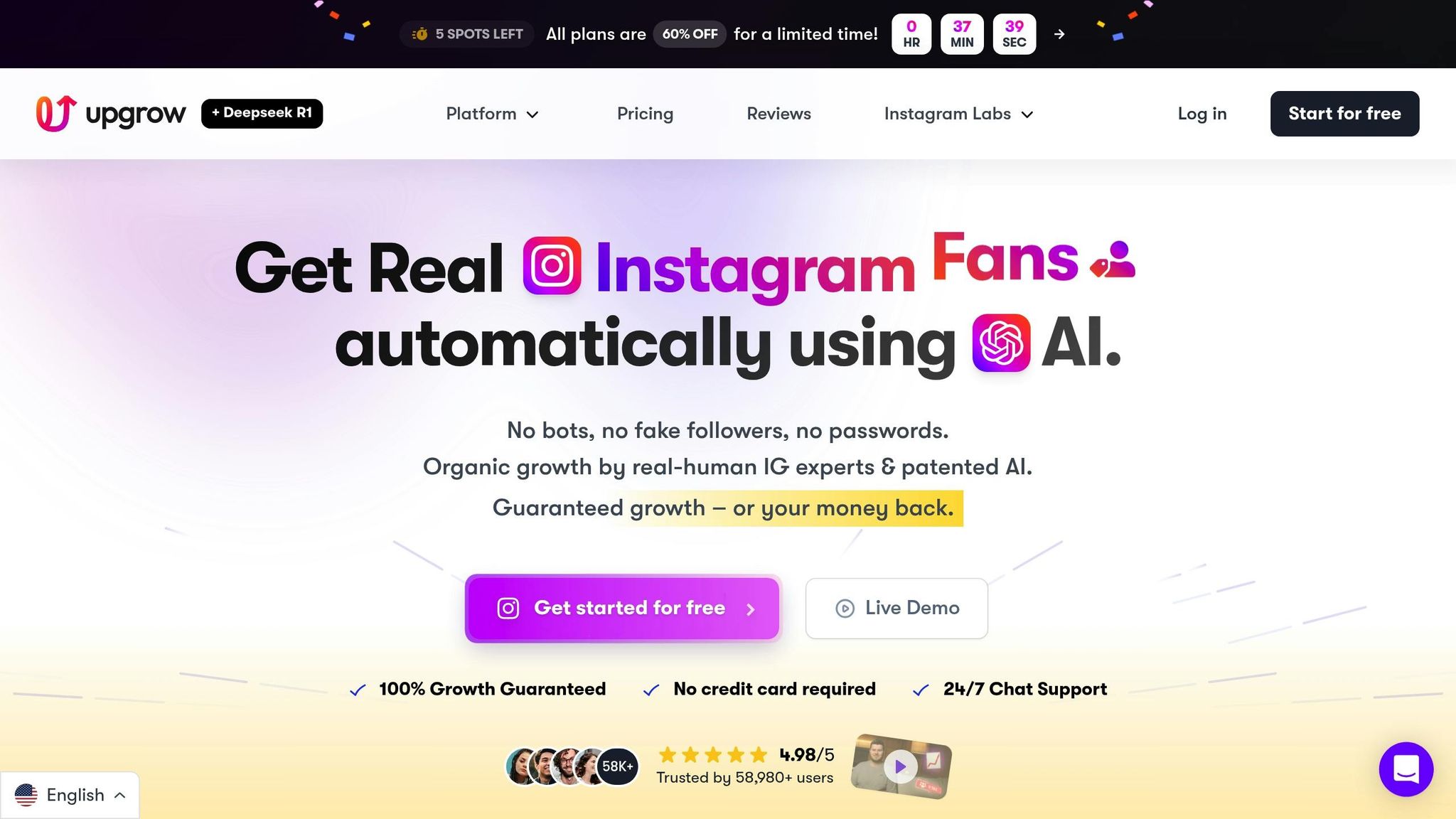
With the rise of AI-driven user-generated content (UGC), creating standout videos is only part of the equation. The real challenge? Ensuring those videos consistently reach the right audience. That’s where UpGrow steps in, offering tools to help your AI-generated UGC videos connect with real, engaged users.
UpGrow is an AI-powered Instagram growth platform that blends smart AI technology with human expertise to deliver organic growth. Running 24/7 in the background, it handles everything from targeting to outreach and optimization, so you can focus on producing great content. For creators and brands in the U.S. looking to turn their video efforts into tangible results like higher engagement, steady follower growth, and more profile visits, UpGrow transforms AI UGC creation into a streamlined and repeatable process.
With a 4.98/5 rating from nearly 59,000 users, UpGrow has helped over 100,000 Instagram accounts grow their real followers 10x faster since 2016. What makes it stand out is its commitment to connecting you with followers who genuinely care about your content - steering clear of disengaged accounts that could harm your engagement rate or violate Instagram’s guidelines.
Let’s dive into how UpGrow’s smart targeting and creative tools can take your AI UGC videos to the next level.
UpGrow’s Smart AI-Targeting system allows you to define precise filters like interests, location, age, and language. It then adapts in real time, focusing on the audience segments that engage the most with your content. By analyzing who watches, likes, comments, and follows, it ensures your videos land in front of communities that are more likely to engage deeply - resulting in higher watch times and interaction rates.
Another powerful feature is the Viral Content Library, which offers a treasure trove of proven content ideas and formats. Instead of starting from scratch, you can draw inspiration from templates like “before/after,” “my honest review,” or “3 things I wish I knew sooner.” These templates come with suggested opening lines, text overlays, and call-to-action placements, which you can adapt into AI prompts or storyboards. By using formats already proven to perform well, you can cut down on creative guesswork, speed up production, and create videos that resonate with Instagram users.
Additionally, UpGrow provides profile optimization guidance to align your bio, profile image, and highlights with the tone and messaging of your strongest videos. This alignment makes it easier to convert profile visits into follows. For example, if someone watches a compelling UGC Reel and clicks on your profile, a cohesive and professional-looking page can significantly increase the likelihood they’ll hit the follow button.
For agencies managing multiple accounts, UpGrow’s agency-friendly setup makes it easy to standardize targeting, testing, and reporting across clients. You can tailor strategies for specific niches and demographics, delivering measurable outcomes like higher engagement and follower growth while keeping workflows efficient.
Success with AI UGC videos isn’t just about creating content - it’s about refining your strategy based on performance. UpGrow’s live analytics dashboard centralizes key Instagram metrics like reach, views, engagement rates, and follower growth. This real-time feedback is invaluable when testing multiple video variations, allowing you to make quick adjustments to improve results.
Key metrics to track include watch time and completion rates per video, engagement rates (likes, comments, shares, and saves divided by reach), and follower growth tied to specific posts. High completion rates and saves signal that your video’s pacing and narrative are hitting the mark, while strong follower growth shows your content aligns with audience expectations. By reviewing these metrics weekly, you can identify winning formats and spot trends when certain styles start losing their impact.
UpGrow also reveals when your followers are most active, broken down by day and time. This insight helps you schedule your posts during peak activity windows in U.S. time zones, maximizing reach and engagement. Over time, you can fine-tune your content mix - whether it’s testimonials, explainer reels, or behind-the-scenes clips - based on what consistently performs best.
For an extra boost, UpGrow’s Boost™ feature can amplify your results even further. Beta users have reported a 275% increase in monthly followers when using Boost™. By pairing this feature with fresh AI UGC videos during key campaigns like product launches or seasonal promotions, you can quickly expand your reach. The data-driven approach ensures you’re posting at the right times and using the most effective creative variations.
Unlike other services that rely on bots or fake accounts, UpGrow focuses on organic growth. This means your engagement comes from real users who match your target audience, improving comment quality and social proof. The platform’s growth experts also offer guidance on refining your video style, captions, and posting cadence. By ensuring your AI-generated UGC feels natural and fits seamlessly into users’ feeds, you can boost watch time, saves, and shares.
UpGrow offers a free trial and Growth-Guarantee - if you don’t see follower growth, you get your money back. Plans start at just $39/month, making it an affordable option for solo creators, small businesses, and agencies. With 24/7 live chat support and automated growth tools, UpGrow takes the manual effort out of scaling your AI UGC strategy, turning your content into measurable success.
Measuring performance is where the real work begins. Without tracking the right metrics, you're essentially flying blind. But once you understand which numbers matter and how to interpret them, every video becomes a chance to learn and improve.
When analyzing performance, focus on metrics that reveal engagement quality, not just surface-level stats like views or likes. These deeper insights can help you understand how Instagram's algorithm interacts with your content.
Watch time and completion rate are essential indicators. If viewers drop off early, your opening might need a stronger hook. Instagram rewards videos that keep people watching, so even if one video racks up more views, another with better retention might perform better overall. Pay attention to where viewers lose interest. If they drop off in the first few seconds, experiment with more engaging openings - try different visuals, lines, or text overlays. If they disengage later, adjust the pacing or refine your main takeaway.
Saves and shares are strong signals of value. When people save your video or share it with others, it tells Instagram your content is worth recommending. If your videos have good retention but few saves, consider adding actionable elements like quick tips, checklists, or a “save this for later” prompt in captions or on-screen text.
Comments provide insight into how your content resonates. Look beyond the number of comments - thoughtful questions, personal anecdotes, or detailed reactions indicate deeper engagement. Responding to these comments can spark further interaction and signal Instagram to boost your video's visibility.
Profile visits and follower growth show whether your videos are attracting the right audience. A spike in profile visits after posting a video means viewers are curious about you. If those visits aren’t converting into followers, it might be time to refine your bio, highlights, or pinned posts to align with your best-performing content.
Instagram Insights is a great starting point for tracking metrics like reach, plays, watch time, and audience demographics. Export or log this data weekly to identify patterns over time. For example, you might find that testimonial videos drive more saves, or that videos under 15 seconds consistently achieve higher completion rates.
| Metric | What It Reveals | Why It Matters |
|---|---|---|
| Average watch time & completion rate | How engaging your hook and pacing are | Instagram prioritizes videos with high retention |
| Saves & shares | Whether content is valuable to revisit or recommend | Boosts reach and algorithmic distribution |
| Comments (quality, not just quantity) | Depth of audience connection | Indicates genuine engagement |
| Profile visits & follower growth | Whether your audience is connecting with your brand | Reflects alignment between content and audience |
| Replays | If viewers watch multiple times | Shows content is engaging or informative |
Set benchmarks based on your current performance, not industry averages. For instance, if your average watch time is five seconds and your completion rate is 25%, aim to increase those numbers incrementally - like six to seven seconds of watch time and a 30–35% completion rate - by improving your hooks and editing.
Data-driven adjustments are key to refining your video strategy. Successful creators and brands follow a simple process: plan, publish, measure, analyze, and refine. This cycle ensures that each new video builds on the lessons of the last.
Start by logging each video in a tracker, like a spreadsheet. Include details such as post date, hook type (e.g., question, bold statement, testimonial), topic, video length, and key metrics like plays, completion rate, saves, shares, comments, and follower growth within the first 48–72 hours. Over time, patterns will emerge. For instance, you might notice that videos starting with a direct question have 20% higher completion rates than those opening with a product shot, or that shorter videos hold attention better.
Analyze your top-performing videos - the top 10–20% in terms of engagement and follower growth. Look for common elements: What kind of hooks worked? Was the pacing fast or slow? Did they use bold captions or specific visual styles? If you notice recurring themes, use them as templates for future videos. Update your AI prompts, scripts, and editing techniques to reflect these winning strategies.
A/B testing can help you refine your approach further. Quickly generate multiple video variations to test different hooks, lengths, formats, or calls-to-action. For example, try two versions of a video - one with a bold statement as the hook and another with a question. Whichever performs better can serve as a model for future content.
Dive into your audience segments. If analytics show that women aged 25–34 in major U.S. cities are engaging more with your videos, tailor your content to their interests. Schedule posts when they’re most active - typically late afternoon or evening in their local time. If a particular audience segment underperforms, experiment with different messaging, visuals, or formats to see what resonates.
Timing is everything. Use analytics tools like UpGrow to find out when your audience is most active. For example, if your followers are most engaged on weekdays between 6:00 PM and 9:00 PM EST, schedule your posts during that window. You can also track whether certain types of content perform better on specific days - educational videos might do well midweek, while lighter, entertaining content could shine on Fridays.
When you spot performance issues - like strong reach but weak completion rates, or high engagement without follower growth - make targeted adjustments. If viewers drop off early, tweak your intro. If saves and shares are low, add actionable tips or prompts. Test these changes in your next batch of videos and compare the results.
To streamline your workflow, use tools like UpGrow’s Viral Content Library. It offers proven content angles - like “before/after,” “3 things I wish I knew sooner,” or “my honest review” - that you can adapt to your niche. Compare how these formats perform against your older content, and incorporate successful ones into your routine.
Review your data weekly or biweekly to spot trends. Are certain topics consistently driving more saves? Do shorter videos have better completion rates? Are testimonial videos pulling in more followers than product demos? Use these insights to shape your next round of AI-generated scripts and creatives. If a successful format starts to lose its appeal - evidenced by declining engagement - experiment with fresh ideas.
Finally, monitor deeper engagement signals like direct messages, thoughtful comments, and saves. These often indicate strong interest or purchase intent. If a video generates a lot of DMs asking for more details, consider creating follow-up content or even a dedicated product page. Use these insights to guide your overall strategy and keep growing your Instagram presence over time.
Driving Instagram engagement today requires a smart, data-driven approach. Video formats like Reels and Stories dominate the platform, consistently outperforming static images when it comes to reach and interactions. Leveraging AI-powered strategies for user-generated content (UGC) makes it easier to create this kind of high-performing content at scale. From crafting attention-grabbing hooks to efficient editing and algorithm-focused optimization, AI tools streamline the entire process.
AI-based workflows address common engagement challenges like low reach, poor watch times, and weak interaction rates. These issues often stem from generic hooks, uneven pacing, or content that misses the mark with your audience. AI takes the guesswork out of the equation by analyzing performance data and fine-tuning videos to drive more likes, comments, shares, and profile visits. Instead of spending hours experimenting, you can quickly generate multiple video variations, test different formats, and identify what resonates most with your U.S. audience.
However, creating engaging videos is only half the battle. Reaching the right audience is just as important. That’s where services like UpGrow can make a difference. UpGrow combines AI-powered targeting with human expertise to ensure your videos reach high-intent viewers - without relying on bots or fake followers. Its advanced filters - covering location, age, gender, language, and interests - help your UGC-style Reels connect with users genuinely interested in your niche. Plus, UpGrow’s Viral Content Library offers proven templates and content ideas, such as "before/after" transformations or "3 things I wish I knew sooner", which you can adapt to fit your brand. Real-time analytics then allow you to track how these formats perform and refine your strategy.
For instance, a small U.S.-based ecommerce brand that uses AI to script and edit short review videos can see measurable improvements. With UpGrow’s precise targeting, they achieve higher Reel completion rates, more comments and shares, and steady follower growth.
The key to sustained success lies in continuous improvement. AI tools and growth platforms work best as part of an ongoing strategy rather than a one-time experiment. Regularly test new video ideas, analyze performance data, and let both AI and human insights refine your content and targeting over time. For U.S. brands, tracking metrics like link clicks, profile visits, and actual sales in dollars helps ensure that increased engagement translates into real business outcomes.
Think of AI as your creative partner for scripting and editing, while human input keeps the content authentic and relatable. U.S. audiences value transparency and natural storytelling, so blending AI efficiency with a human touch creates videos that feel genuine. With UpGrow’s 24/7 growth monitoring, Instagram-safe practices, and detailed analytics, you can grow consistently while staying within platform guidelines.
Try posting AI-assisted UGC Reels during peak engagement times for a week, then adjust based on real-time data. On a platform that’s constantly evolving, brands and creators who treat AI-powered UGC and smart growth tools as part of their long-term strategy are better positioned to maintain strong engagement and stay ahead of the competition.
AI-generated UGC (user-generated content) videos can feel genuine when they focus on creating content that truly connects with the audience. By using AI to study trends, preferences, and how people engage with content, creators can make videos that hit the right notes with their viewers.
To keep things scalable without losing that personal touch, AI tools can take care of time-consuming tasks like editing, adding captions, and tailoring content for specific audiences. This frees up creators to put their energy into making content that feels relatable and high-quality. The secret lies in combining the imaginative spark of human creativity with the practical efficiency of AI, ensuring UGC that consistently engages and connects with the audience.
To improve the performance of your Instagram videos, pay close attention to engagement metrics like likes, comments, shares, and saves. These numbers reveal how much your audience connects with your content. Also, track reach and impressions to gauge how many people are seeing your videos and how often they’re being viewed.
If you’re looking for more detailed insights, tools like real-time analytics dashboards can be a game-changer. They help you spot trends, see what’s clicking with your audience, and fine-tune your approach for better outcomes. Focus on the metrics that match your specific goals - whether it’s expanding your follower base, boosting engagement, or driving more conversions.
AI makes it easier to connect with the right audience on Instagram by leveraging advanced targeting options such as location, age, gender, and interests. These filters ensure your content is seen by people who are genuinely interested in what you have to offer, leading to stronger engagement and more meaningful interactions.
Why does reaching the right audience matter? Because it helps you build a loyal community that actively engages with your posts. This not only increases your visibility but also lays the foundation for sustained growth on the platform.


